
Editing an Order
Updated Ver en español
From your BloomNation POS:
1. Click into the All Orders tab
2. Locate the order by searching for Order Number, Sender Name, Sender Phone #, or Recipient Name:
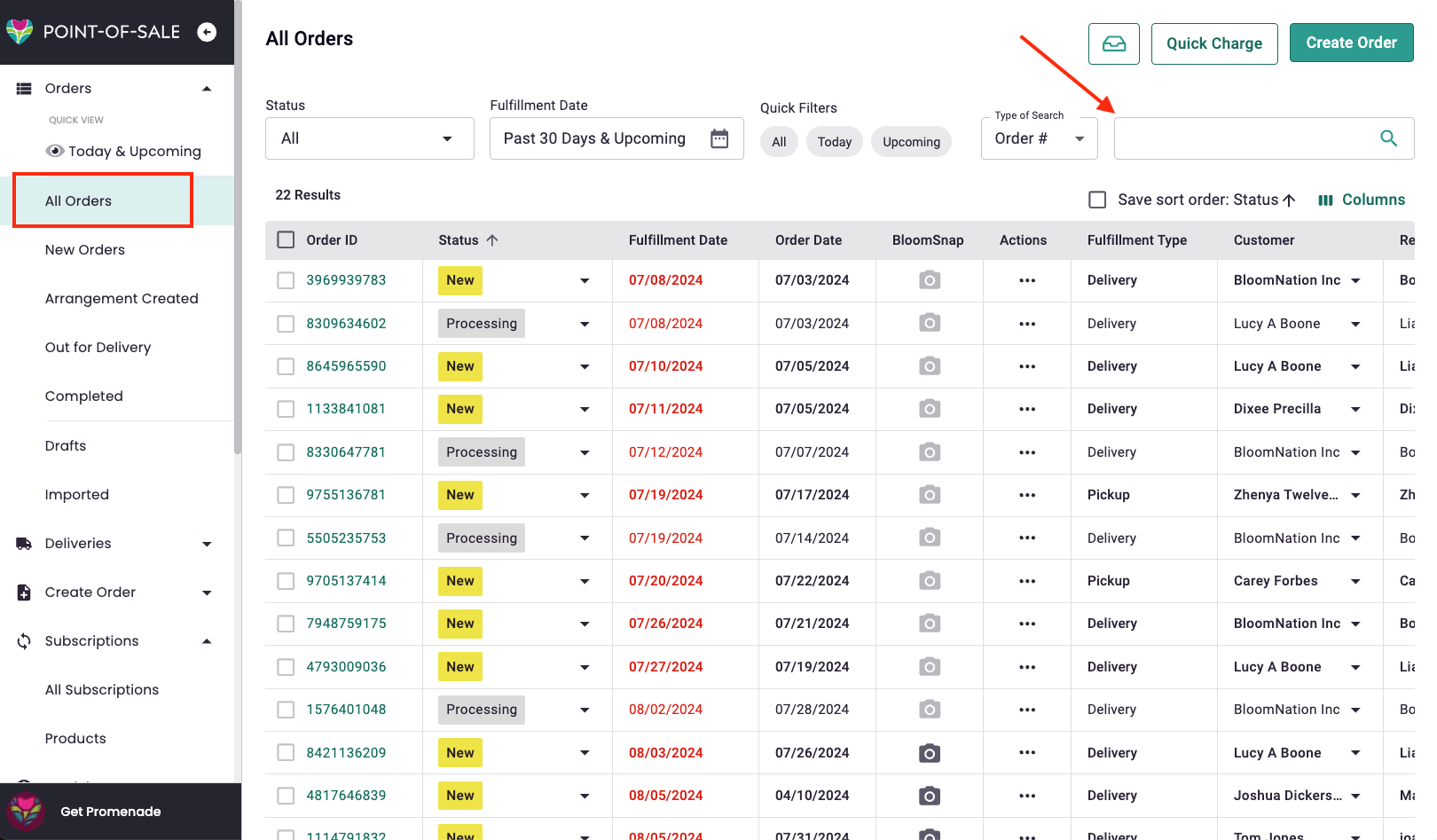
3. Click on Order ID to view Order Details page
The following fields are editable from the Order Details page
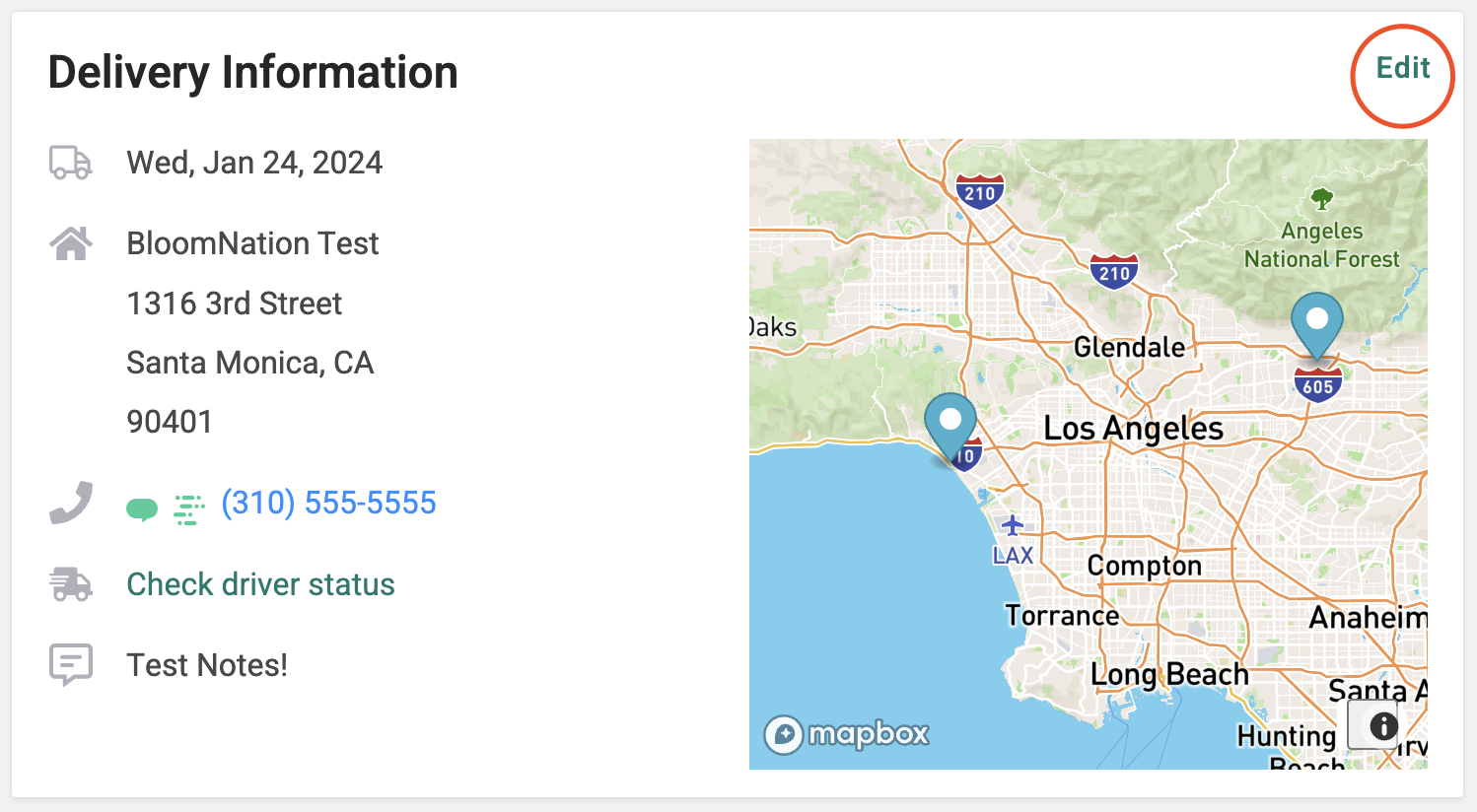
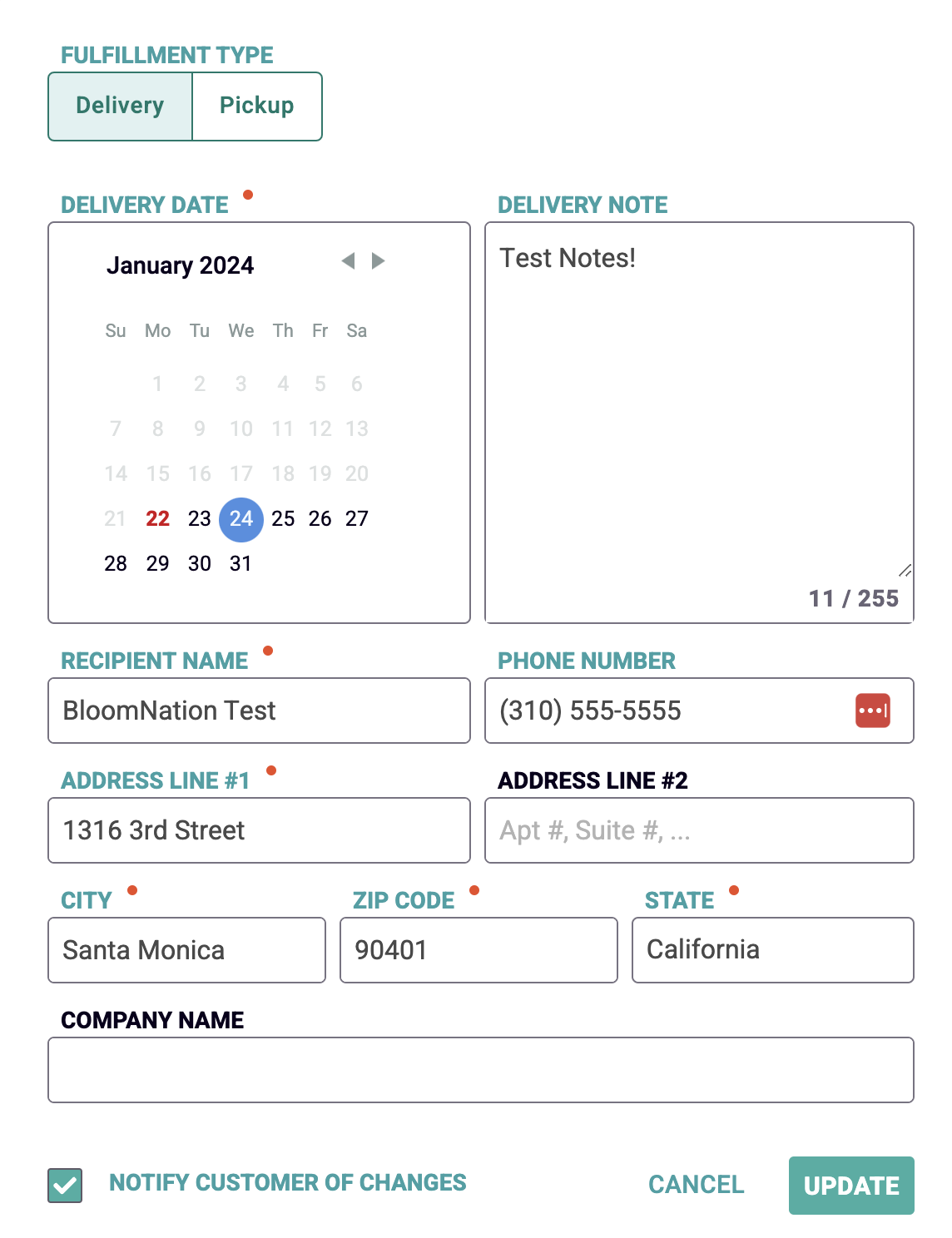
1. Delivery Information :
- Fulfillment Type: Pickup vs Delivery
- Delivery Date
- Delivery Notes
- Recipient Name, Phone Number, Address
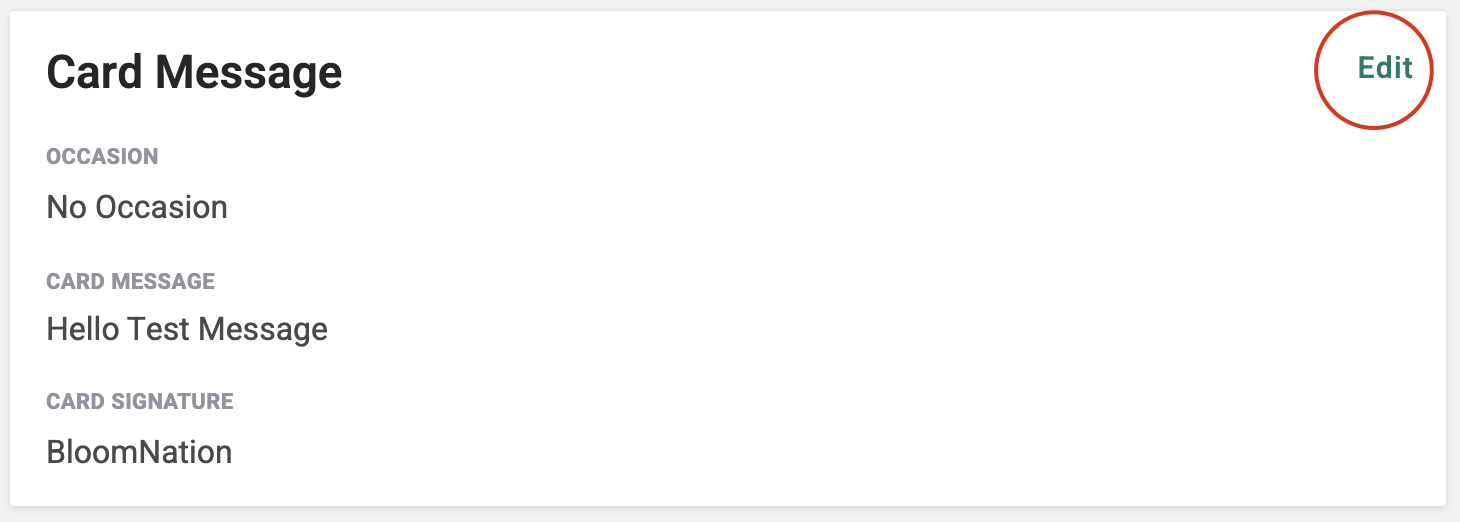
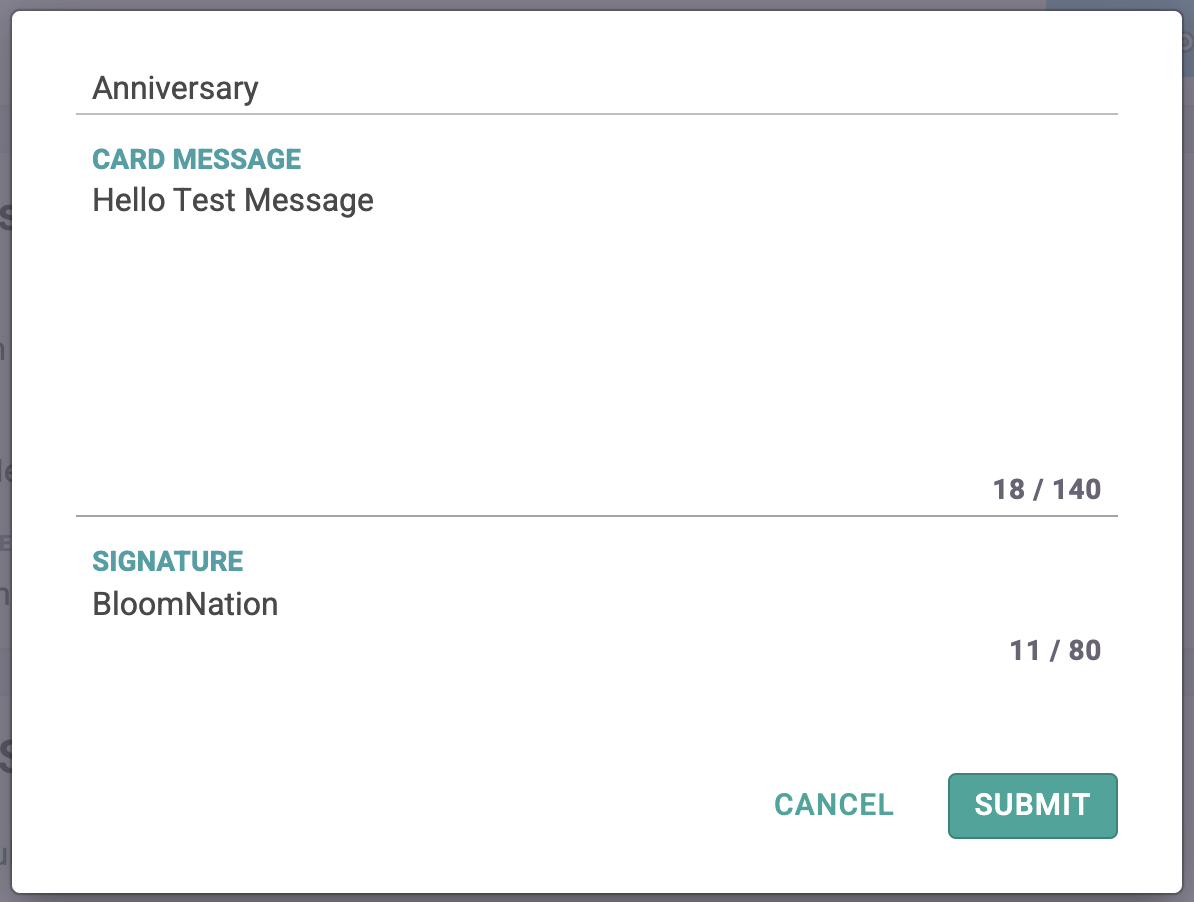
2. Card Message Details:
- Occasion
- Card Message
- Card Signature
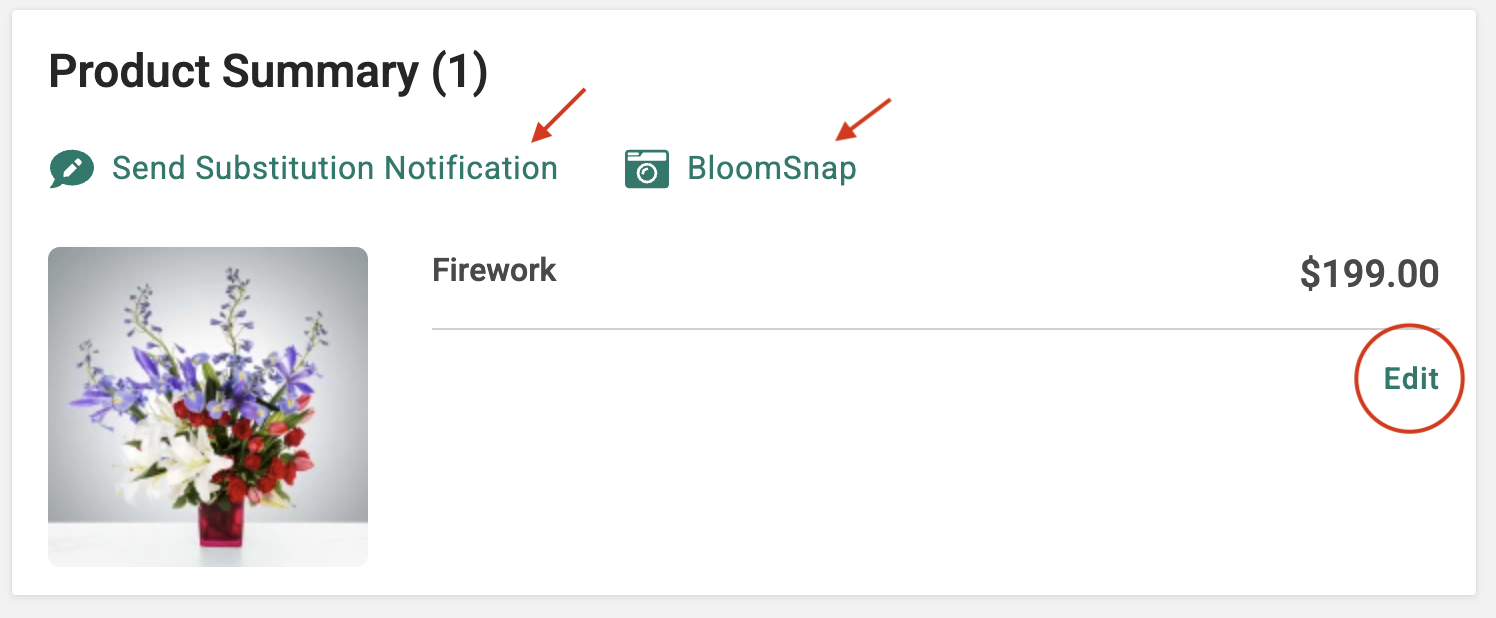
3. Product Summary:
- Item Details - add special instructions
- Send a Substitution Notification
- Add a BloomSnap
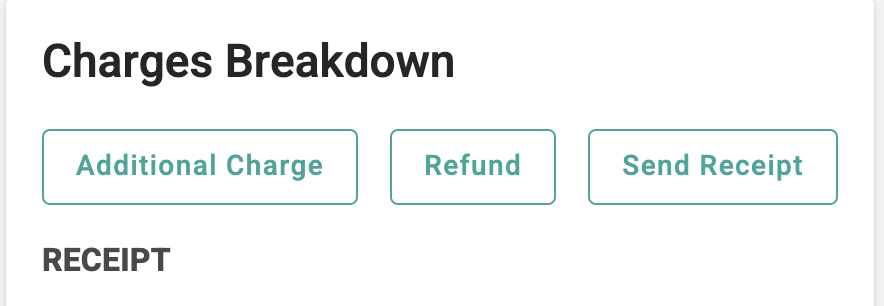
4. Charges Breakdown:
- Add an additional charge
- Refund a charge - partial or full
- Send or resend receipt
Once you've saved your edits, your customer will receive an email with their updated information to the email address used to place the order.
If you have any questions or need help with editing your orders, let our Bloom Experts know by emailing floristsupport@bloomnation.com