
Processing a Refund
Things happen. Customers enter the wrong info, orders are submitted twice, people change their mind, the list goes on. Other times, something more serious goes wrong, and keeping your customer as happy as possible becomes priority number one. In some cases, that means you need to refund your customer all or some of their money.
Pre-Delivery
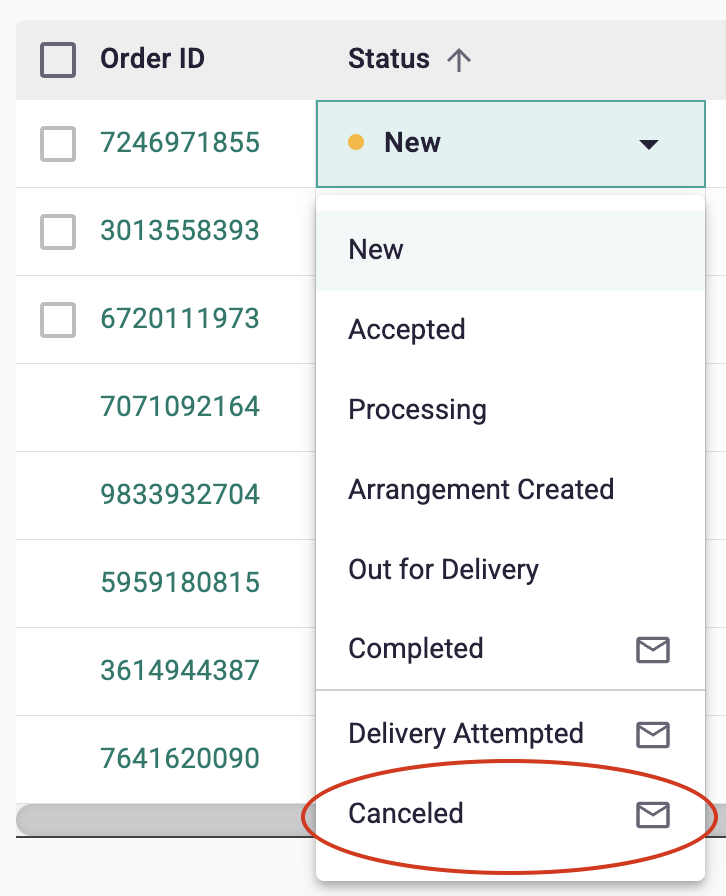
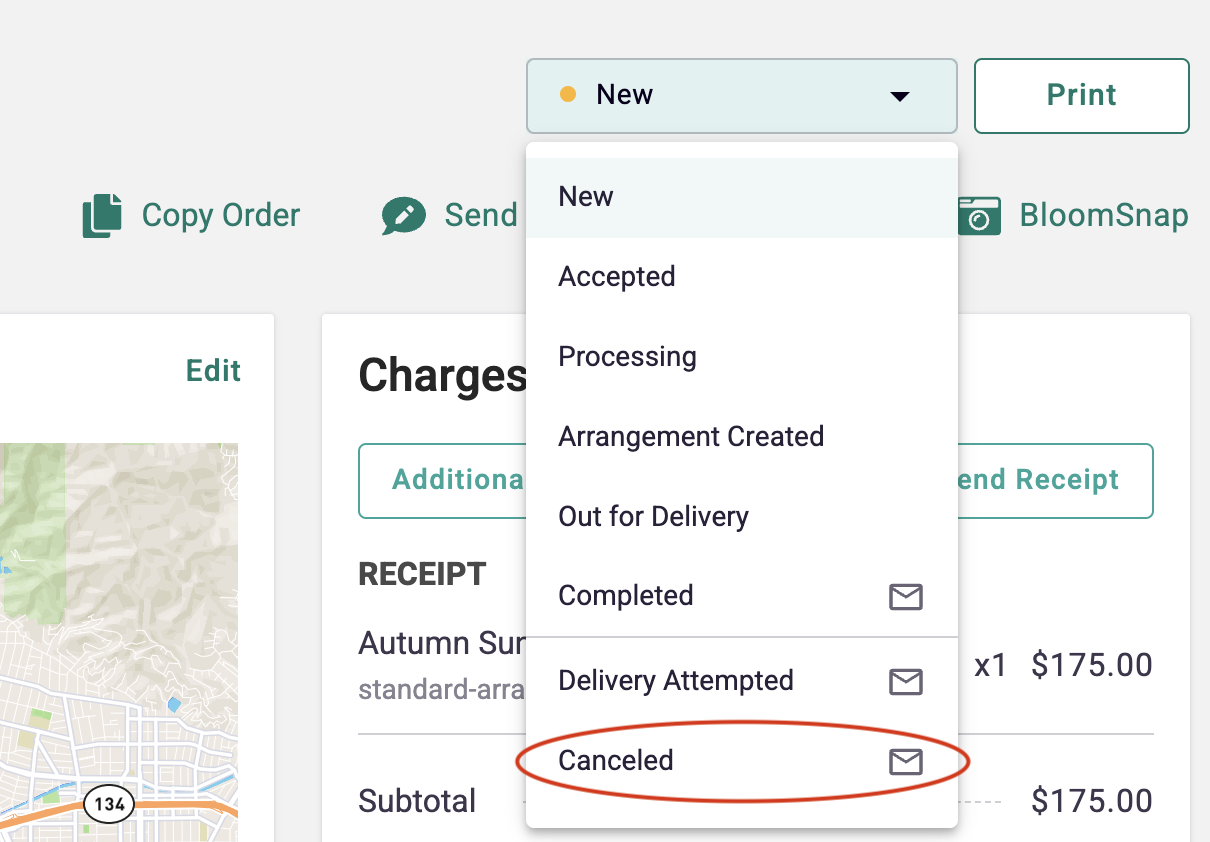
If you have not already processed the order, but cannot complete it, simply change the Order Status to Canceled. This will refund your customer in full, and trigger an email letting them know. We recommend calling your customer to explain and offer alternatives as well.
Post-Delivery
Just the same as Pre-Delivery options, you are able to process refunds placed through your POS on your own. To do so, please follow the directions below.
To Start
- Log in to the Dashboard > POS and click to view All Orders
- Search for the order you would like to refund, in partial or full
Processing a Partial Refund
- Click into the order to view order details
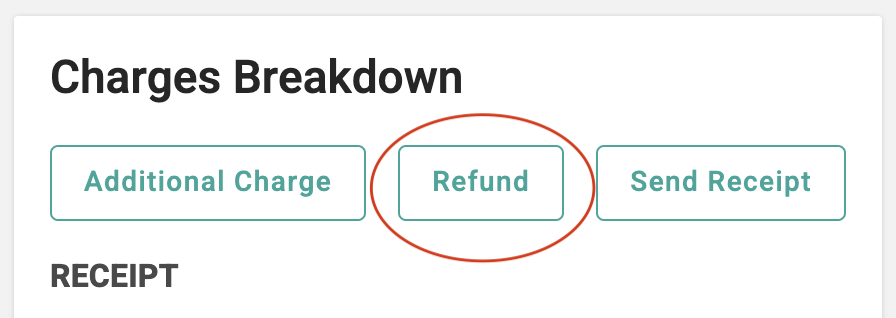
- On the right side of page, see Charges Breakdown
- Click on the Refund button
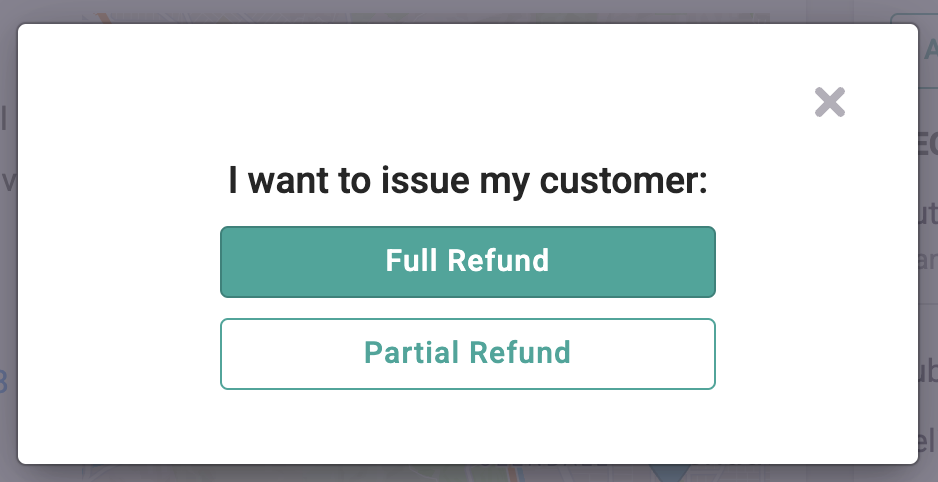
- Choose Partial Refund, and enter the amount to be refunded
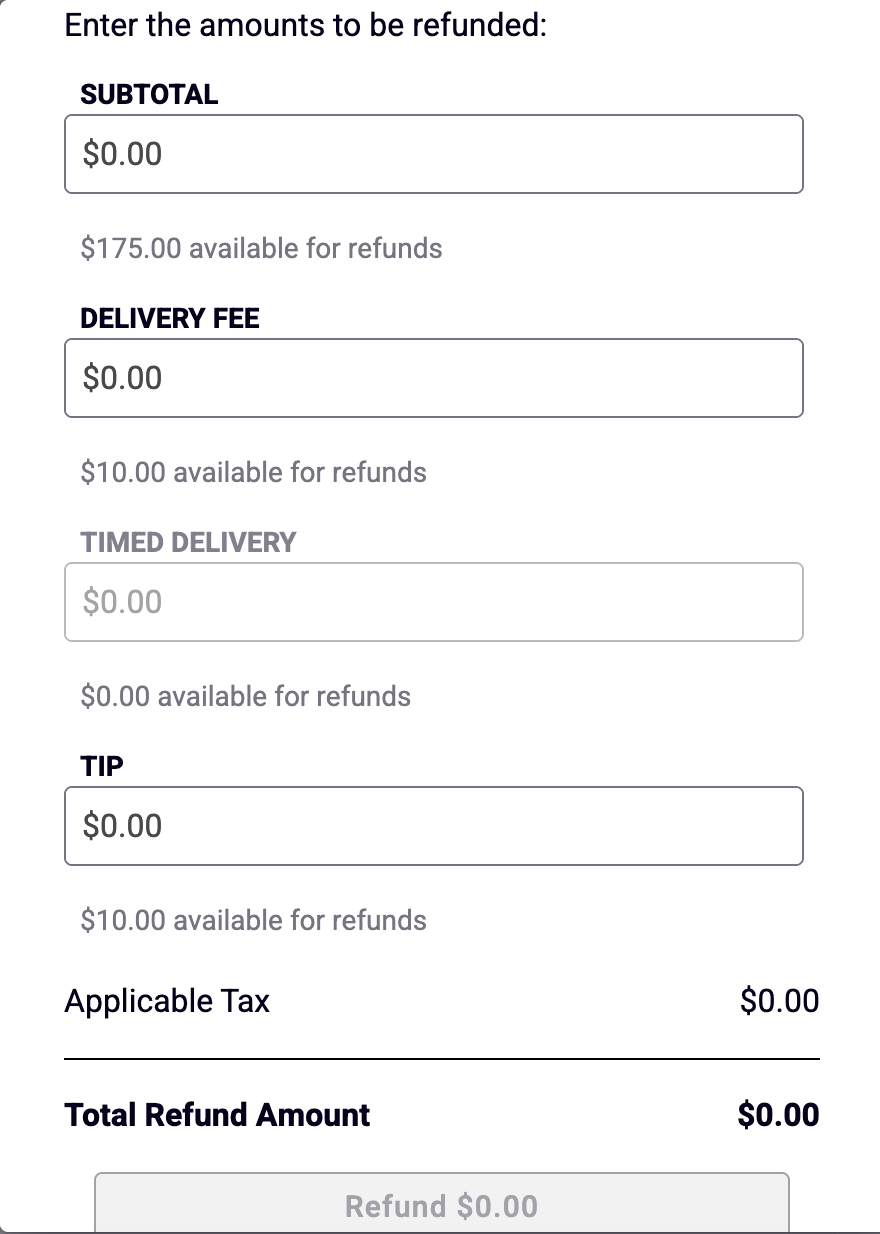
- Enter the amounts to be refunded, and submit
Processing a Full Refund
- There are 3 ways you may process a Full Refund:
- Follow the directions above for Pre-Delivery refund, via the All Orders page
- Follow the directions above for the Partial refund, via the Order Details page - Choose FULL REFUND button
- Via the Order Details page, click on the Order Status in top right corner, and change order status to Canceled. Just the same as the Pre-Delivery refund, this option will refund your customer in full, and trigger an email letting them know.
After you click "Refund", both you and your customer will receive an email confirmation right away. They should see their funds within 1-5 business days, dependent upon their bank.
PLEASE NOTE
Once a refund is processed, the negative balance will be applied to future payouts. So, if you process a $50 refund today and get an order for $100 tomorrow, your next payout will be for $50.
If you process a $50 refund today and get an order for $25 order tomorrow, you won’t be paid out until you receive another order for at least $25.