
Substitution Notifications
Substitution Notifications
Sending flowers should always feel special. But one of the most disappointing surprises can happen when the flowers your recipient receives look different from what you ordered online.
Imagine: You carefully picked an arrangement with sunflowers because your wife loves them. But the florist had to substitute sunflowers with daisies. While your wife might still be happy, you’re left feeling a little disappointed.
Thoughts like, “Why didn’t the florist use sunflowers?” or “Why didn’t they tell me they were going to swap them out?” might cross your mind. And worst of all, this kind of situation can make a customer hesitant to order flowers again.

How Communication Can Make the Difference
A quick heads-up to the customer can avoid frustration. Customers understand that availability changes, but they don’t want to be surprised. Notifying them about substitutions builds trust and lets them decide how to proceed.
By reaching out about substitutions, what could have been a frustrating situation often turns into a positive one. Customers feel valued when they are included in the decision, which can result in a more loyal customer base.
Introducing the Substitution Notification Feature
With BloomNation’s Substitution Notification system, you can easily notify customers of potential substitutions with just a click.
How to Send a Substitution Notification
-
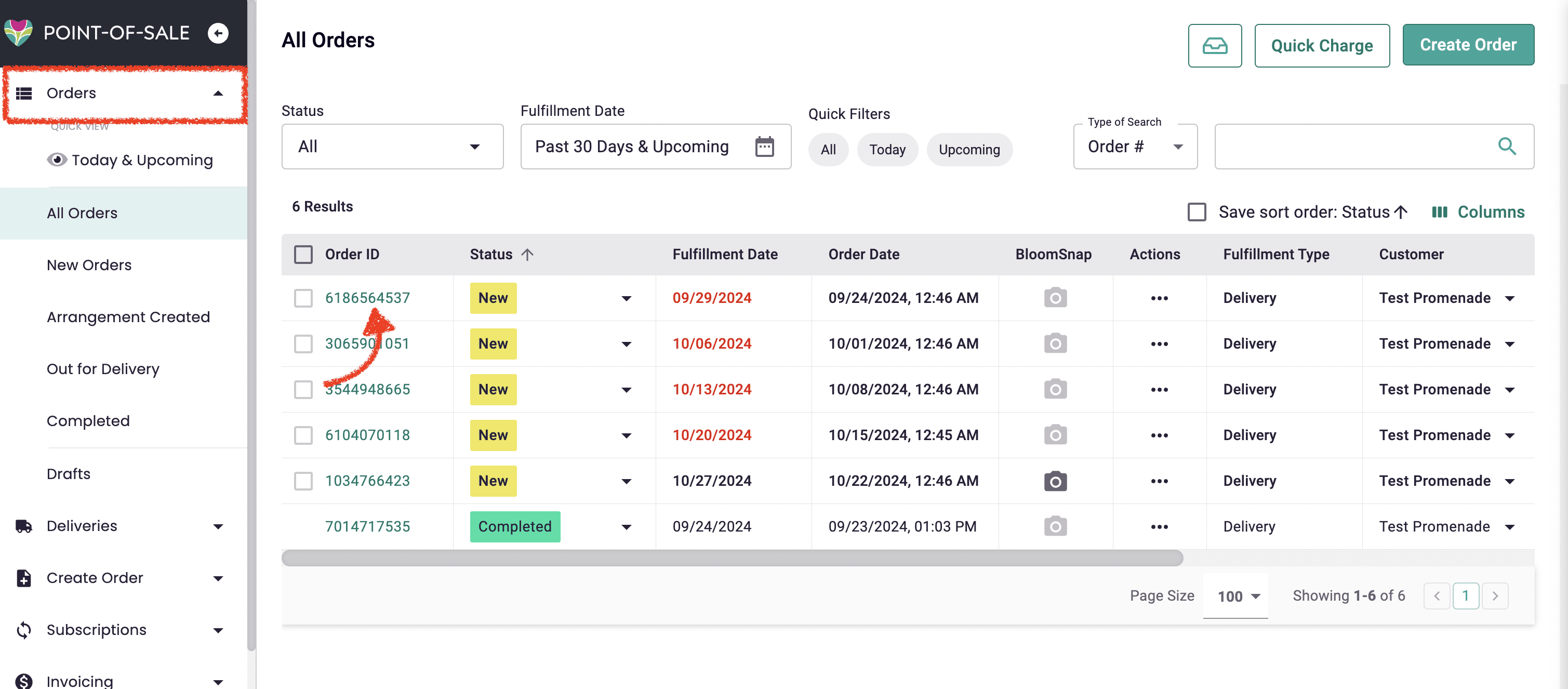
Locate the Order Details page:
- Log into your BloomNation account and navigate to the Order Details page for the specific order.
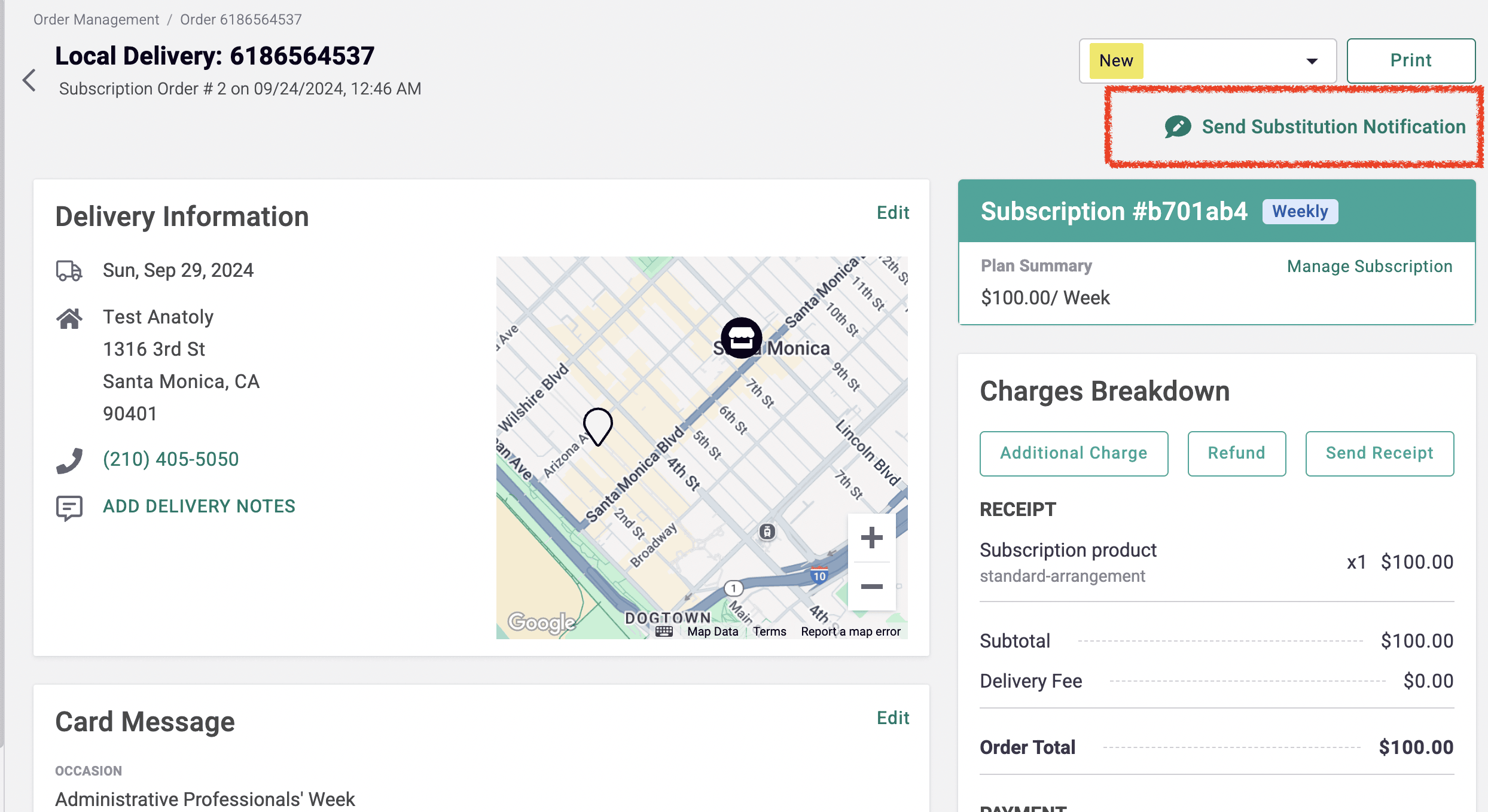
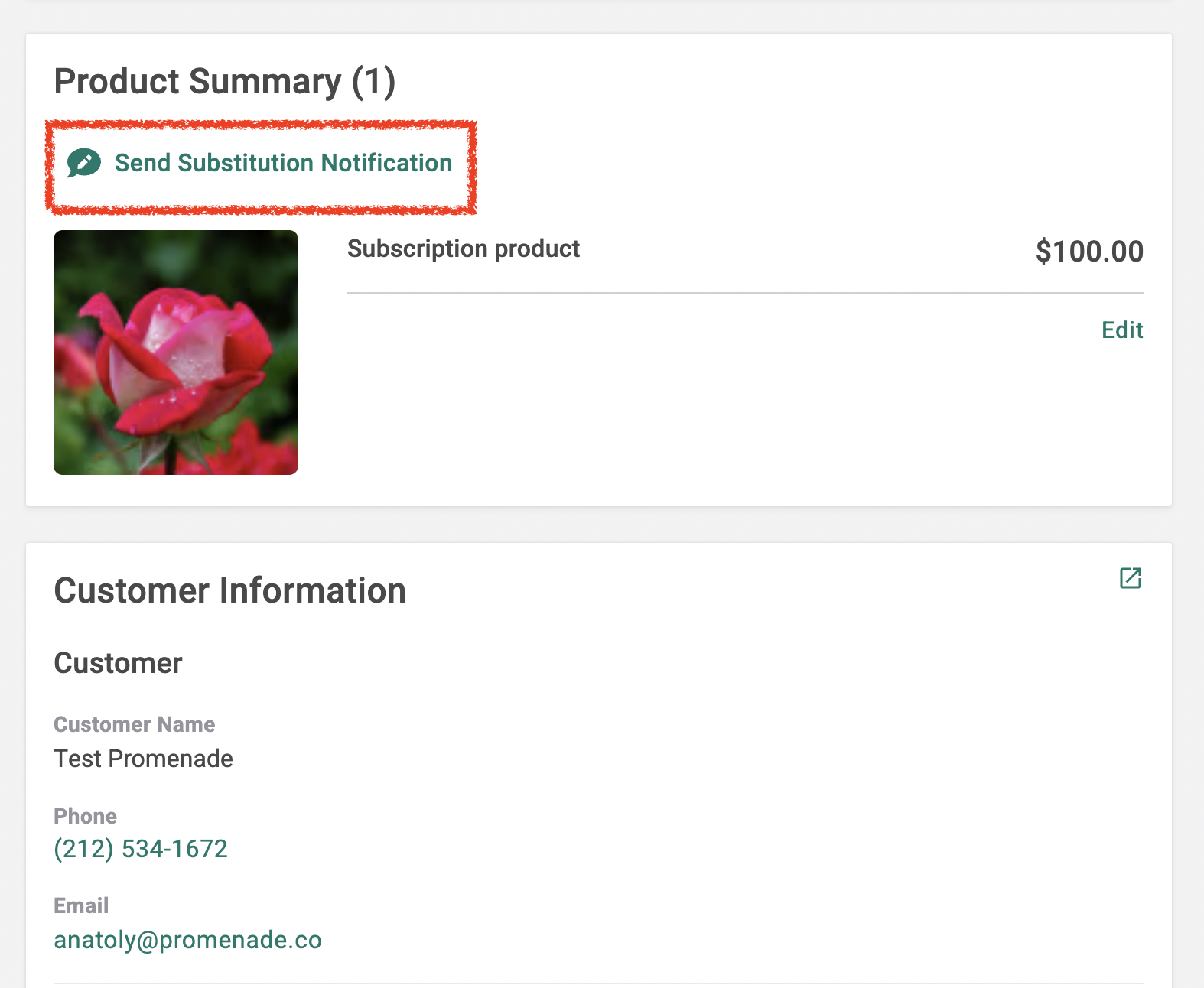
- The Send Substitution Notification button can be found both at the top right of the page and in the Product Summary section.
- Log into your BloomNation account and navigate to the Order Details page for the specific order.
-
Fill out the Substitution Notification:
-
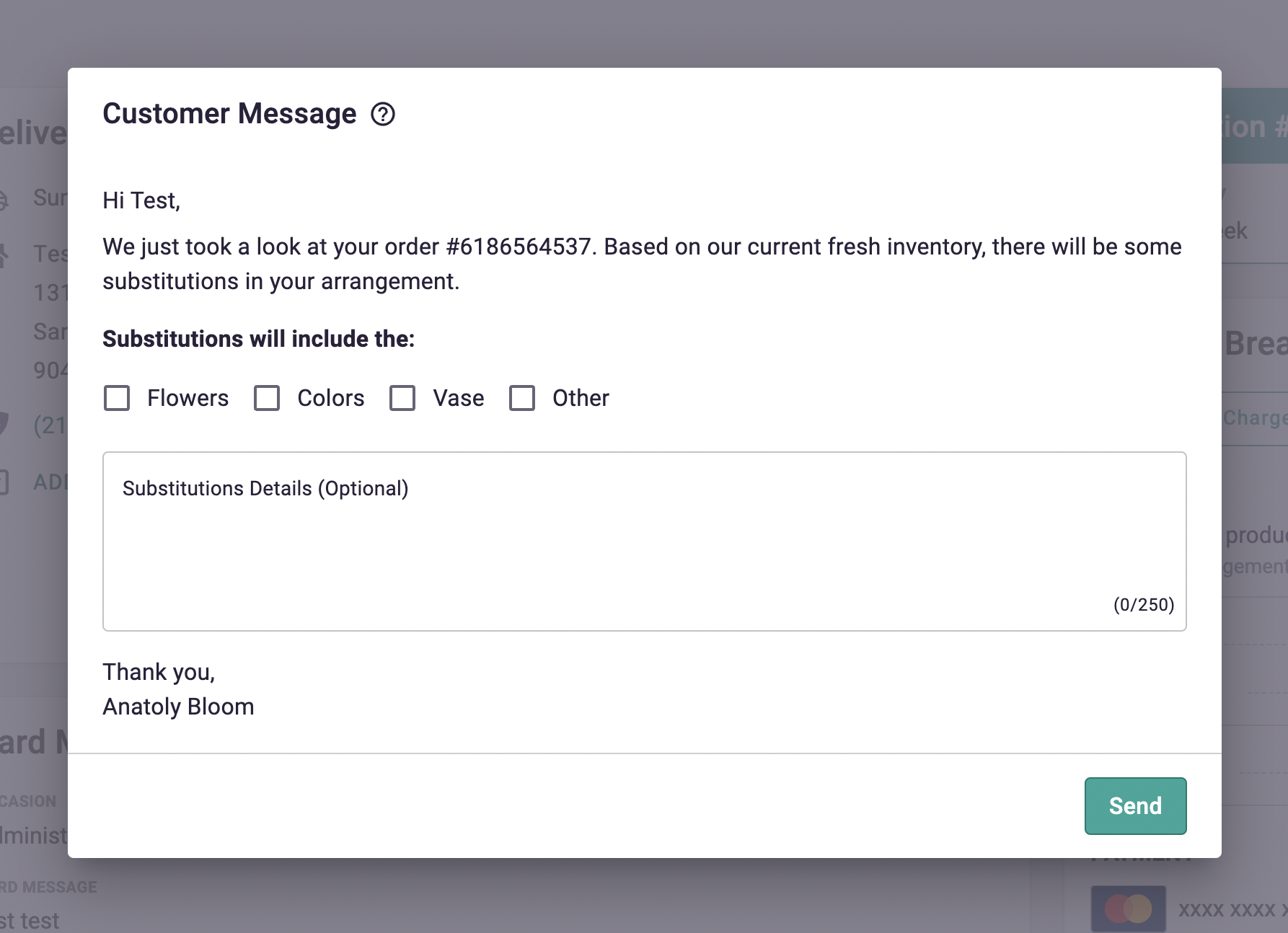
After clicking the button, a pop-up window will appear.
-
A default message is provided for you:
Hi [Customer Name], We just reviewed your order #[Order Number]. Based on our current fresh inventory, some substitutions will be made in your arrangement.
-
You can then check which substitutions apply:
- Flowers
- Colors
- Vase
- Other
-
Optionally, add a personalized note explaining the substitutions to the customer in the text box.
-
-
Send the Notification:
- After filling out the necessary details, click Send at the bottom right of the pop-up window to notify the customer via email and text message.
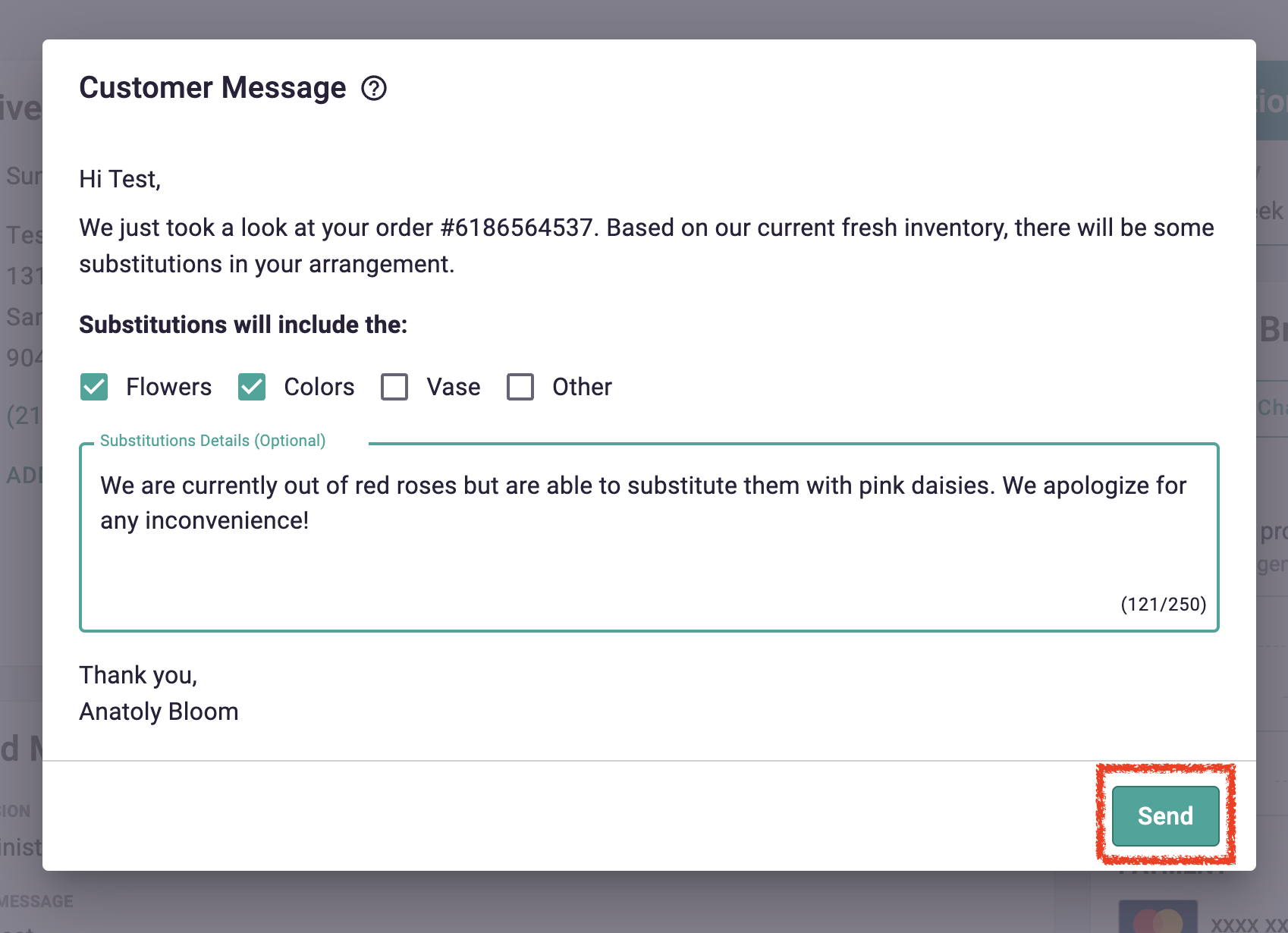
- After filling out the necessary details, click Send at the bottom right of the pop-up window to notify the customer via email and text message.
Notification Examples
Note: Bracketed information will update automatically, based on the information entered in the "Substitution Notification" pop-up above, as well as any relevant customer and order details.
Email Example:
Subject: Important Update to Your Order
Hi [Customer Name],
We just took a look at your order # [Order Number]. Based on our current fresh inventory, there will be some substitutions to the flowers in your arrangement.
Note from your floral designer: [Optional personalized message]
We will always try our best to match the overall style and feel of the arrangement but if there was something important to you about the arrangement, please contact us as soon as possible so we can work something out. You can reach us at [Shop Phone Number], or email us at [Shop Email Address].
Thank you,
[Shop Name]
Text Message Example:
This is an automated message from [Shop Name] regarding order #[Order Number]. To ensure your recipient receives the freshest flowers, we need to make some substitutions to your arrangement. Don't worry, we will make sure it looks great. We sent you an email at [Customer Email Address] with further details around what substitutions will be made.
Reply STOP to unsubscribe from SMS Order Updates. Msg & data rates may apply.
Need Further Assistance?
If you need help using the Substitution Notification feature or have any questions, feel free to reach out to our support team here.