
Message Center: What Customers See on Your Website
Your customers don't need to learn anything new to talk with you through Message Center. Here's what they see.
In Their Email
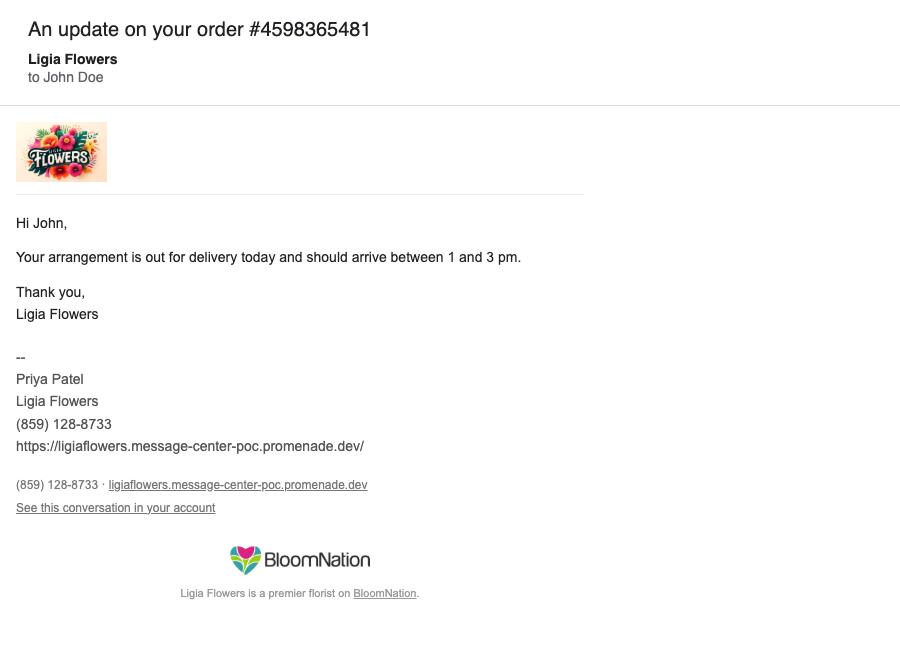
Your message arrives as a normal email from your shop, with your logo at the top, your message, any attachments and your signature (if you've turned it on). Your shop's phone number and website are shown below the message. To set up your signature, see Message Center: Drafts, Templates and Signatures.
When your customer clicks Reply, the reply comes back to the same conversation in Message Center. It doesn't matter which email program or phone they use.
If your customer has an account on your website, the email also includes a See this conversation in your account link.
On Your Website
Customers who are signed in to their account on your shop's website have a Messages page under My Account, with a count of unread messages.
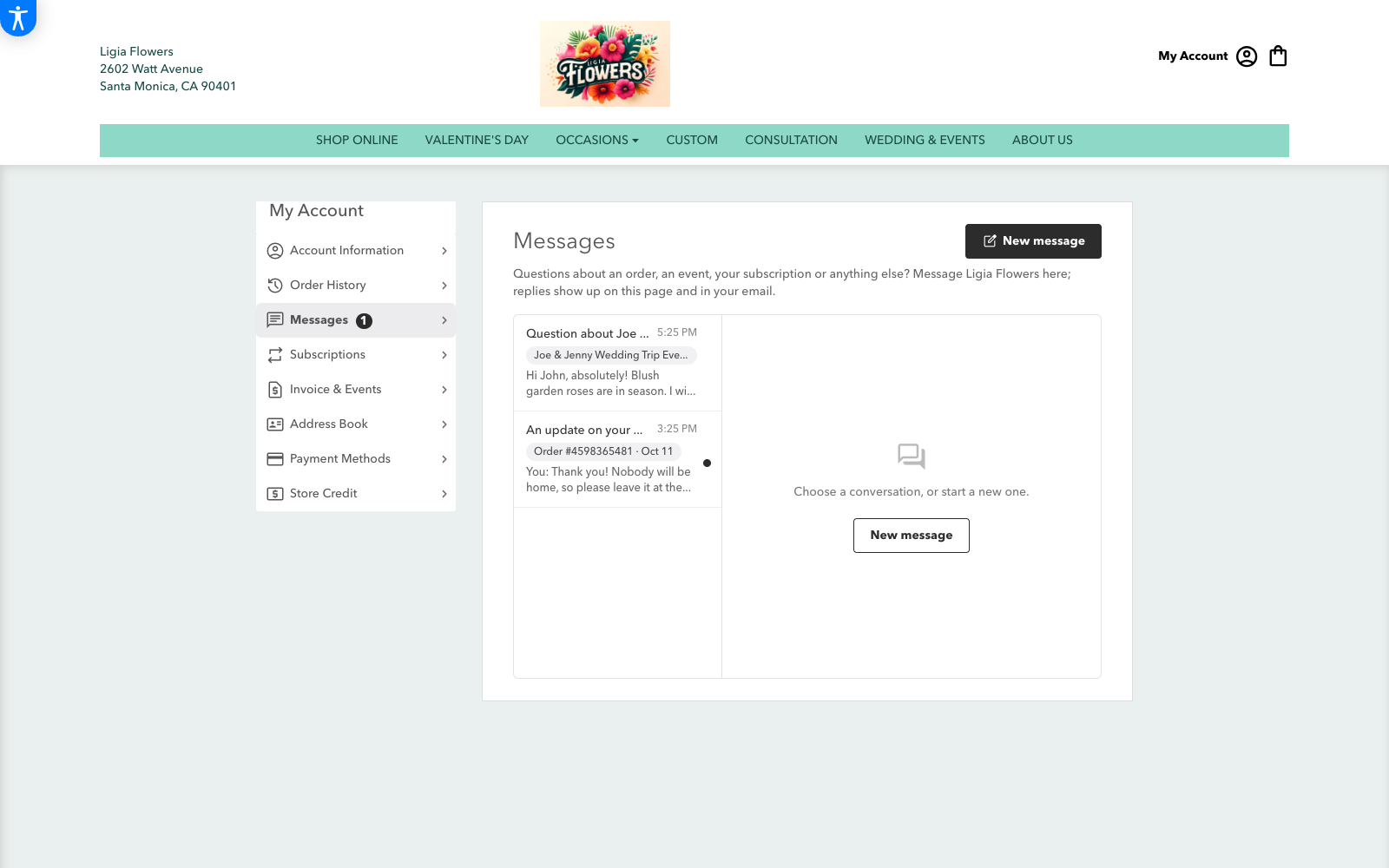
From there they can:
- See their conversations with your shop, newest first, with the order or event each one is about
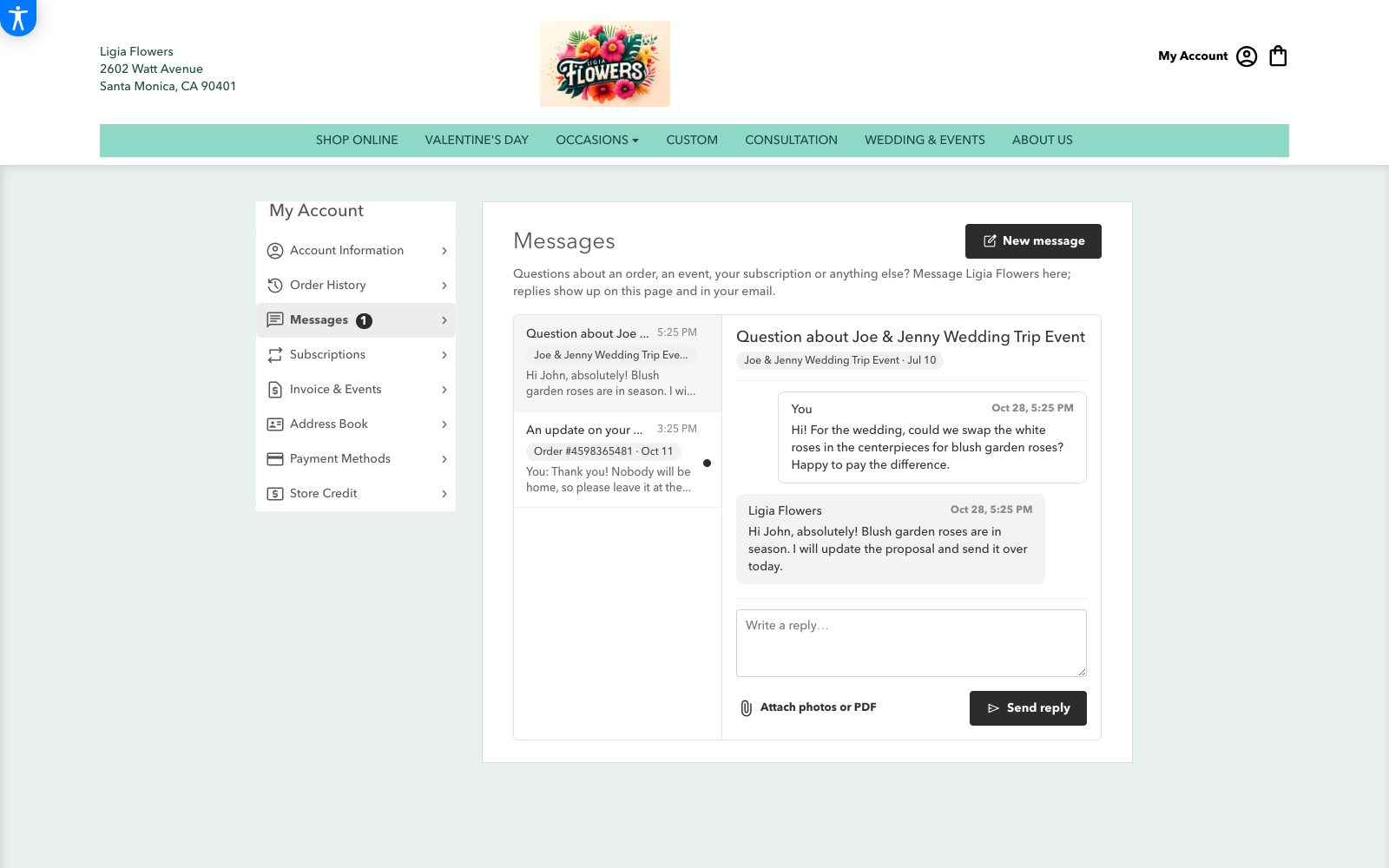
- Open a conversation to read the whole history
- Send reply, with photos or a PDF if they like (Attach photos or PDF)
- Start a New message to your shop
They'll also find Message the shop links on their orders, events, subscriptions and house account, so a question about an order goes straight into that order's conversation.
Messages your customers send from their account land in your Message Center inbox like any other reply, marked as sent via website.
What Customers Never See
Customers only see what you sent to them and what they sent to you. They never see:
- Anyone you added on Bcc
- Messages held in your Spam
- Conversations about them that they weren't part of, like an email to your supplier about their order
On your website, messages are shown as coming from your shop, not from the employee who wrote them. In the email itself, your signature can include the sender's name if you've set it up that way.
A customer only sees conversations linked to their own account or their own orders. Having the same email address as someone else is never enough to see their messages.
Frequently Asked Questions
My customer doesn't see a Messages page.
The Messages page is only shown when Message Center is on for your shop, and only to customers who are signed in to their account on your website.
My customer doesn't see a conversation in their account.
A conversation shows in your customer's account when it's linked to their customer record or one of their orders. Link the conversation to their order or customer record (see Linking a Conversation to an Order, Event or Other Record).