
Delivery Settings
What are Delivery Settings?
Delivery Settings control when and how you offer delivery from your store: disabled delivery dates, timed delivery hours, slot lengths (window intervals), and same-day delivery.
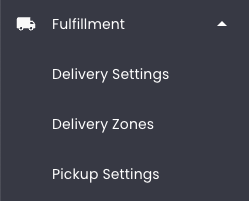
How to access Delivery Settings
Steps:
- Go to Dashboard > Fulfillment > Delivery Settings.
- Make changes and click Save Changes at the bottom of the page.
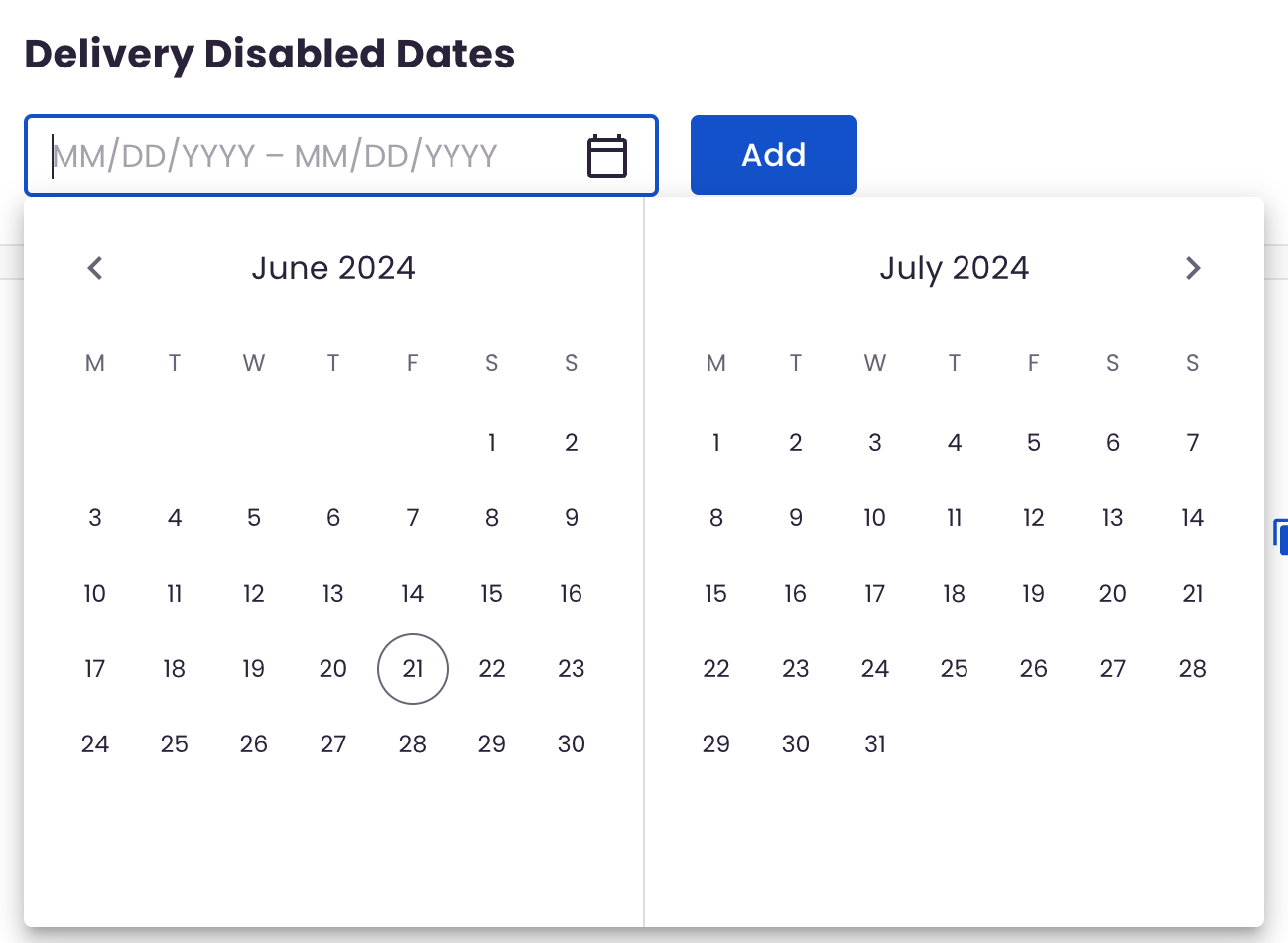
Configure Delivery Disabled Dates
Use this setting to select dates that you want to disable delivery for your store. Learn more about configuring Storewide Blackout Dates.
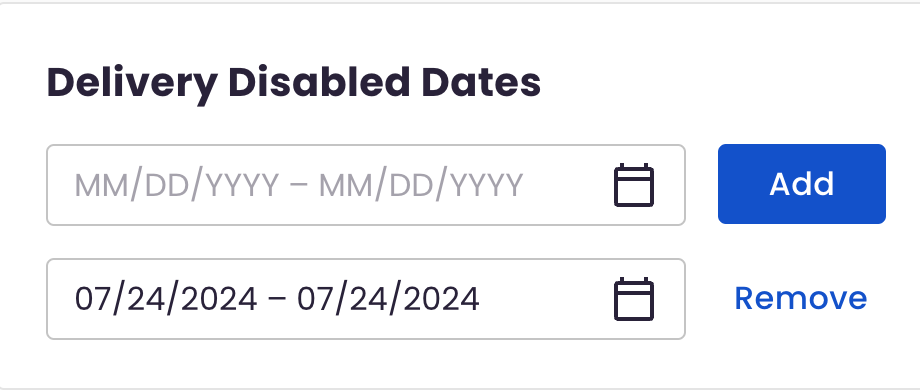
You can edit or remove dates after they've been added:
Configure Timed Delivery
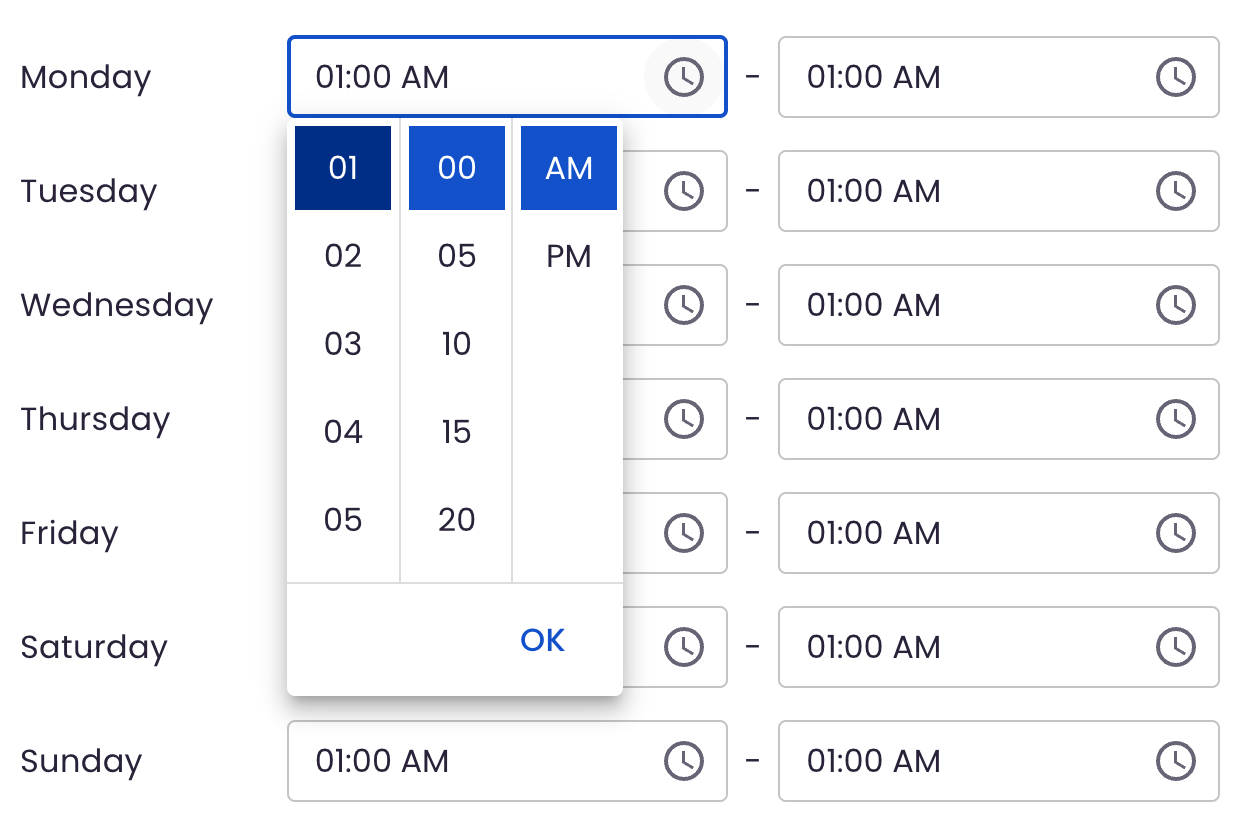
Use this setting to determine the hours that you want timed delivery to be available at your store. Learn more about configuring Timed Delivery.
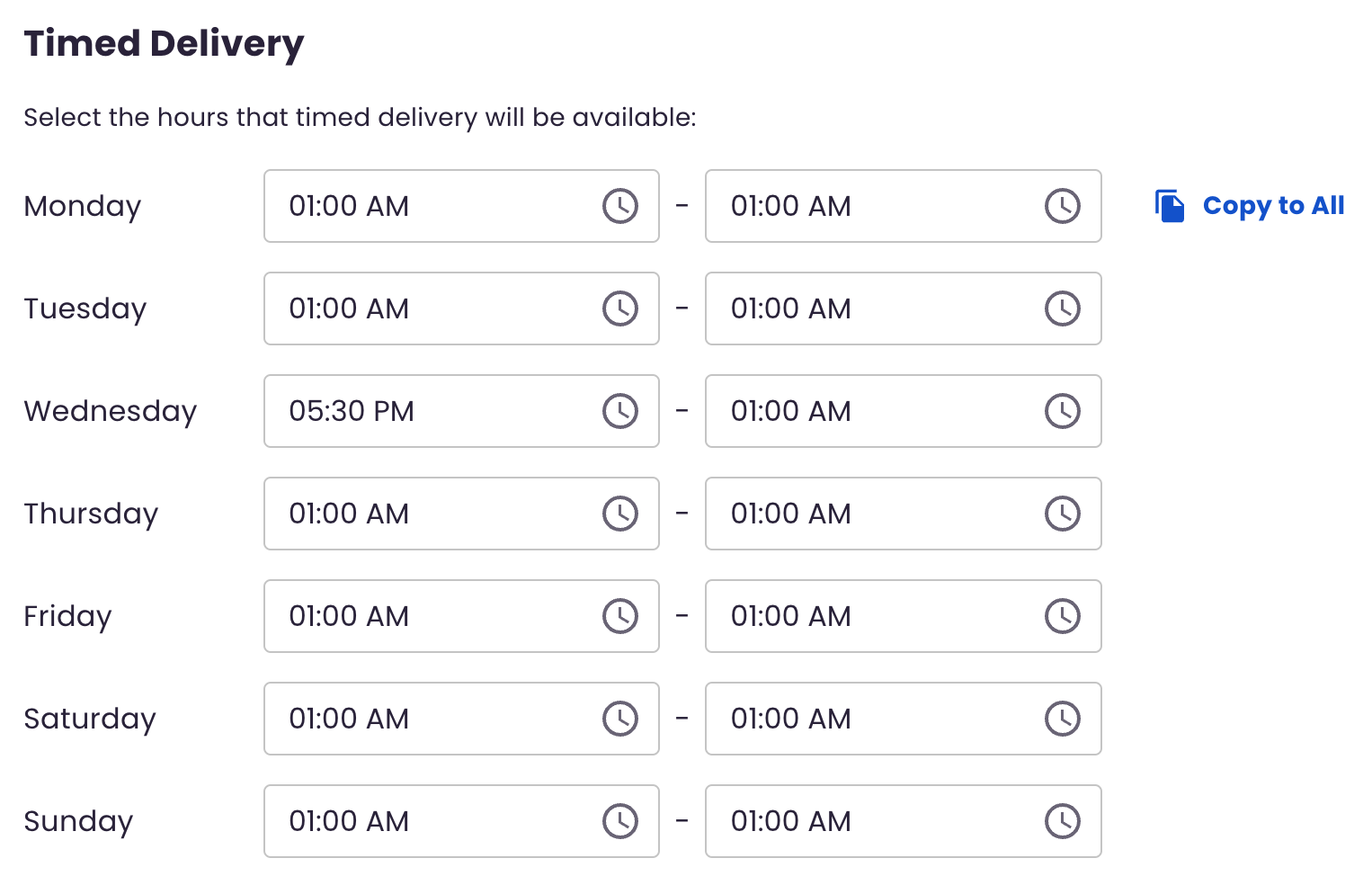
Select the Hours You Will Allow Timed Delivery
Determine Window Interval
- Decide what time slots will be available for scheduling same-day deliveries.
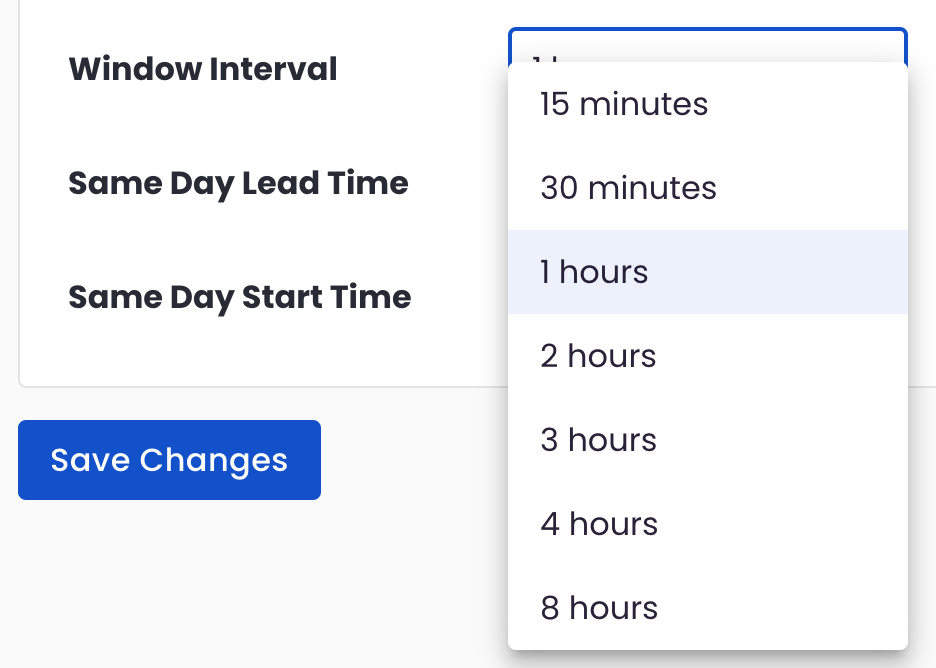
Make sure to click ‘Save Changes’ at the bottom to save all your changes.
Configure Same-Day Delivery
Same-Day Delivery allows customers to take delivery of products on the "same day" they place the order. On this page you can edit Lead Time and Start Time.
Same Day Lead Time
- Decide the minimum amount of time required to prepare an order for timed delivery.
- This is the shortest amount of time you need to get your order ready for same-day service. For example, if the lead time is 2 hours and the customer is placing their order at 10:00 AM, the earliest they can schedule a same-day timed delivery is 12:00 PM.
- Make sure to click ‘Save Changes’ at the bottom to save all your changes.
Same Day Start Time
- Determine the earliest time in the day you can offer timed delivery.
- This is the starting point for your timed delivery services. If the same day start time is 9:00 AM, your customers cannot schedule a timed delivery before 9:00 AM.
- Make sure to click ‘Save Changes’ at the bottom to save all your changes.
Need more help?
If your configuration appears correct but customers still don’t understand how to configure Disable Delivery Dates, Timed Delivery or Same-Day Delivery, contact BloomNation Support so we can help diagnose zone or rule conflicts.