
Understanding Your Quarterly Business Review Report
The Quarterly Business Review (QBR) report provides valuable insights into your BloomNation business performance over a three-month period. This article guides you through the key metrics and functionalities of the QBR report, empowering you to analyze trends, identify opportunities, and make informed decisions.
Accessing the QBR Report
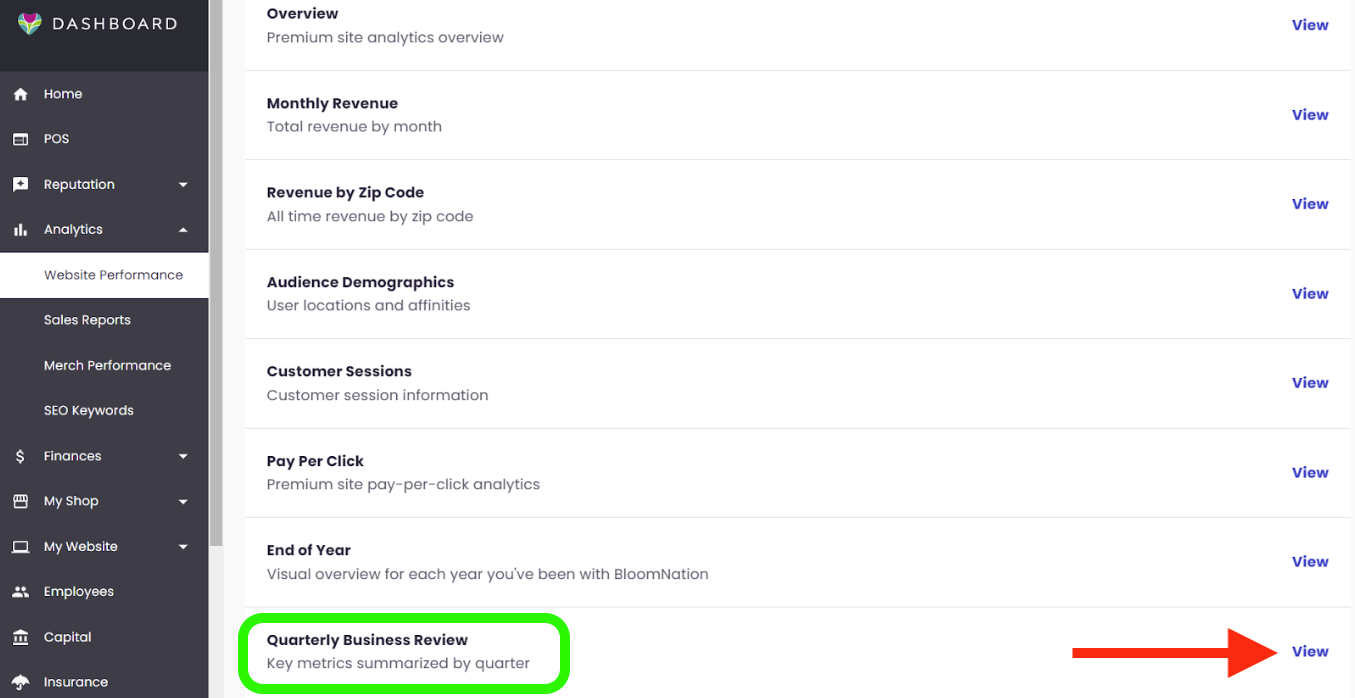
- In your Dashboard’s left navigation, click on “Analytics”
- Click “Website Performance”
- Find the Quarterly Business Review and click “View”
How to Use this Report
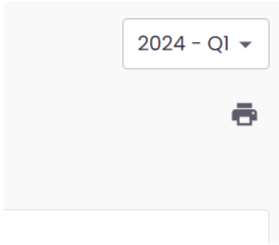
In the top right corner, select the quarter you want to view.
Report Features
1. Revenue Performance:
-
Overall Revenue: This section displays the total revenue generated during the selected quarter.
-
Monthly Breakdown: View a detailed breakdown of your revenue by month for the chosen quarter. This allows you to compare performance across the three months and identify any seasonal trends.
-
Year-over-Year Comparison: Analyze your revenue growth by comparing the current quarter's total to the corresponding quarter from the previous year.
2. Website Performance:
-
Number of Orders: This metric reflects the total number of orders placed through your BloomNation website during the quarter.
-
Average Order Value (AOV): Track the average amount spent per order, which can indicate customer buying behavior and pricing strategies.
-
Customer Reviews: Gain insights into customer satisfaction by monitoring your average customer review rating for the quarter.
3. Additional Revenue Streams:
- This section goes beyond your core website sales and includes F2F, PoS and Invoicing revenue for the quarter compared to prior year.
4. Top Occasions:
- Get a clear picture of your most popular occasions for the quarter. This section highlights the top 5 occasions (e.g., birthdays, anniversaries, holidays) that drove order volume.
5. Top 5 Best Sellers:
- Identify your most in-demand products by exploring the top 5 best-selling items for the quarter. Analyze which products resonate most with your customers and consider potential upselling or cross-selling opportunities.
6. Top 5 Customers and Upgrades:
- This section reveals your top 5 customers based on their order activity during the quarter.
Optimizing Your QBR Analysis
By leveraging the insights from the QBR report, you can:
- Track growth: Monitor revenue trends and identify areas for improvement.
- Refine marketing strategies: Tailor your marketing efforts to target top occasions and best-selling products.
- Enhance customer experience: Analyze customer reviews and identify areas to improve satisfaction.
- Develop informed decisions: Use data-driven insights to make strategic business choices.
BloomNation Support
If you have further questions regarding the QBR report or require assistance interpreting the data, feel free to contact BloomNation Support. Our dedicated team is happy to help you unlock the full potential of this valuable business intelligence tool.