
Test Delivery Address
Updated Ver en español
What is Test Delivery Address?
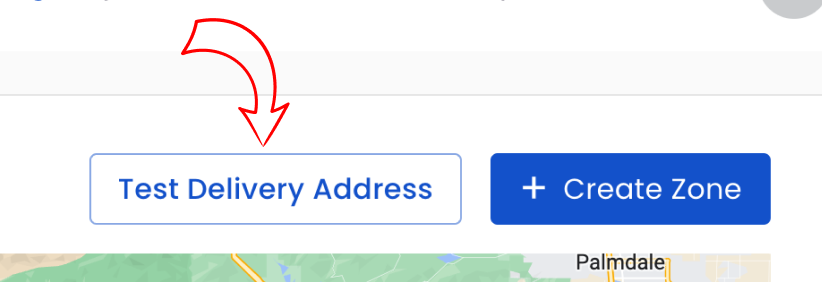
The Test Delivery Address tool allows florists to check specific addresses and preview delivery fees that apply for a given date. This helps confirm pricing and zone logic while configuring delivery zones and rates.
How to test an address
Steps:
- Go to Dashboard > Fulfillment > Delivery Zones and click Test Delivery Address.
- Enter the Delivery Address. Tip: select an address from the autocomplete suggestions so the system can accurately match zones.
- (Optional) Enter a Delivery Date to check rates for that specific date (useful for same-day or timed delivery checks).
- Click Test Address.
After testing, the UI will display which zones were considered and whether a fee is applied.
Result indicators
- Selected (Blue): The zone highlighted in blue is the zone being applied and its delivery fee is shown.
- Invalid (Yellow): Zones highlighted in yellow were considered but not applied (another zone had priority or a rule prevented selection).
- Excluded (Red): Zones highlighted in red were not eligible. The reason for exclusion is shown under the zone name.
Common reasons a zone may be invalid or excluded
- Zone is disabled
- Address is outside of the delivery area
- Shop is closed or delivery is disabled on the selected date
- Zone does not allow same-day delivery
- Zone does not allow timed delivery
- Delivery Zone overrides or special rules prevent inclusion (contact support for complex conflicts)
How Zones are Selected
For more details, see the article on Delivery Zone Selection.
Troubleshooting & tips
- If a test result seems incorrect, confirm you selected an autocomplete address and that the delivery date (if used) is correct.
- Use Test Delivery Address to verify same-day and timed delivery availability for specific dates.
- If zones conflict or results are unexpected, contact BloomNation Support with the address and date you tested so we can investigate.
Need more help?
If Test Delivery Address does not return expected results after checking the items above, submit a support ticket and include the example address and delivery date so BloomNation can assist.