
Tax Exempt Status for Customers
Updated
Setting a Customer as Tax Exempt
You can offer tax exempt status for qualifying shoppers. To do so, follow these steps! Note: You will need your customer's tax exemption ID before starting.
Step 1: Open "Customers" tab
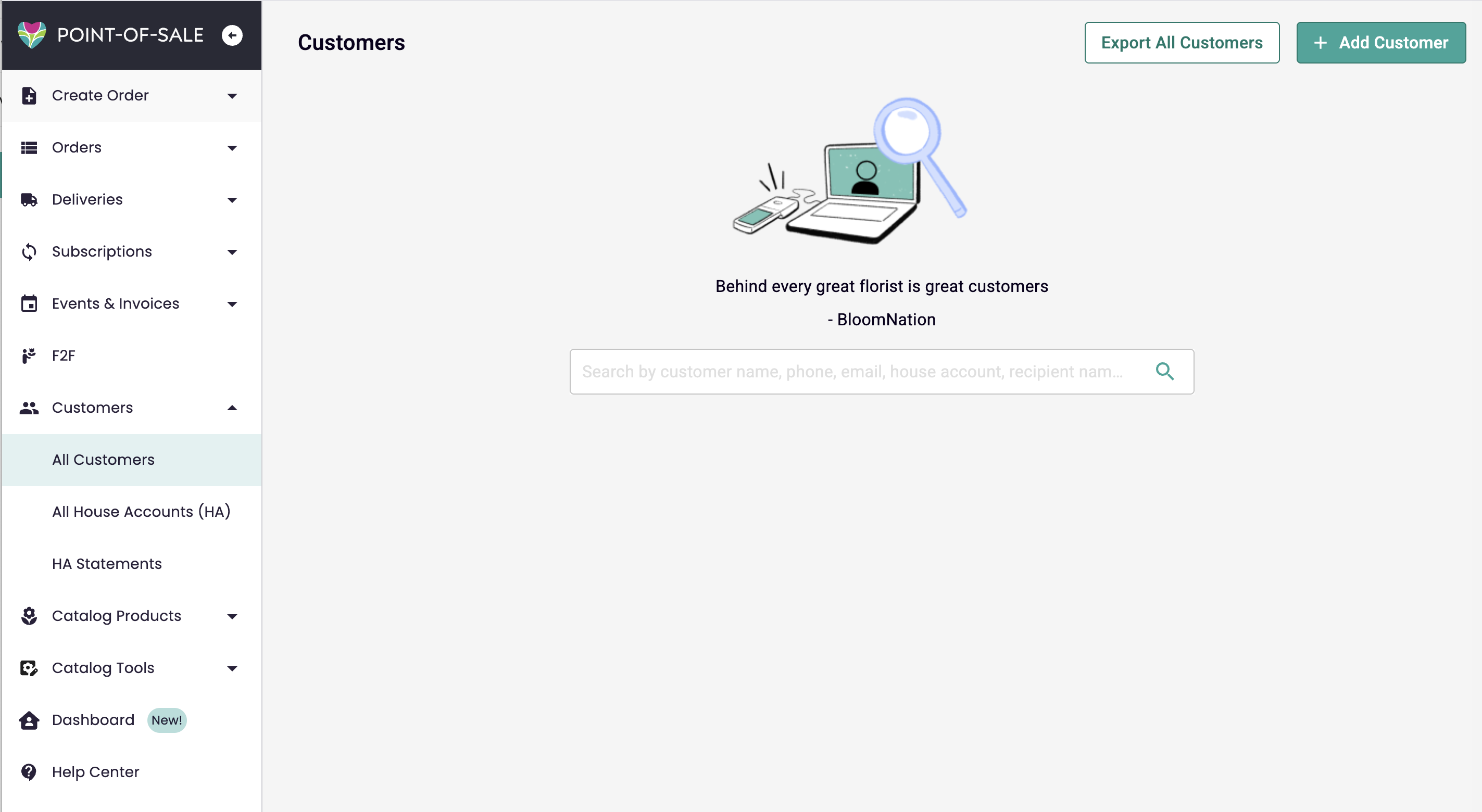
Step 2: Create or Find your customer
You can add customer information as follows:
-
Existing Customers:
- Search by name, phone number, or email.
- Select the customer by clicking on their name
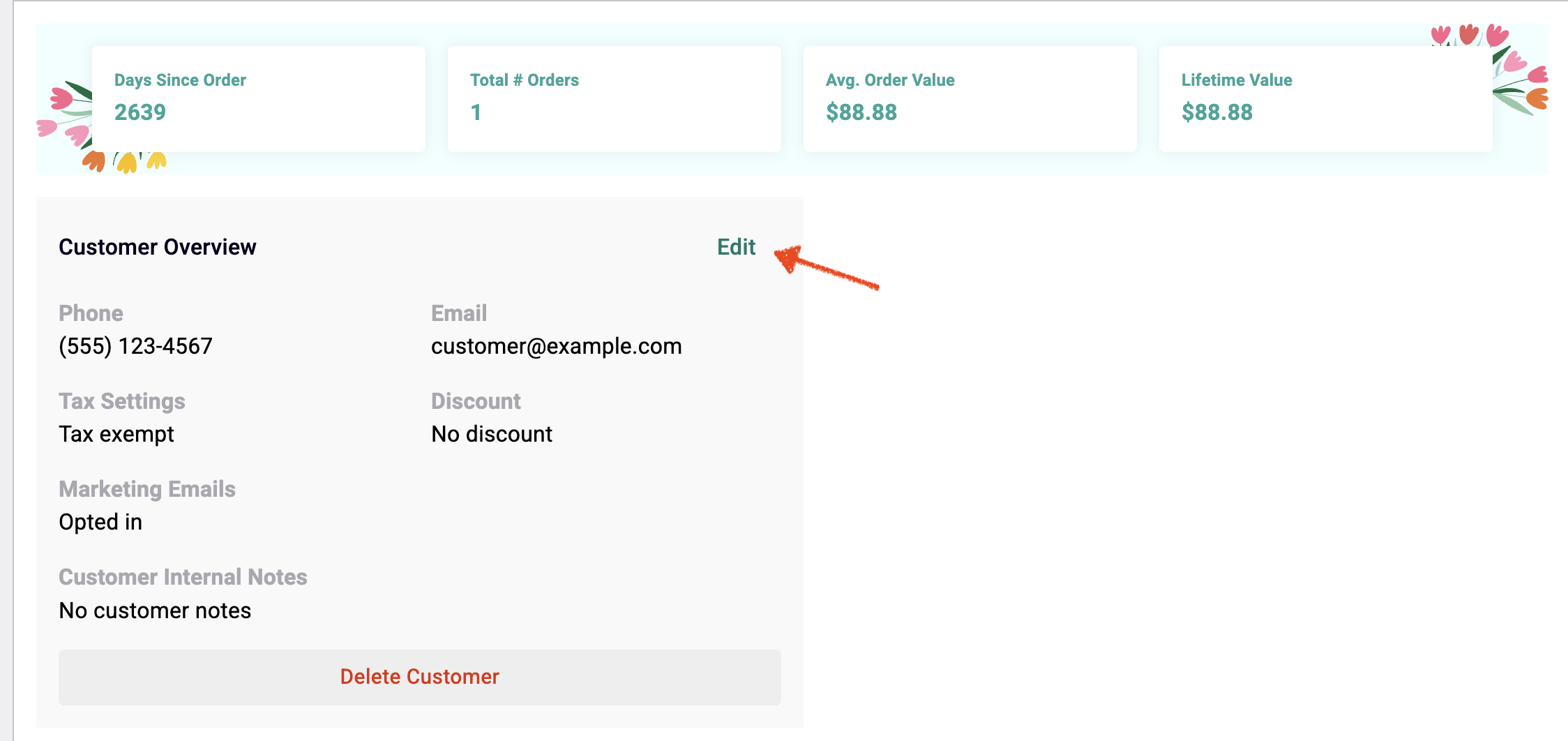
- Click edit on the Customer Overview:
-
New Customers:
- Select Add customer and fill in their details.
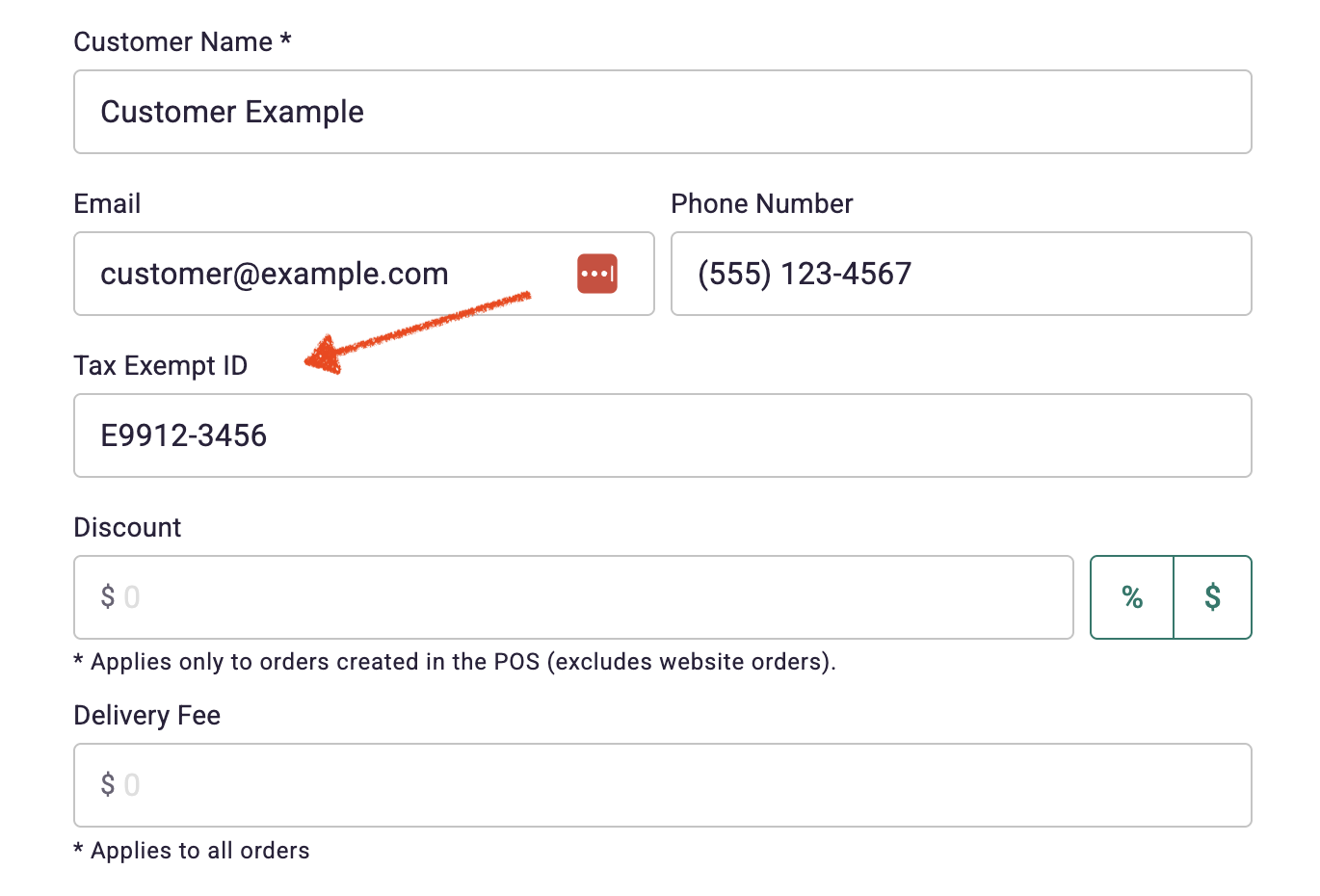
Step 3: Fill out the Tax Exempt ID field
You can add your customer's tax exemption ID:
Step 4: SAVE!
Once you click "Save", your customer will be able to navigate through checkout tax-free!
If you need any help, let us know by submitting a ticket. Our Bloom Expert team can help walk you through set up!