
Site Announcements
Updated
Closing the shop earlier than expected? Running a holiday promotion? Sold out of peonies? Easily set customer expectations with a Website Announcement!
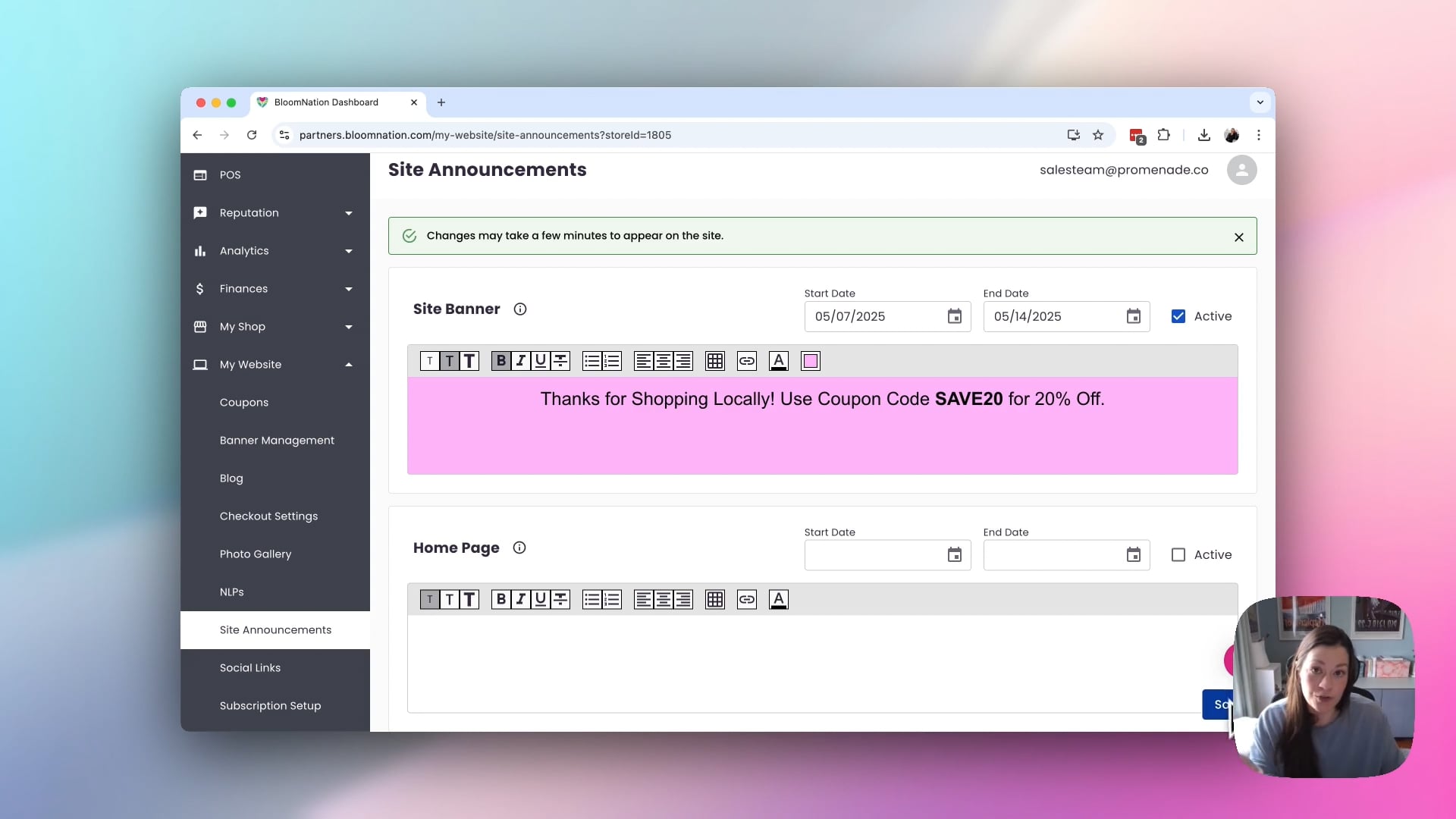 Site Announcements
How to setup a Website Announcement
- This feature can be found on your Dashboard .
- Go to My Website > Site Announcements.
- Select the Start and End dates for your announcement.
- Status must be "Active" for the Website Announcement to be visible on your site.
- Once the "End Date” has passed, the system will automatically remove your announcement. No need to go back and flip the status to disabled!
- Add your text
- To change the font size or weight of text, highlight the text in the Content box and then select the desired setting in the toolbar.
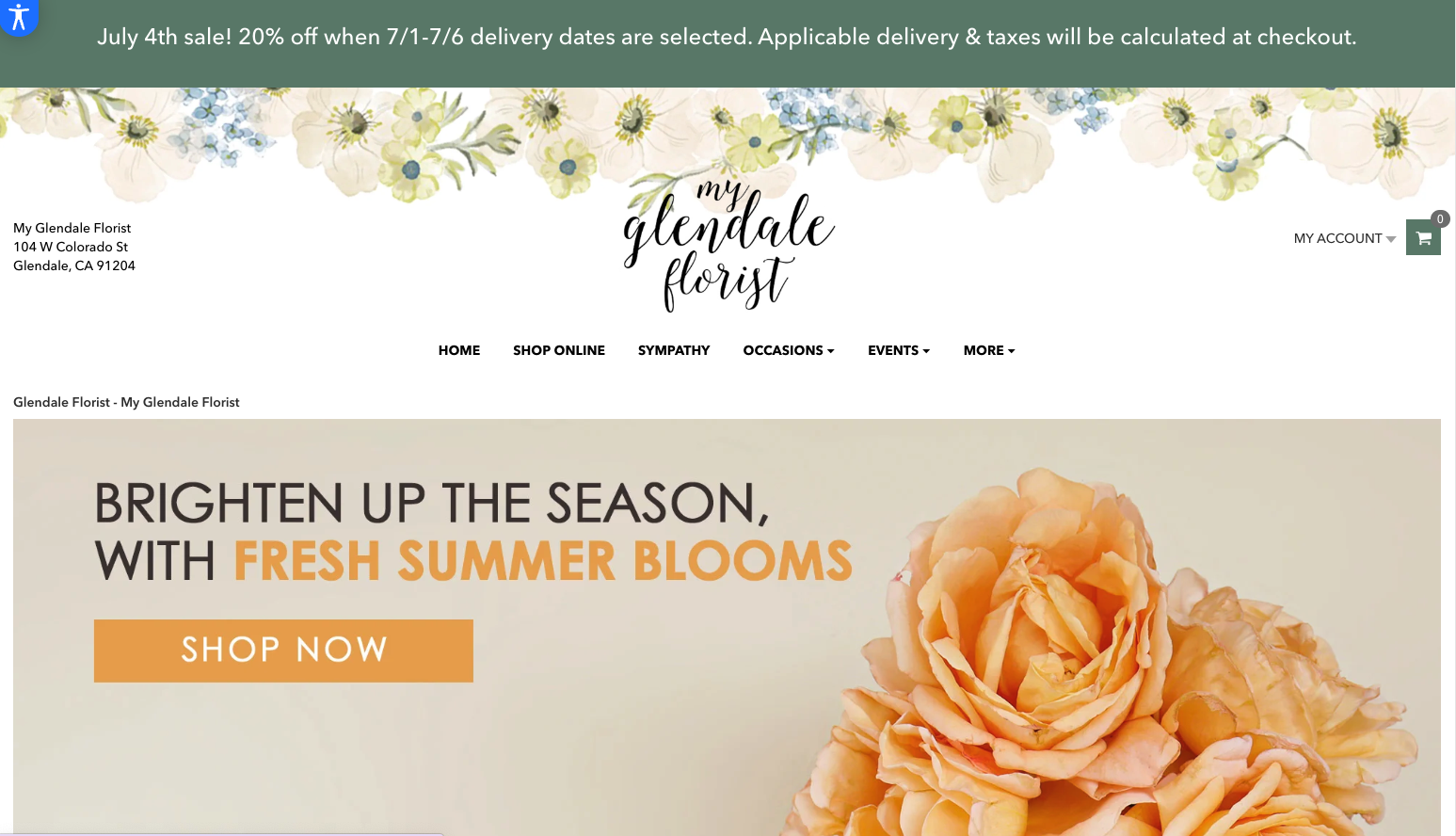
Site Banner
- This announcement will show on every page of your website

Site banner preview:
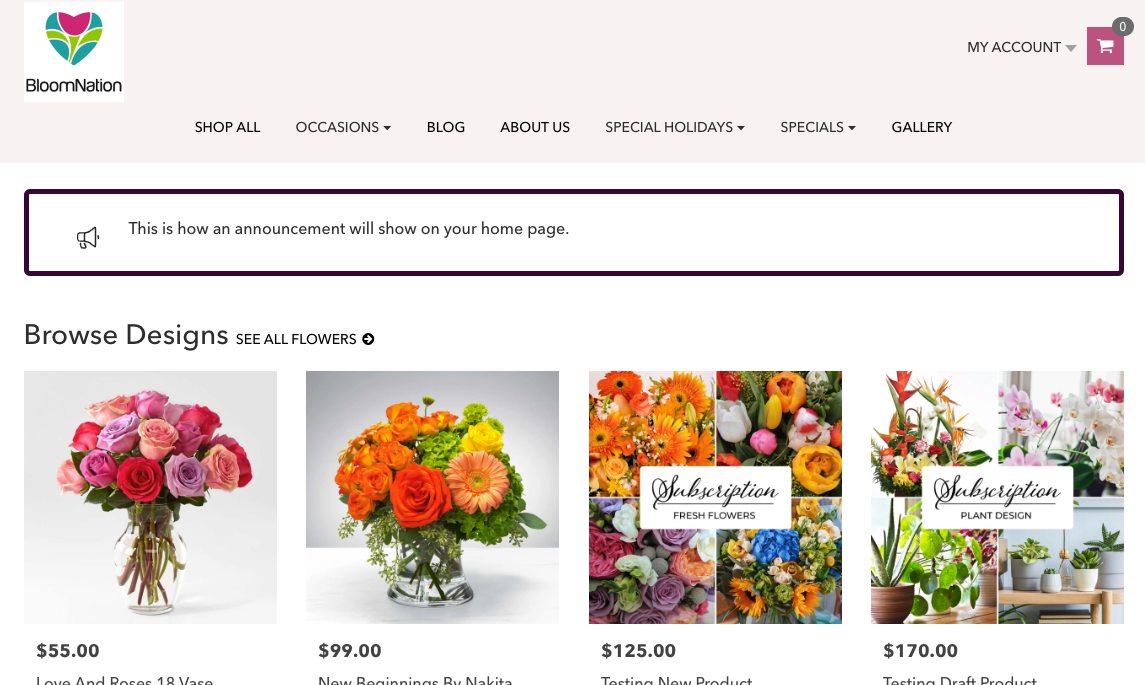
Home Page
This announcement will only show on your home page

Home page preview:
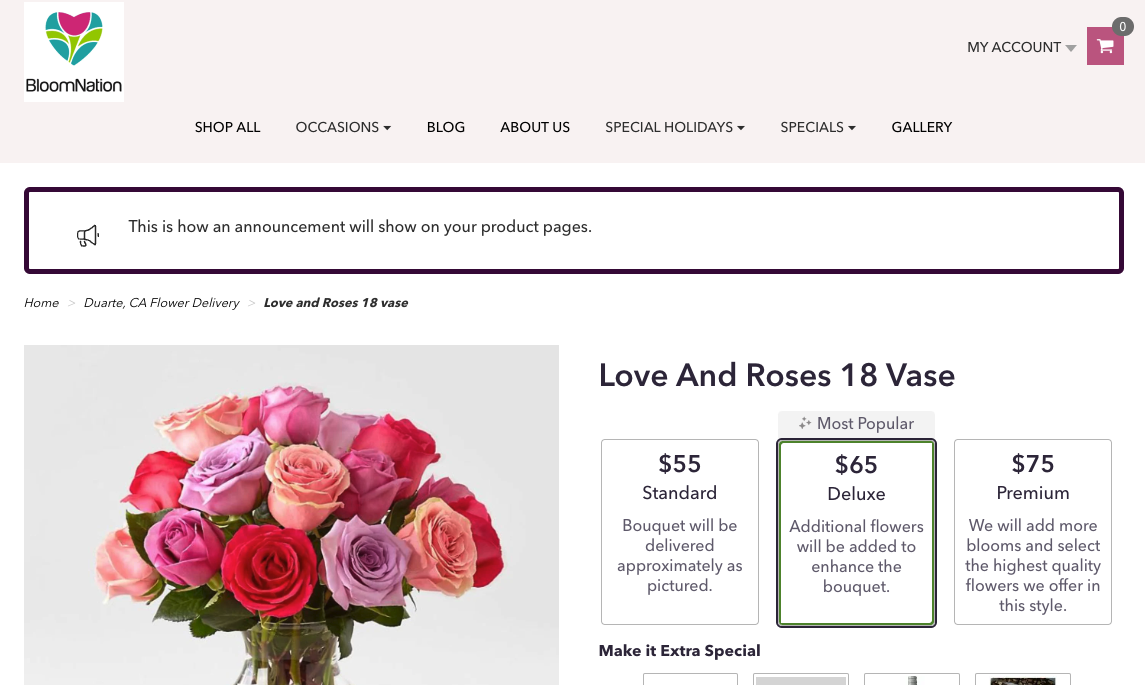
Product Pages
This announcement will only show on your product pages

Product page preview:
Checkout
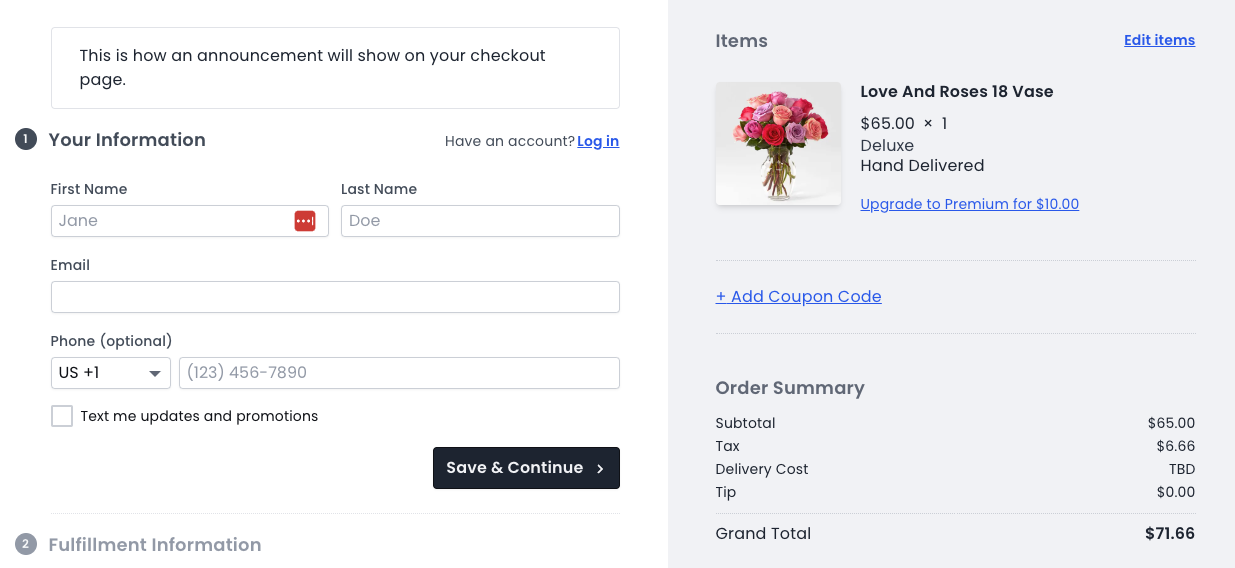
This announcement will only show on your checkout page

Checkout page preview:
Checkout Fulfillment
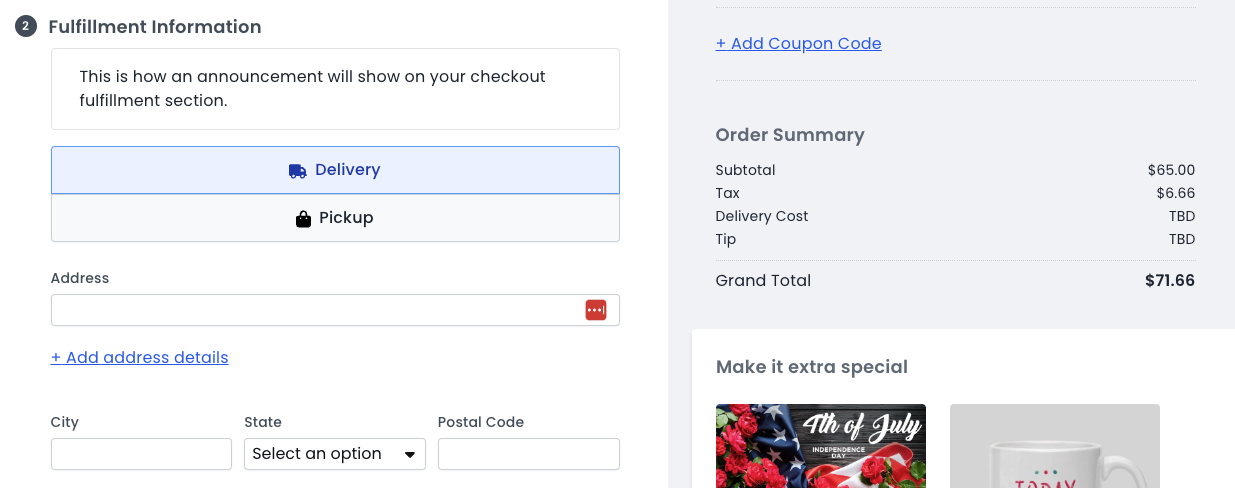
This announcement will only show on the on the checkout page under Fulfillment section.

Checkout page fulfillment section preview:
Notes:
- You can now include hyperlinks in your website announcement
- Remember to click “Save” on the top right of this settings page!
Example of announcements
- Seasonal Specials: "Don't miss our summer specials! Enjoy 10% off all sunflowers with code SUNNY10 at checkout."
- Delivery Information: "Please note: Orders placed after 2 PM will be processed the next business day. Same-day delivery is available for orders placed before noon."
- Holiday Announcements: "Order by December 20th to ensure delivery by Christmas!"
- Subscription Service: "Join our monthly subscription service and receive fresh flowers delivered to your door each month. Sign up today"
- New Arrivals: "Check out our new spring collection! Fresh blooms available now."
- Special Events: "Planning a wedding or special event? Contact us for a free consultation with our floral experts."
- Important Updates: "Some delivery times may be delayed. Thank you for your patience and understanding."
- Eco-friendly Practices: "We’re committed to sustainability! All our packaging is 100% recyclable and eco-friendly."
Reasons why site announcements can help with SEO
- Fresh Content: Announcements add fresh content to your site, which search engines favor. Regular updates signal that the site is active and maintained.
- Keyword Optimization: Announcements provide an opportunity to target specific keywords. Including relevant keywords in your announcements can improve your site's relevance for those terms.
- Internal Linking: Announcements often link to other pages on your site, enhancing internal linking structure. This helps search engines crawl your site more efficiently and understand the hierarchy and relationship between pages.
- Engagement: Interesting and relevant announcements can increase user engagement. Higher engagement metrics, like longer visit duration and lower bounce rates, can positively impact SEO rankings.
- Indexing: Regular updates through announcements can lead to more frequent crawling by search engines, ensuring your new content is indexed prompt