
Video Card Message
Video Card Message
Your customers can now record and upload a video message instead of a traditional card message when purchasing an arrangement through your premium site or the BloomNation Marketplace.
Table of Contents
How It Works
For Your Customers
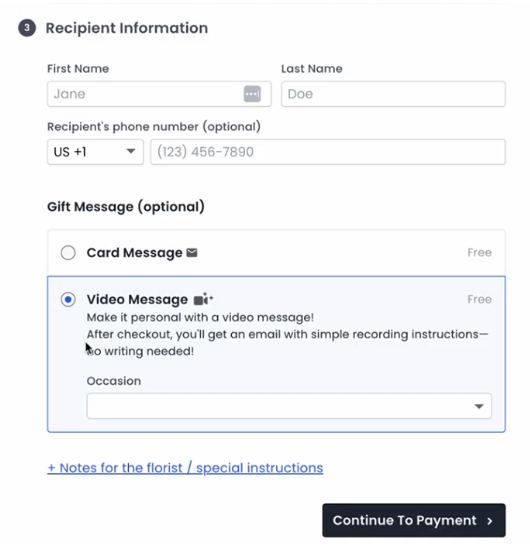
During checkout, customers will now see two options under Gift Message:
- Card Message – The default, traditional card message.
- Video Message – This option allows customers to record and upload a video message.
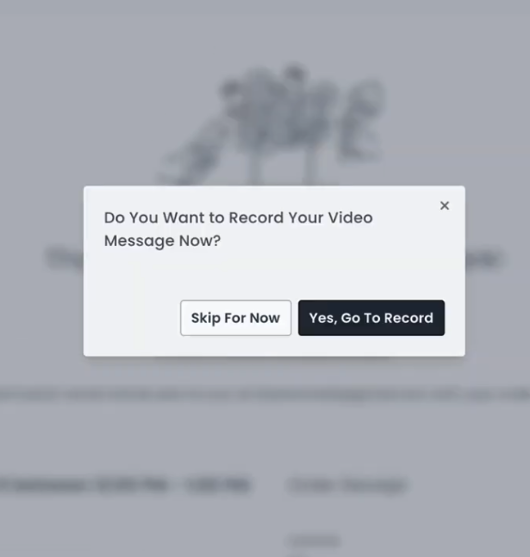
After completing checkout, customers will be prompted:
- Skip For Now – Customers can later access recording instructions via their receipt page or email.
- Yes, Go To Record – Directs them to the recording page to complete their video message.
Important: Customers must record and upload their video before the delivery date.
Accessing the Recording Page
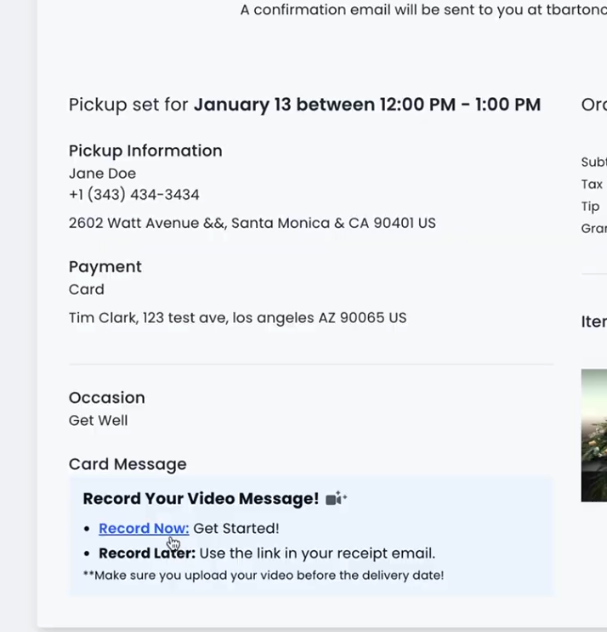
- Receipt Page: Customers will find a link to record their video.
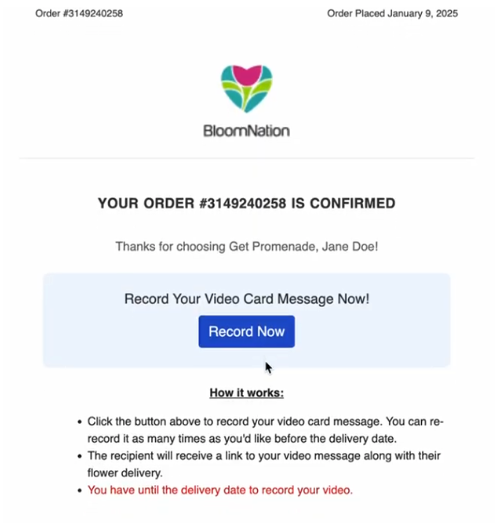
- Email: Customers will also receive a link to record via email.
Recording Instructions
The recording process is simple and can be completed on any device with internet access, a camera, and a microphone:
-
Allow the browser to access the camera and microphone (if prompted).
-
Follow the on-screen instructions to record.
-
Preview the video and choose one of the following:
- Record New: Re-record the video.
- Upload: Submit the video for use.
Note: Uploading may take a few minutes. Customers should not exit the browser during this process.
Once uploaded, customers can:
- Close the window if satisfied with the video.
- Delete the video and re-record.
- Preview the final video, which will mirror the recipient’s view.
For You as the Florist/Shop Owner
Disable Video Card Messages
If you prefer not to offer video card messages:
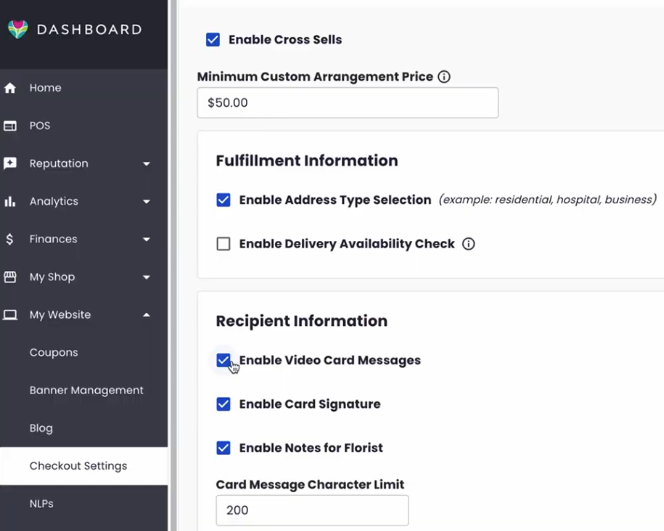
- Log into your BloomNation Dashboard.
- Navigate to My Website > Checkout Settings.
- Under Recipient Information, uncheck Enable Video Card Messages.
Processing an Order with a Video Card Message
When an order includes a video card message:
-
Go to the Order Details page.
-
Under Card Message, you will see the following pre-written message:
“You have a very special message! Go to https://card.video and enter the code: XXXXXX.”
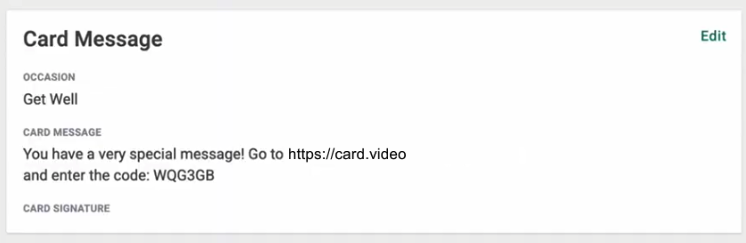
Important: Ensure the URL and 6-digit code are included when processing the card message so recipients can access the video.
For the Recipient
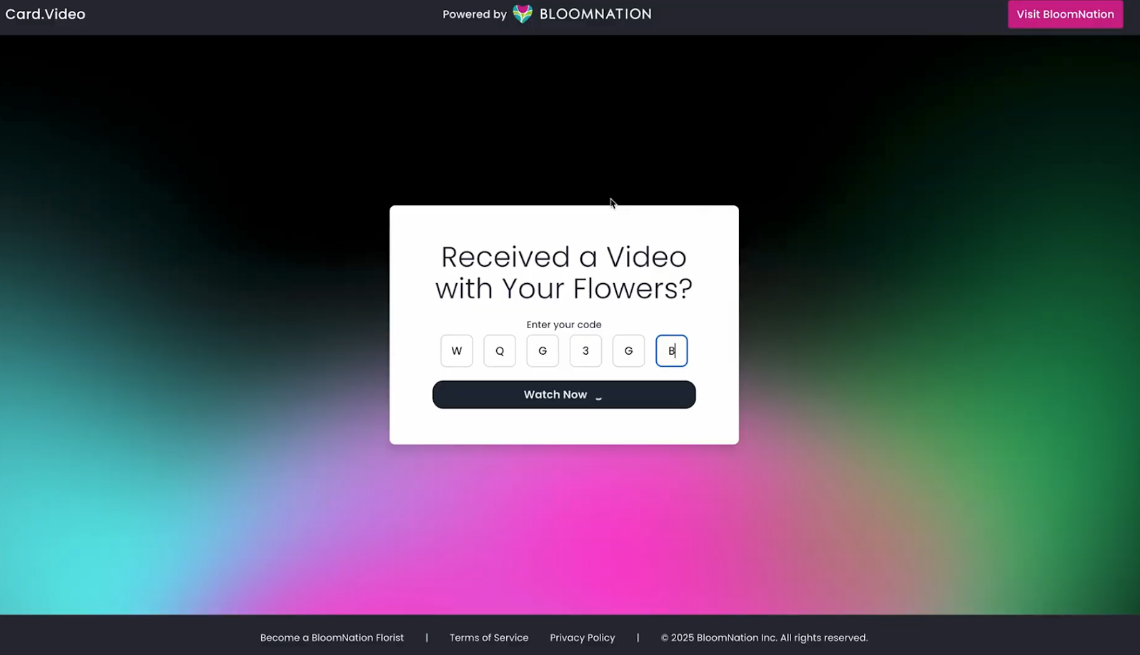
Recipients can view their video message on any device with internet access.
-
Use the URL and 6-digit code from the card message to access the video.
-
Once the code is validated, the recipient can:
- Play the video message.
- Download the video (available for 7 days).
FAQs
Can customers send both a card message and a video message?
Currently, customers can only send either a card message or a video message, not both.
How many video messages can a customer add to a single order?
Each order can have only one video message from the customer.
Can a customer change their choice from a video to a card message?
Yes. You can change it for your customer by logging into your BloomNation account > go to the order details page > click “Edit” under the Card Message section > replace the video message information with their new card message.
How long can the video message be?
The video message can be up to 30 seconds.
Can a customer re-record their video?
Yes, customers can re-record their video using the same link from their email receipt, as long as it's before the delivery date.
What happens if a customer uploads inappropriate content for the video card message?
As outlined in our Terms of Service, uploading inappropriate content for a video card message is strictly prohibited. In such cases, your shop will not be held liable. See our Terms of Service and Privacy Policy for more information.
Can I opt out of offering video card messages to my customers?
Yes, you can opt out. Please refer to the “Disable Video Card Messages” section for instructions.
How will the video message be shared to the recipient? Will they receive a text or email?
The card message will include the website link and code to access the video.
Just process the card message as you would normally do, and this will ensure that the recipient will have the information they need to access the video message. See How It Works section.
The recipient won’t receive a text or email to preserve the surprise. The only way the recipient will receive video message details is through the physical card message with the arrangement.
What if the customer forgets to record the video and the order is out for delivery?
The video must be recorded before the delivery date. The checkout process includes reminders and an email link to record the video. Customers are responsible for ensuring their video message is uploaded before the delivery date.
What happens if the customer didn't upload a video?
The physical card message will still include a link and code for the video, but if the video was not uploaded, the recipient will see a “Video does not exist” error.
How many times can the video message be viewed? Does it expire?
The video can be viewed or downloaded as many times as desired until it expires 7 days after delivery.
What if the 6-digit code isn’t working?
If the code doesn’t work after 7 days, the video has expired.
The code might also not work if the customer did not upload their video.
If it's within 7 days, verify the code by logging into your BloomNation account > order details page > under Card Message. If the correct code is entered and it still doesn’t work, please contact Customer Support for assistance.
Have any other questions?
If you have any questions or need assistance, please submit a support request here.