
Taxes
Collecting Sales Taxes
Taxes are complicated for everyone, but they can be especially complicated for small business owners selling online. This article should help unravel any remaining mysteries about how taxes relate to your BloomNation account.
The main point to understand is that there are two places customers can reach you through BloomNation:
- The BloomNation Marketplace and
- Your Premium Site powered by BloomNation
Each handles the collection of sales tax differently.
Orders from the BloomNation Marketplace:
Orders from the Marketplace (aka Bloomnation.com) are sold by BloomNation and fulfilled by your floral shop. Therefore, BloomNation is responsible for collecting and remitting all taxes. When you receive these orders, you won't see any tax being passed along.
BloomNation handles the tax.
Orders from your Premium Site:
Orders from your Premium Site are sold by you (and powered by BloomNation). Therefore, you are responsible for collecting and remitting taxes. All orders placed on your Premium Site (that aren't tax exempt) will show the tax collected. This is based on the Tax Rate you set (see below).
You handle the tax.
Point of Sale Orders:
Orders you enter on the Point of Sale, much like those coming from your Premium Site, are sold by you. You are responsible for collecting and remitting taxes.
You handle the tax.
Setting your Tax Rate
How do I enter or update my tax rate?
Default Tax Rate
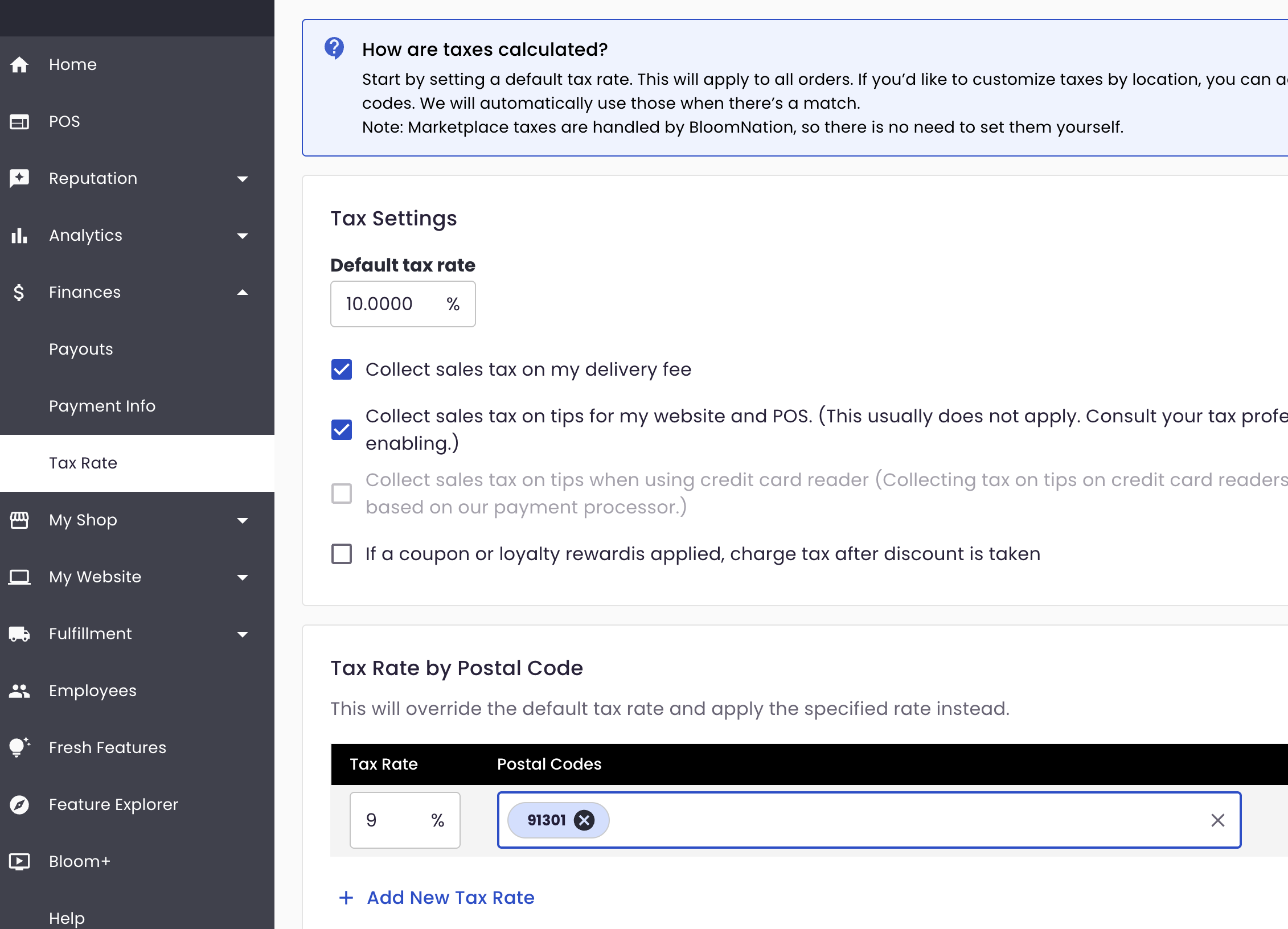
When you set up your profile, you set a default tax rate. You can update that rate at any time:
- Log in to your Dashboard
- On the left side of the menu, click Finances
- Click Tax Rate
- Enter your Default tax rate in decimal format. (e.g., enter "9.5" if your rate is 91/2%.)
- This amount should be the same tax rate you use to sell items in-person.
- Please research your local laws to determine if you should charge tax on delivery, tips, or coupons. Our team cannot provide tax advice and, as a result, are prohibited from making this decision for you.
Tax Rate per Zip Code
BloomNation offers you the flexibility to override the default tax rate based on zip code. Some nearby zip codes might have rates above or below the default. In order to collect the right amount, you can specify the rate to collect plus all applicable zip codes.
Remember, BloomNation cannot and will not provide specific tax advice. Please research your local laws. We encourage you to consult with an accountant or tax professional as needed.