
House Account Sales Report
Overview
The House Account Sales Report offers florists an easy way to track sales trends specifically tied to House Accounts, saving valuable time and offering insight into how these accounts are performing. BloomNation’s House Accounts feature allows customers to make purchases on your website or through the POS without providing credit card information upfront. Instead, you can invoice them at a later time, making it convenient for your loyal customers.
This report helps florists gain a clear picture of the performance of these accounts by providing key metrics such as the number of orders, total revenue, and average order value. The data can be filtered by date range and type (order date or delivery date), allowing you to get detailed insights.
Accessing the House Account Sales Report
To access the House Account Sales Report:
- Log into your BloomNation account.
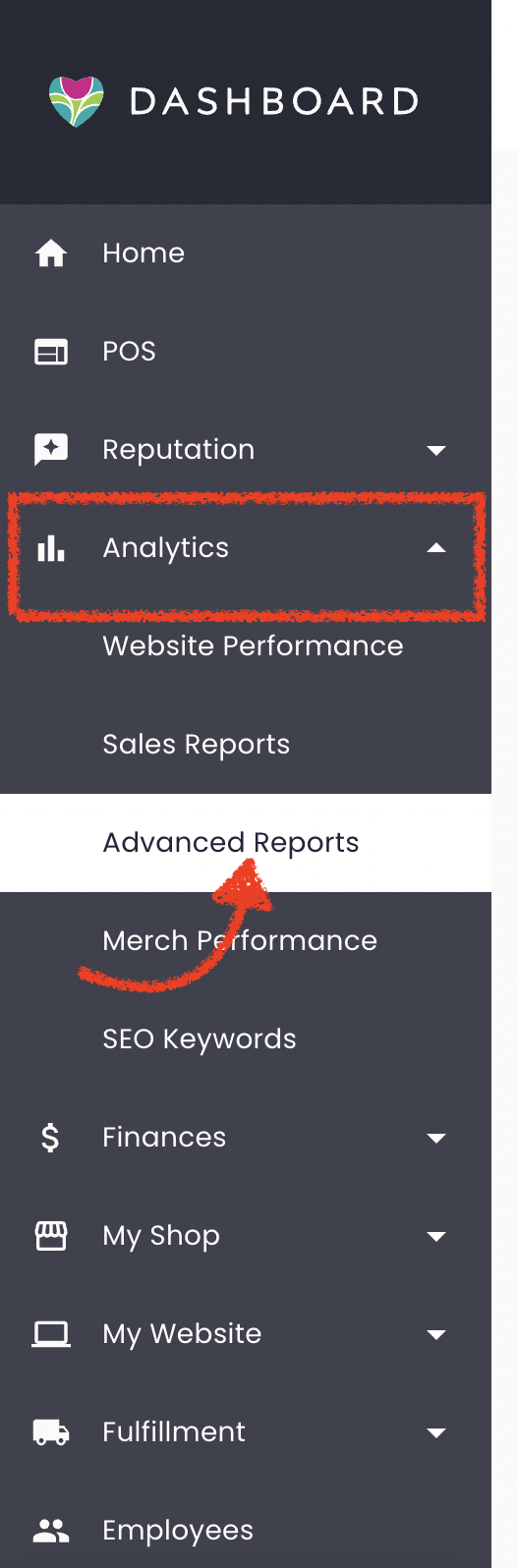
- Go to the Analytics tab.
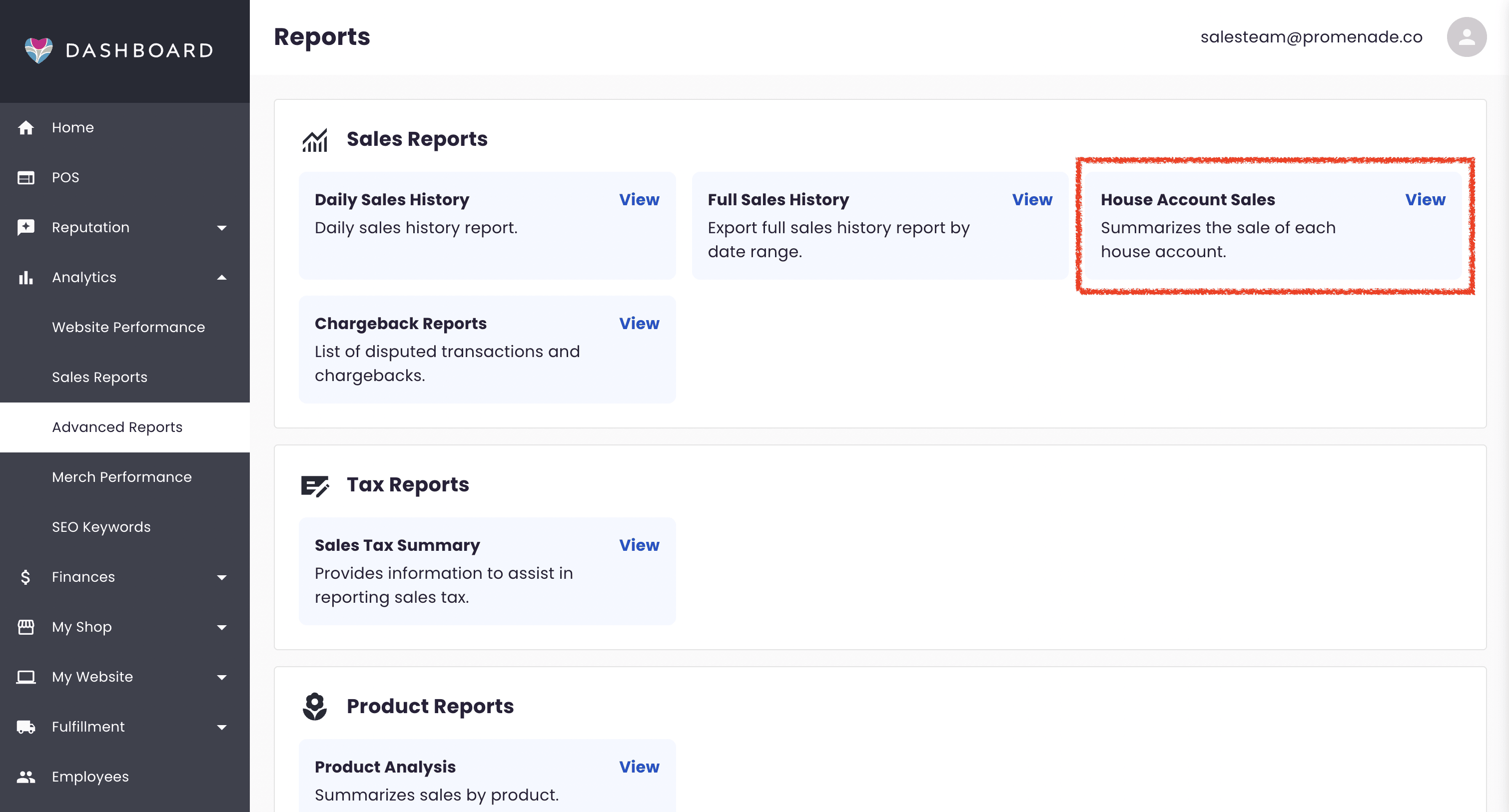
- Click on Advanced Reports.
- Find the Sales Reports section, then select House Account Sales.
Report Overview
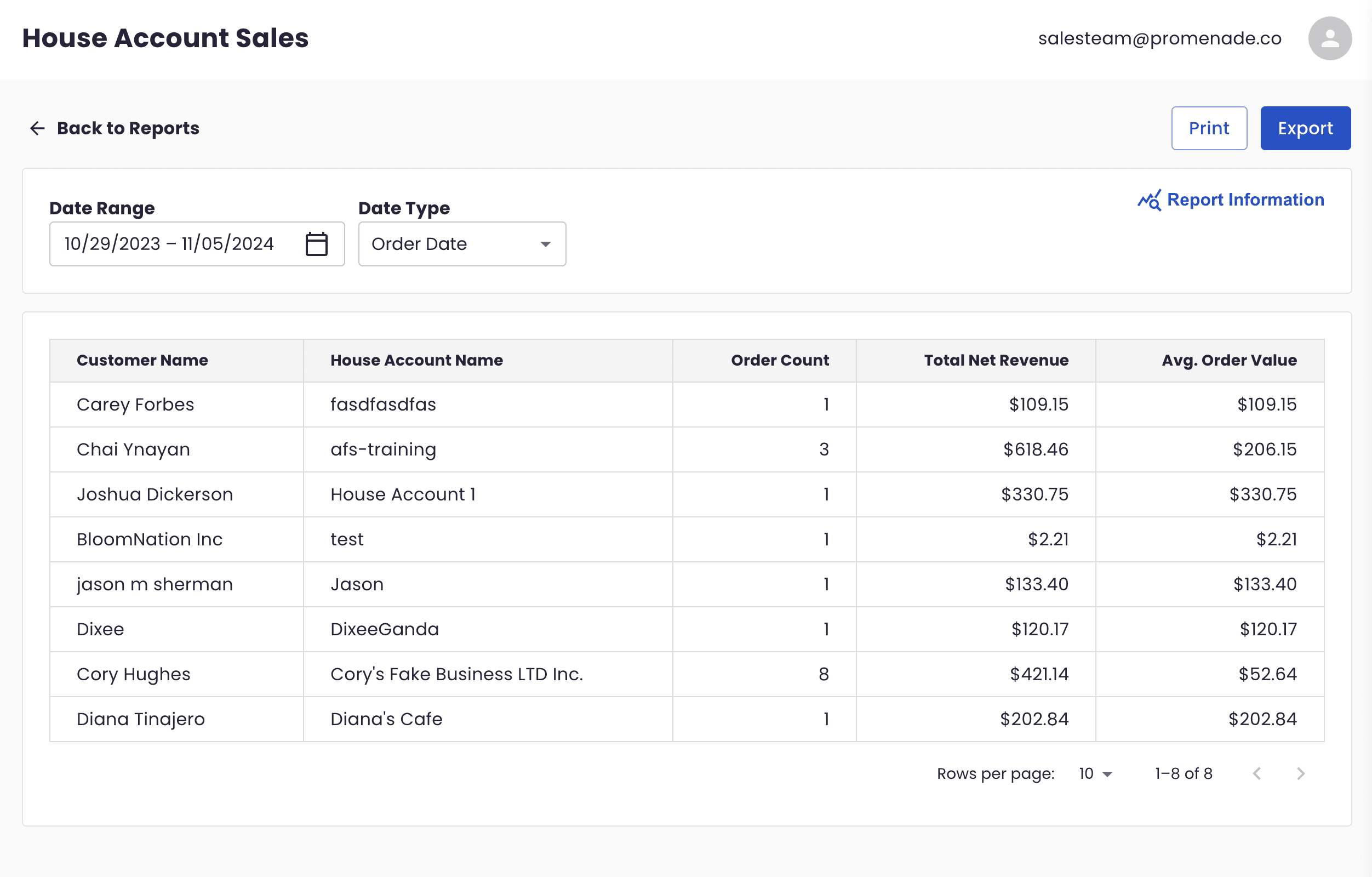
The House Account Sales Report is designed to quickly provide insights into sales from your House Accounts, offering you the ability to filter data based on date range, order date, and delivery date. The report solely focuses on:
- Customer Names
- House Account Names
- Number of Orders
- Total Net Revenue
- Average Order Value
This report refreshes every hour and only includes orders charged to House Accounts.
What’s Included:
- New orders or updates to orders charged to House Accounts.
What’s Not Included:
- Canceled orders
- Full refunds
- Orders placed by House Accounts using other payment methods (credit card, cash, check, etc.)
- F2F orders
- Invoices (which use custom products rather than standard ones)
- Quick charges
- Partial refunds
- Additional charges
Using the Report
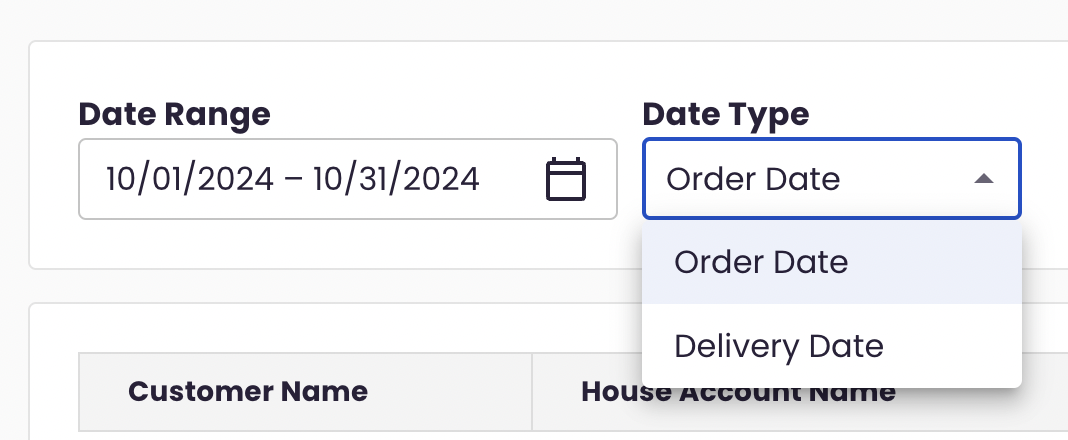
Just like the other sales reports, you can filter the House Account Sales Report by:
-
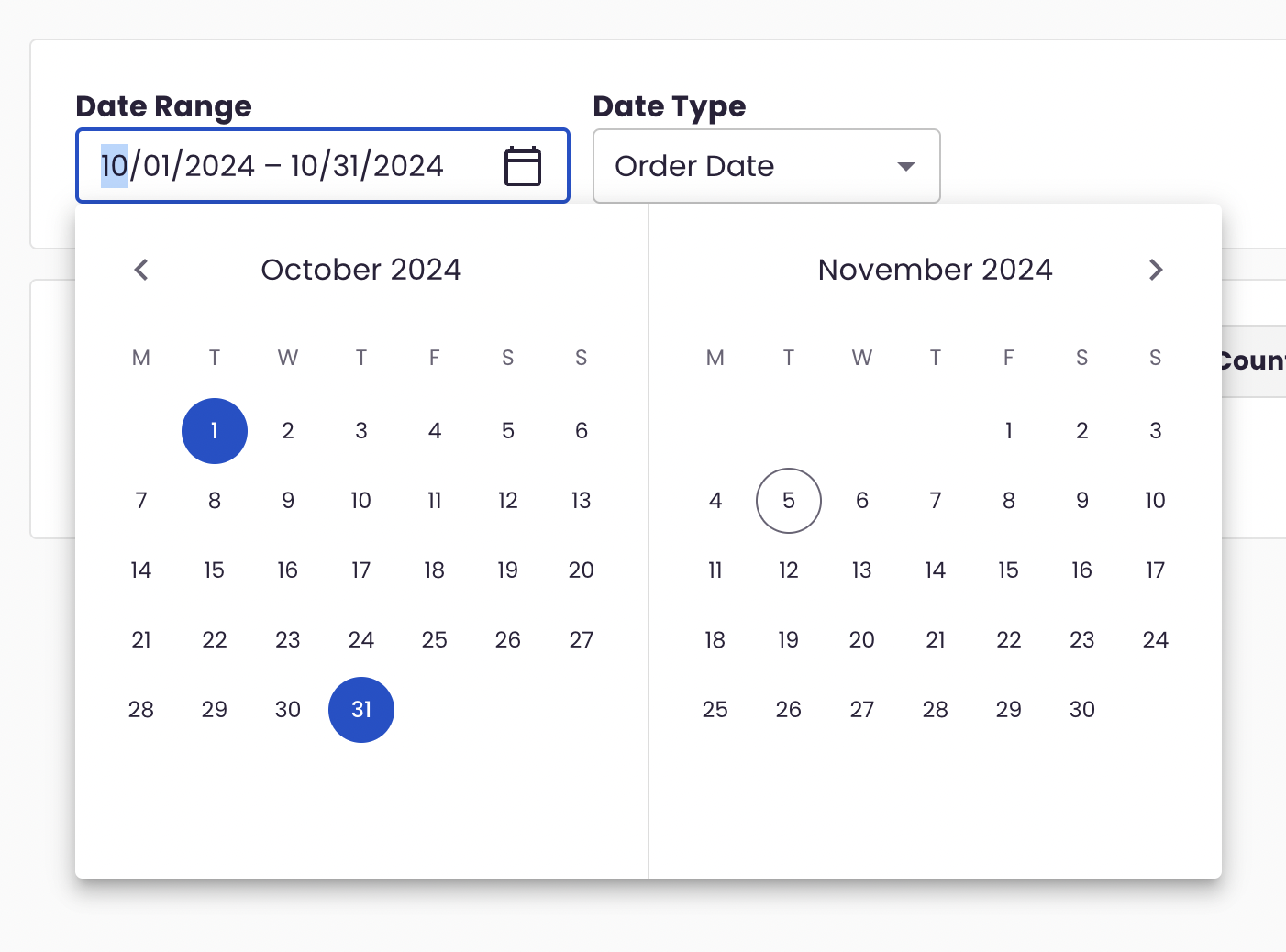
Date Range: Select a start and end date to narrow down the report to a specific period. Selecting the same start and end date displays the data for a single day.
-
Date Type: Select either Order Date or Delivery Date for the data to be displayed.
- Order Date: When the order was placed.
- Delivery Date: When the order was fulfilled (delivery date, pickup date, or date order was placed / created in-store).
Additionally, you can choose to print or export the data for further analysis. This report offers the same flexibility in printing and exporting as other sales reports.
Table Breakdown
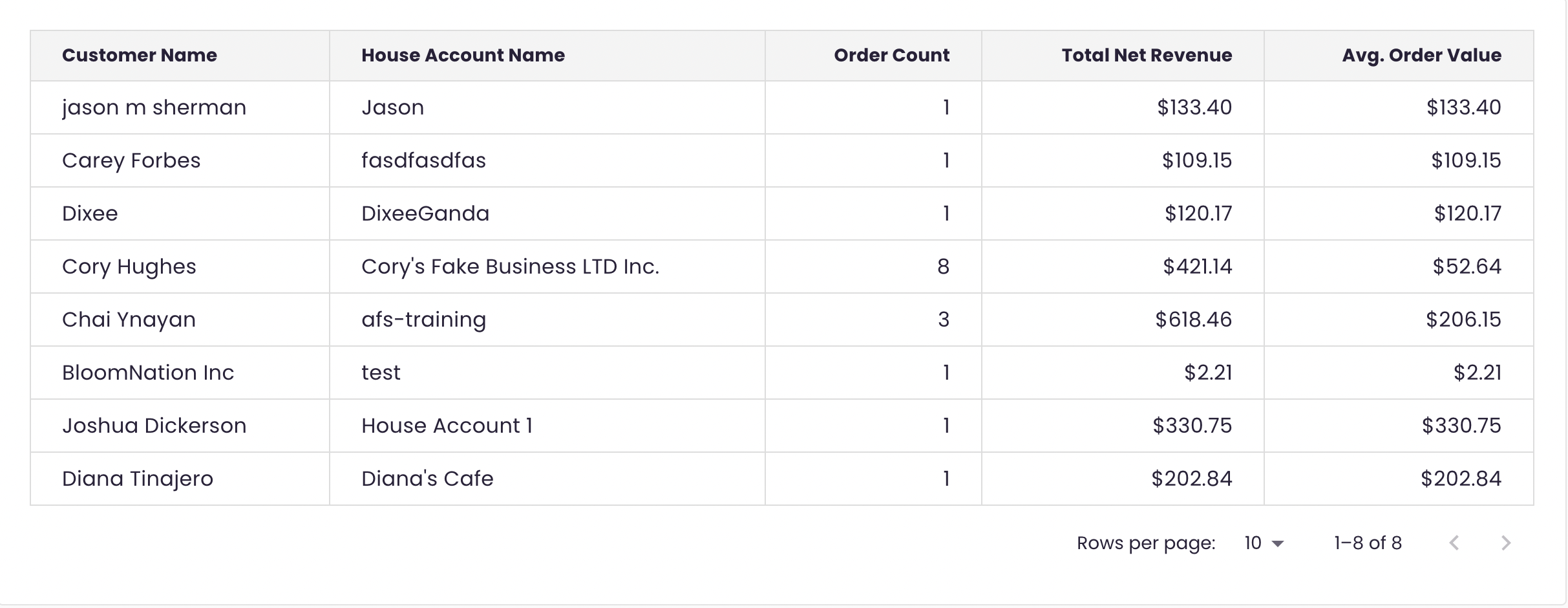
The table in this report provides an easy-to-read view of your House Account performance. Here’s what each column represents:
- Customer Name: The customer associated with the specific House Account.
- House Account Name: The name of the House Account used.
- Order Count: The number of orders placed using the House Account within the selected date range (with exclusions mentioned earlier).
- Total Net Revenue: The total revenue from orders placed using this House Account, minus any refunds or exclusions.
- Avg. Order Value: Calculated by dividing the Total Net Revenue by the Order Count.
Each row in the table corresponds to a unique House Account and customer pairing.
Need Help?
If you have any questions about using the House Account Sales Report or need assistance, don’t hesitate to reach out to our BloomNation Support Team by submitting a support ticket.