
Chargebacks Report
Chargebacks Report
The Chargebacks Report provides a detailed view of disputed transactions and chargebacks initiated by customers. By tracking and analyzing chargebacks, you can better understand customer concerns, identify potential fraud patterns, and take steps to prevent future disputes. This report is updated approximately every hour to ensure the latest information on order disputes.
Accessing the Chargebacks Report
- Log into your BloomNation account.
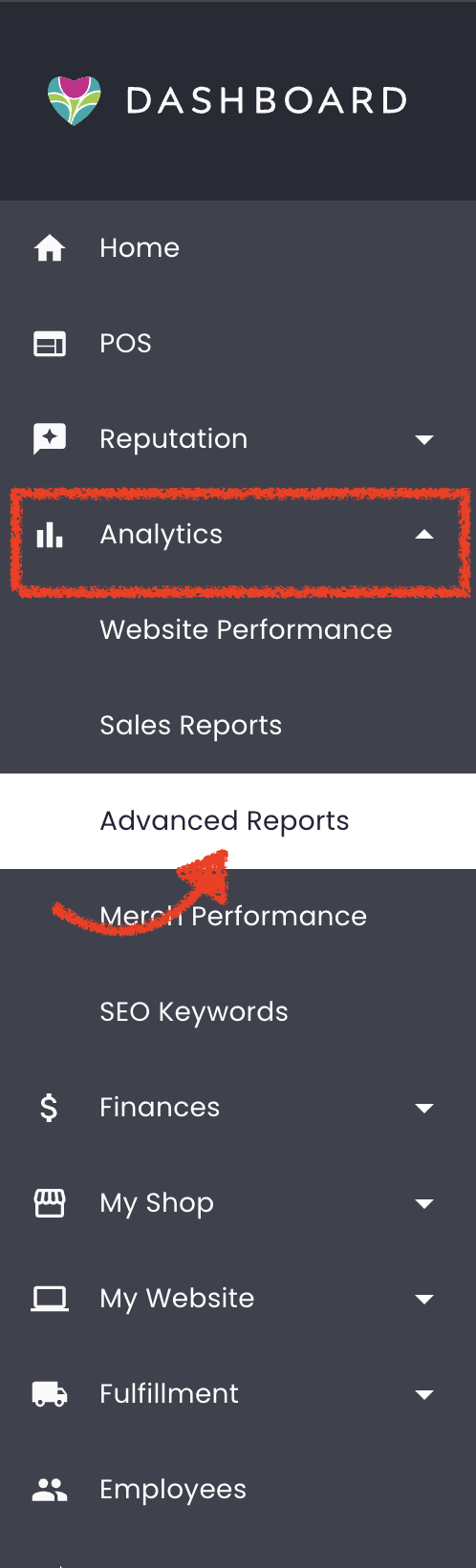
- Navigate to the Analytics tab.
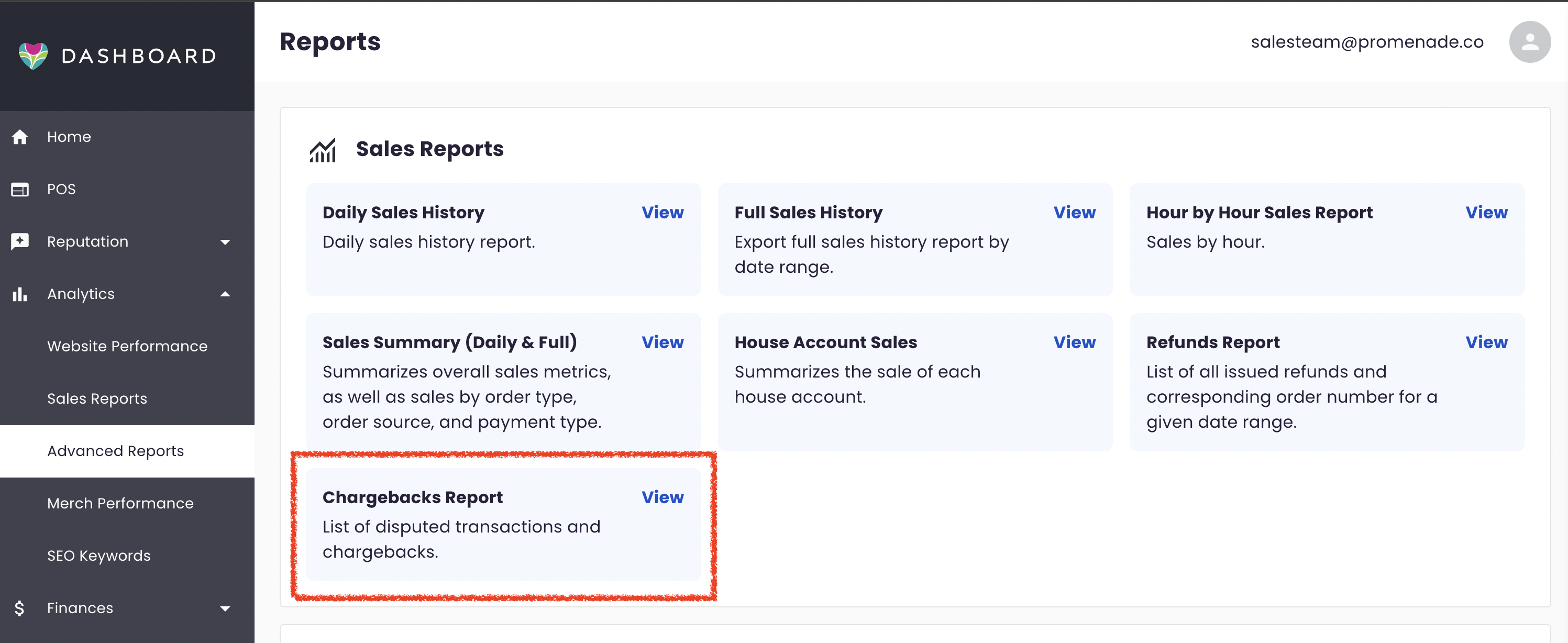
- Select Advanced Reports and, within the Sales Reports section, click on Chargebacks Report.
Report Overview
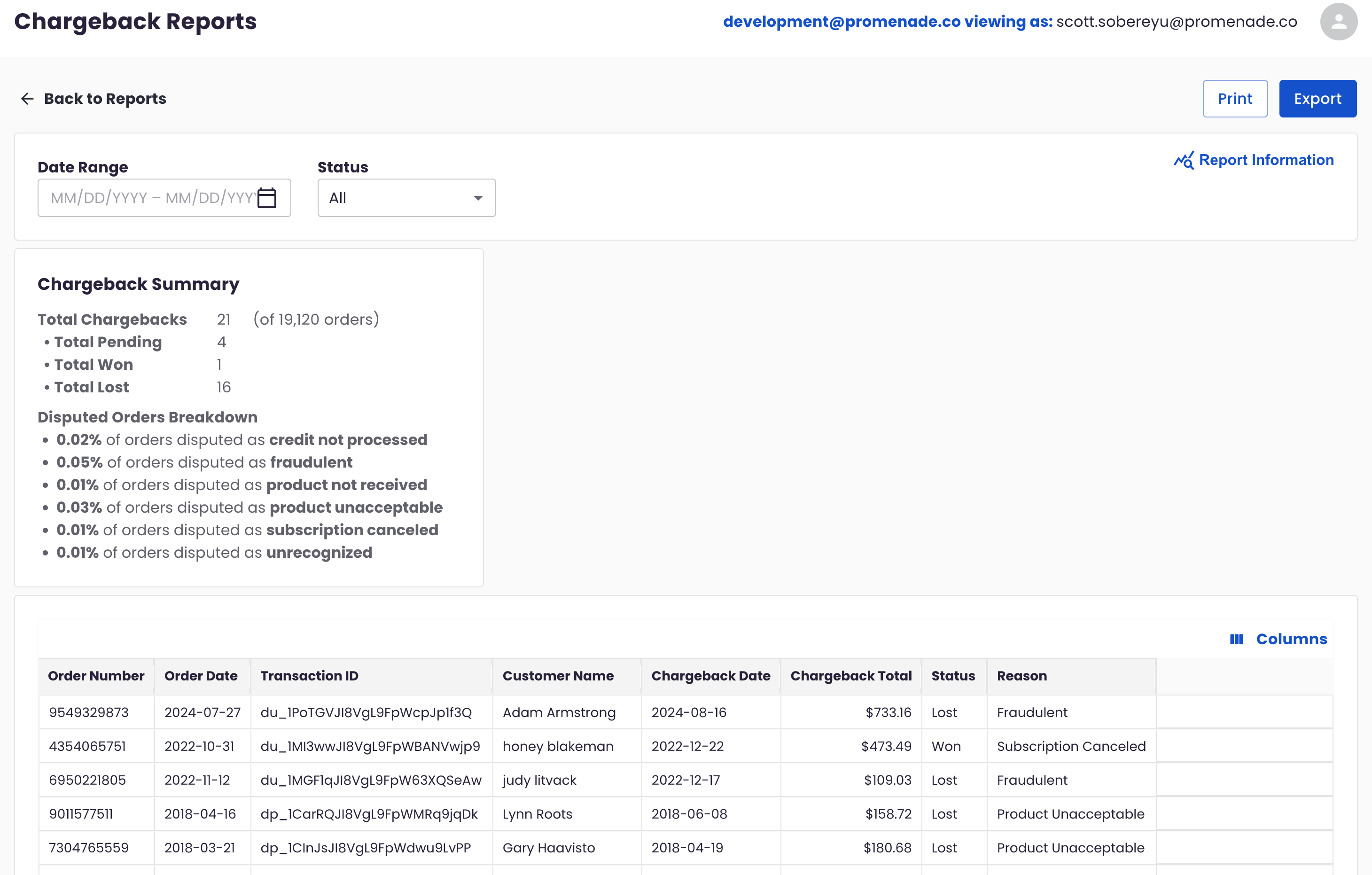
The Chargebacks Report displays a list of disputed transactions with detailed information on each chargeback, including order details, chargeback status, and dispute reasons. You can adjust the date range to filter chargebacks from a specific period and further refine your view by chargeback status.
Chargeback Status Filter
You can filter chargebacks by the following statuses:
- All: Shows all chargebacks.
- Won: Chargebacks where you successfully challenged the dispute.
- Lost: Chargebacks you were unable to overturn.
- Closed: Resolved chargebacks with no further action needed.
- Needs Response: Disputes that require immediate action to contest.
- Warning - Needs Response: High-priority disputes needing a response.
- Under Review: Chargebacks under evaluation.
- Warning - Under Review: High-priority chargebacks under evaluation.
Actions Available
- Print: Print a hard copy of the report.
- Export: Export the report data to a CSV file for external analysis.
Chargeback Summary
At the top of the Chargebacks Report, a Chargeback Summary table provides an overview of key statistics:
- Total Chargebacks: Total number of chargebacks out of all orders within the selected time frame.
- Total Pending: Total number of chargebacks still pending resolution.
- Total Won: Total number of chargebacks successfully contested.
- Total Lost: Total number of chargebacks that could not be overturned.
Disputed Orders Breakdown
Below the summary table, the Disputed Orders Breakdown section categorizes chargebacks by reason, showing the percentage of orders disputed for each reason type:
- Credit Not Processed
- Fraudulent
- Product Not Received
- Product Unacceptable
- Subscription Canceled
- Unrecognized
These percentages provide insight into the main causes of chargebacks, helping you identify any recurring issues or potential areas for improvement.
Chargebacks Table
The main Chargebacks Table lists each individual chargeback with detailed information. You can view and manage specific chargebacks here, using column filters to sort or display only the details most relevant to you.
Table Columns
Each row represents a chargeback and includes the following fields:
- Order Number: ID for the disputed order.
- Order Date: Date the order was placed.
- Transaction ID: Stripe transaction identifier for the chargeback.
- Customer Name: Name of the customer who filed the dispute.
- Chargeback Date: Date the chargeback was initiated.
- Chargeback Total: Amount disputed.
- Status: Current status of the chargeback.
- Reason: The reason the customer disputed the charge.
You can customize the table view by toggling individual columns on or off, or by showing/hiding all columns. Select Reset to return to the default view.
Need Further Assistance?
If you have any questions or need support with managing chargebacks, please reach out to our Bloom Experts by submitting a support ticket.