
About the Shop
Updated
The About the Shop / About the Owner section of your profile is incredibly important for telling your customers more about you, what makes your business unique, and why they should shop with you instead of someone else.
Follow the steps below to let your customers know more about your shop:
- Log into your Dashboard
- Click the My Shop dropdown tab, on the left-side menu bar
- Click Shop Info
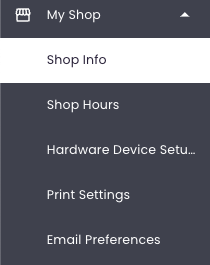
Start by giving BloomNation and your customers some basic but crucial information about your shop:
-
Enter all relevant information under Shop Contact Info and Shop Address
- Note: Some fields are locked for security purposes. To update the locked shop location information, please contact our BloomExperts Support Team at floristsupport@bloomnation.com or (210) 405-5050
-
Set your Service Area settings
-
Fill out your About the Shop and About the Owner fields
- Write a description of your shop and you as the owner in the respective fields. What makes you special? Have you been in business for 100 years, do you strive to be eco-friendly, do you contribute to local charities…let your customers know why they should choose you!
-
Make sure you upload your logo, store image, and a photo of yourself under Designer Photo!
- If you don’t have a logo, submit a ticket to learn about how we can create one for you for free.
- To upload a photo, select one that you like on your computer. Click Choose, then double-click the photo file you want, and you’re done!
Make sure to click SAVE!