
Responding to Reviews
Updated

Sometimes a customer has a bad experience with your shop and posts a negative review. As a florist, you want to make things right, so now you can directly respond to your customer reviews to provide more insight to what happened or to update the review with the resolution.
In your review notification email, you will notice a new “Respond to Review” button.
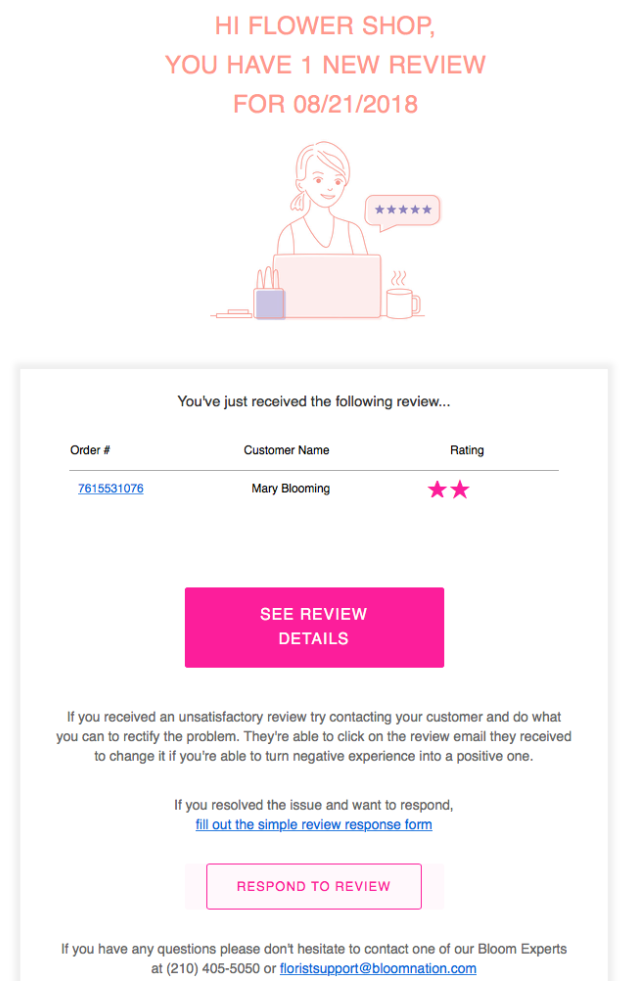
Simply…
1) Copy the review number of the order you would like to respond to
2) Click on the “Respond to Review” button
3) Input the review number and type up your response
Any response you make will be reflected on both Bloomnation.com and your own premium website!