
Introducing the Sales Rep feature
Updated Ver en español
In your BloomNation POS, we have now added an “Order Taken By”/Sales Rep dropdown at the top of Create Order so you and your employees can assign yourselves as the sales representative when taking an order in-person or over the phone.
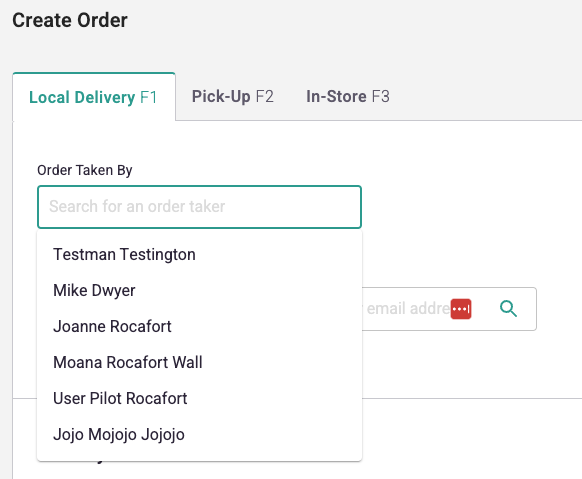
Adding your employees’ names in the Sales Rep dropdown
If you have not yet, please add your employees into the system first.
The only thing is to make sure you have the “Sales Rep” box checked for the employees that are going to be taking orders either in-person or through the phone. (See: #5 in the screenshot below)
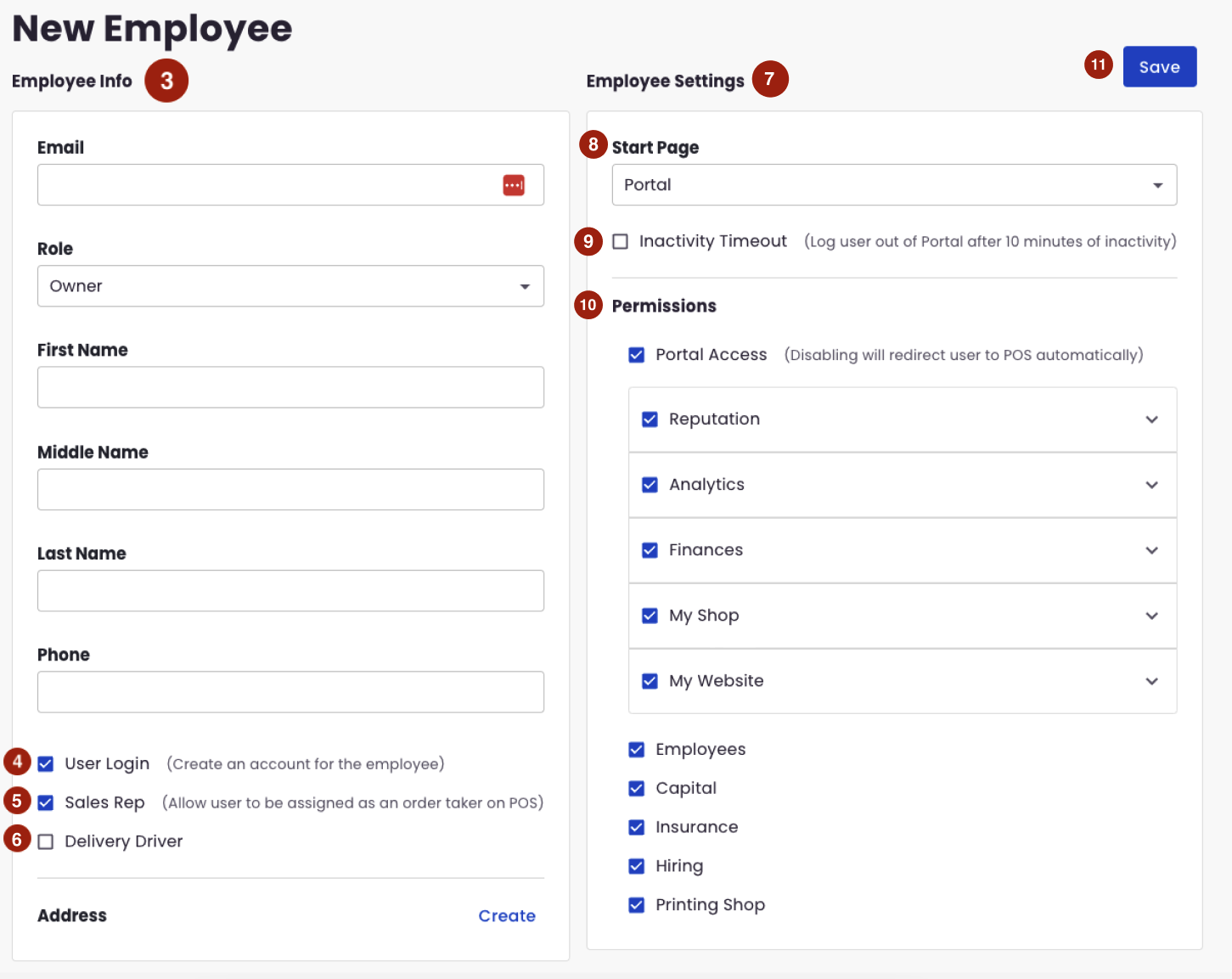
NOTE: After you have added your employee/s in the employment management, it might take up to 30 minutes before their name/s appear in the Sales Rep dropdown section on the Create Order page.