
Hyperticketing
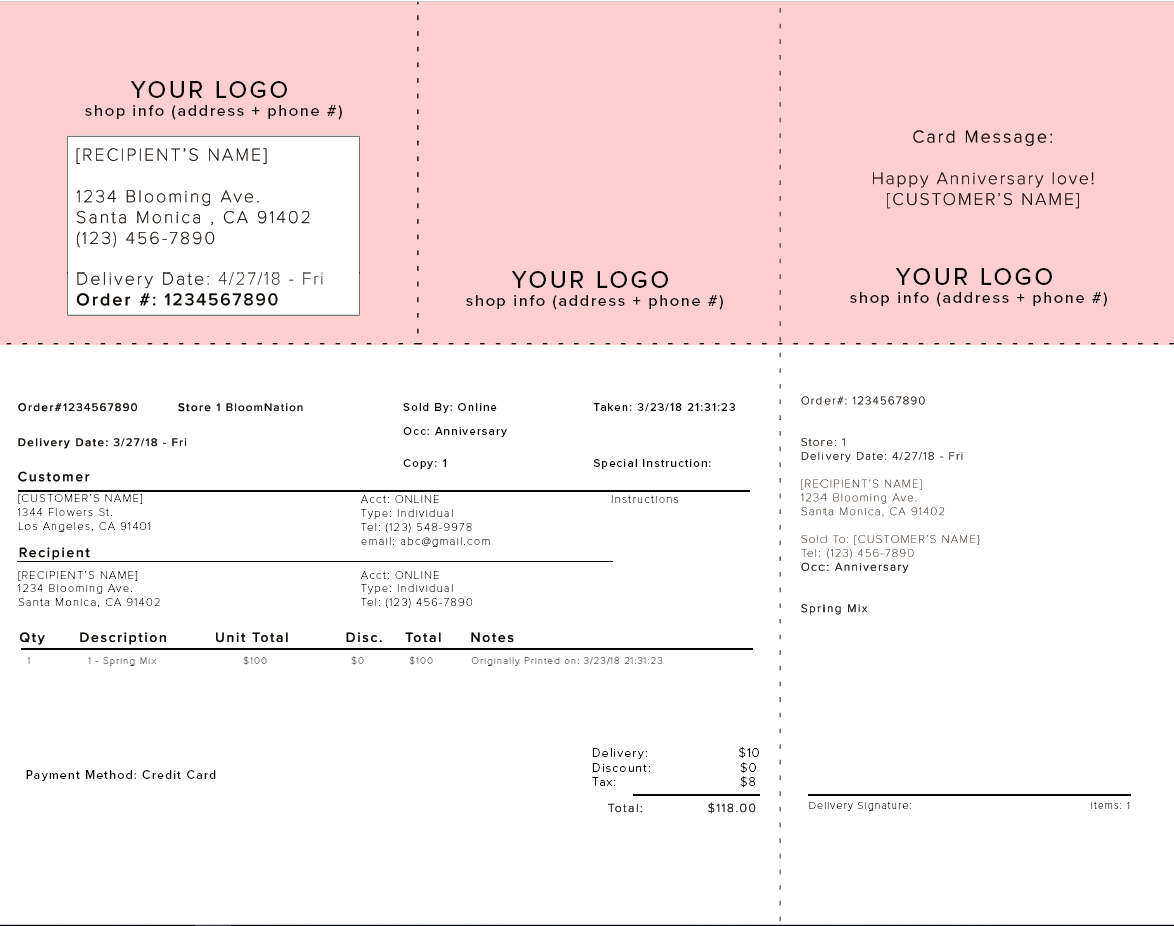
BloomNation supports HyperTicket (SuperTicket) printing for premium partners! With HyperTicketing enabled, your order processing time is decreased, and your shop efficiency is increased.
The best part? BloomNation’s HyperTickets are 100% customizable! Whether you want to use your current paper and layout, edit your current layout, or make something completely custom, we’ve got you covered.
HYPERTICKET EXAMPLE:
Frequently Asked Questions
What kind of paper do I need for BloomNation hypertickets?
Whatever paper you’ve got! Our team will work with you (and your printer) to customize your hyperticket to contain the information you need on the paper you already have? If you're still stumped and need a suggestion, we find that most shops are happy with the paper found here!
Can I customize the layout of my hyperticket?
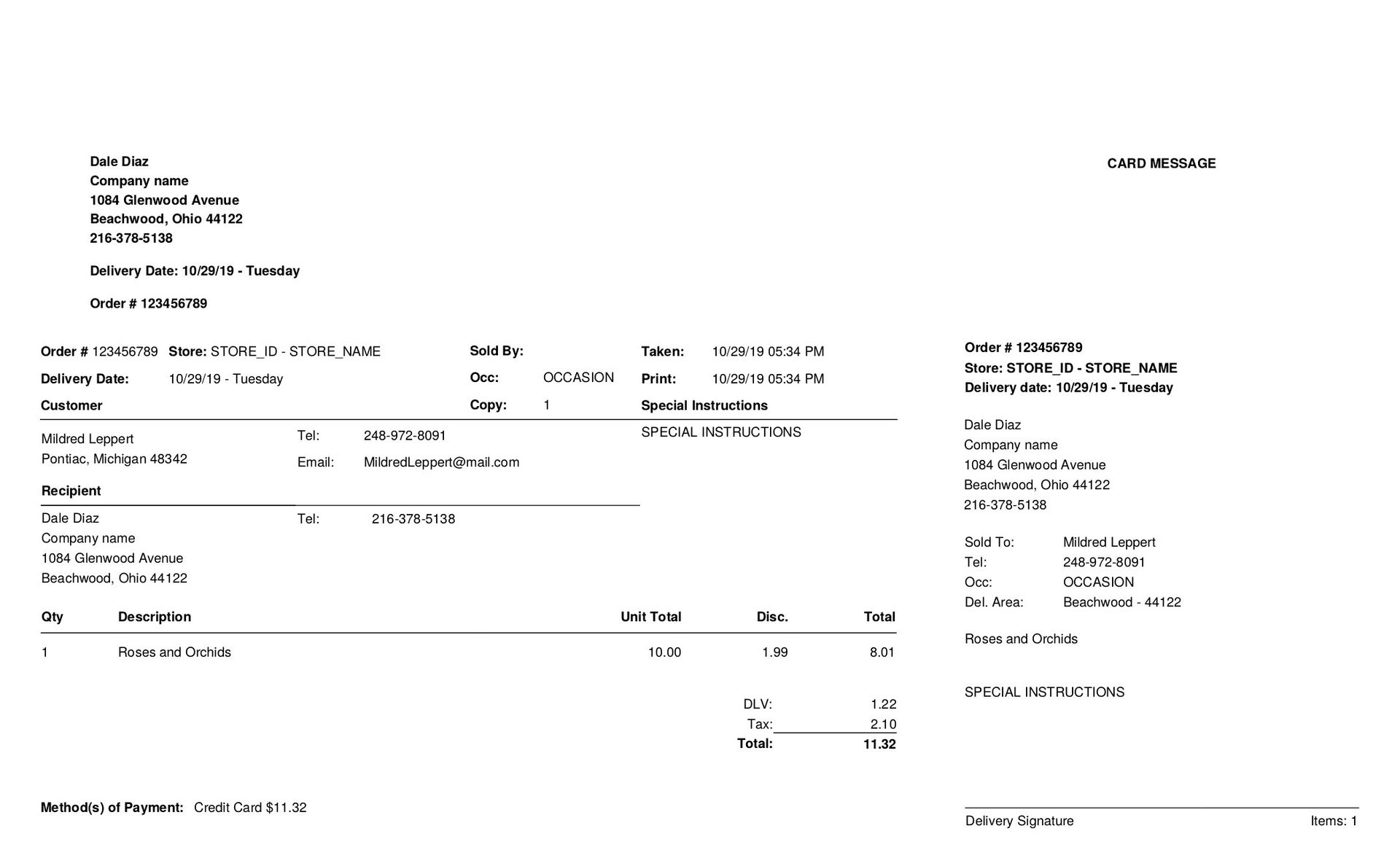
YES. You will work with our team to let us know what information you’d like on the ticket, and where you’d like it to go.
The default, recommended layout:
Can I customize the fonts on my hyperticket?
YES.
Do I need to include all the order information on my hyperticket?
NO, you don’t need to use all the order information. You will let our team know what order information you’d like printed on your hyperticket.
I’d like to re-do my current HyperTicket — can you help me?
YES. Many florists are frustrated with the time it takes to make changes to their hyperticket layouts. Let us know what/how you’d like things changed, and we can handle it for you.
Can I have more than one HyperTicket?
Yes. BloomNation allows your shop to have multiple HyperTicket designs. Examples include:
-
A Full Receipt for record keeping
-
A Card Message Only ticket for attaching to arrangements
-
An Internal Copy for staff use
When you print manually from POS, you’ll be able to:
-
Choose from your available HyperTicket designs in a dropdown menu
-
Select how many copies of each you’d like to print
Note: Only one HyperTicket design can be set as the default, which is used for automatic printing if your shop is integrated with a POS. If you’d like to change your default, please contact BloomNation Support.
How do I get Hypertickets enabled for me?
1. Email floristsupport@bloomnation.com
Subject: Enable Hyperticket
Body: Include the following information:
- Do you currently have hypertickets?
- If yes, what kind of paper do you currently use?
- Attach a copy or picture of your current hyperticket, with information populated.
2. BloomNation team will call you to confirm the details and start testing.
To prepare for your call:
- Research your current paper type. If you don’t know the exact type, use a ruler to find out the dimensions of the paper and each section in the paper
- Brainstorm your hyperticket layout!
Please Note: Requests are handled in the order they are received.