
Selling Alcohol on your Website
Alcohol Sales Settings
Dashboard
In your Dashboard, you can choose to allow alcohol sales on the website and the POS. Head to the My Shop tab and click on POS Settings. You will see Age Verification Settings in the settings list. If you click on the Age Verification settings, you will be met with two toggles and three menu selections.
Allow Alcohol Sales on website and POS
This toggle enables the "contains alcohol" toggle on the product creation page.
Show Alcohol warning on product page
This toggle allows the display of an age verification notice below the product description for products that contain alcohol.
Age Verification on Website Checkout
This menu selector lets you choose between:
- Off: Does not prompt for age verification at Checkout.
- Simple (Yes/No): Has a simple yes/no selector before the user can check out.
- Date of Birth: Requires a complete date of birth to be submitted before the user can check out.
Age Verification on POS
This menu selector lets you choose between:
- Off: Does not prompt for age verification before order creation.
- Simple (Yes/No): Has a simple yes/no selector before order creation.
- Date of Birth: Requires a complete date of birth to be submitted before order creation.
Legal Drinking Age
This lets you set the legal drinking age in your region. 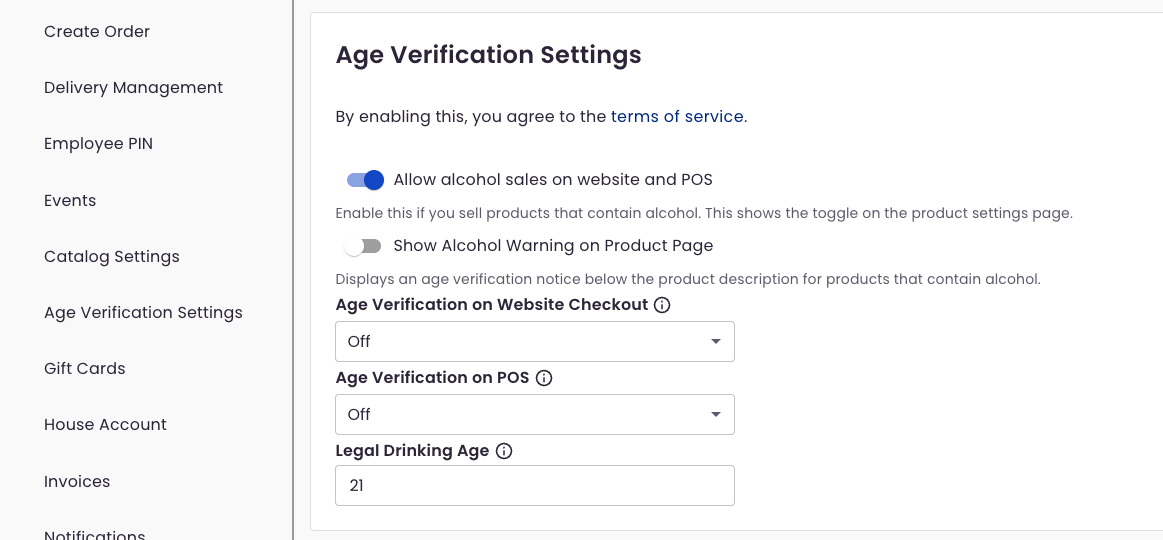
POS
Catalog
In your POS, you can now select "contains alcohol" as a product option.
Note: This disables products from being sold on the BloomNation Marketplace. 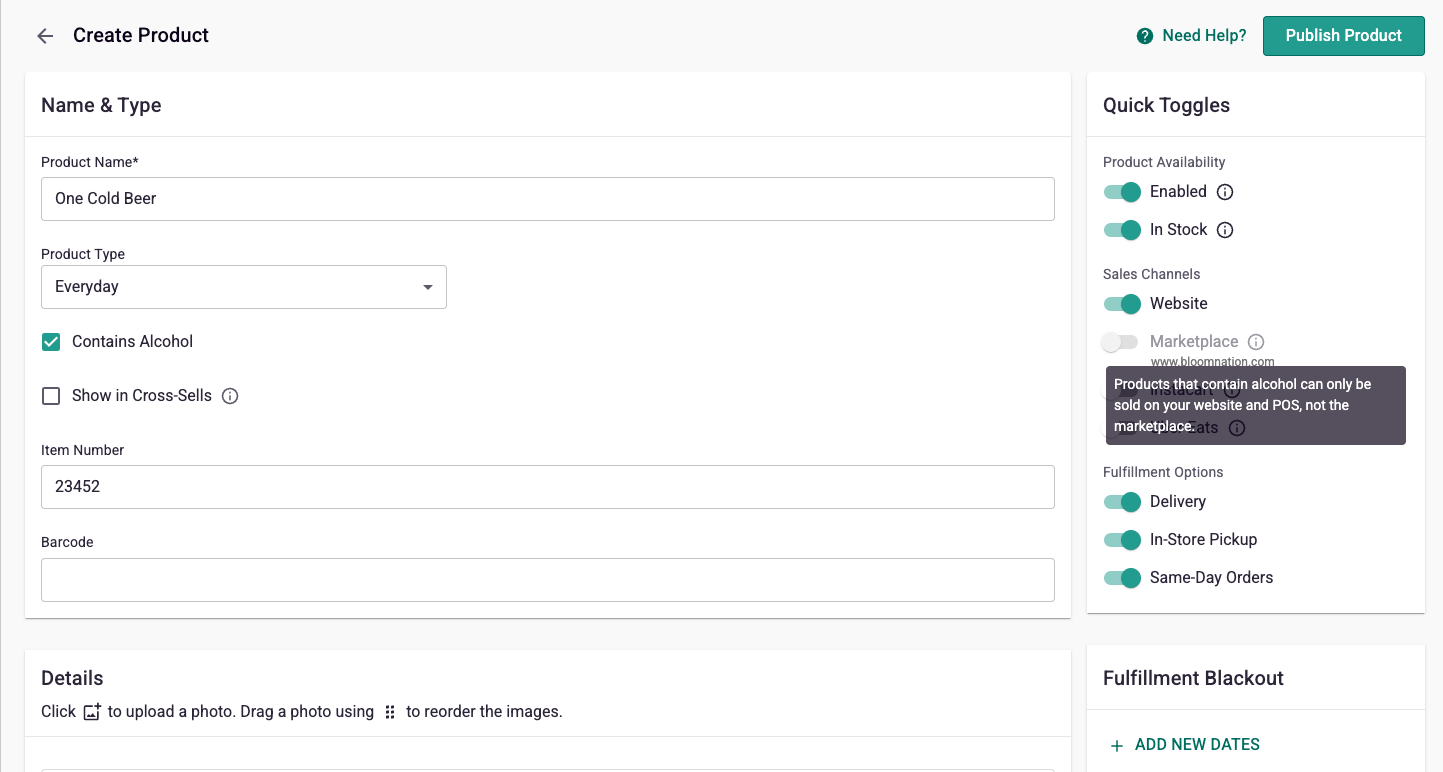
Order Creation
On adding an item with alcohol to an order, the user is prompted to either acknowledge the purchaser is over 21 or to input their birth date, based on the settings of the store. 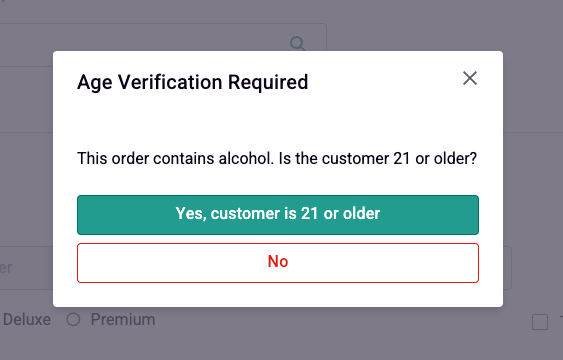
Website
On your website, if you have an alcoholic product for sale, and the corresponding setting is selected, the age verification notice will show below the product description for products that contain alcohol. 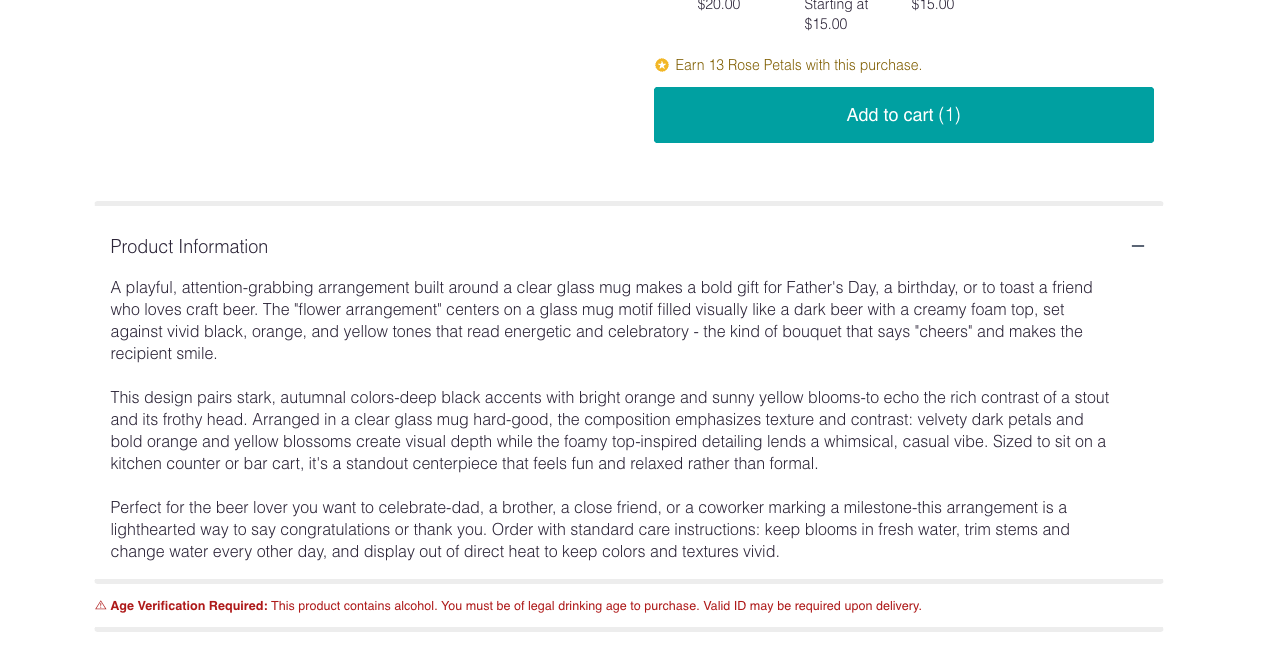
In checkout, if a cart contains alcohol, the age verification modal will pop over the cart upon cart entry. 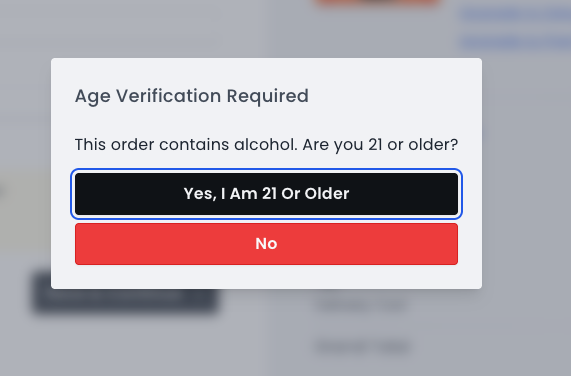
POS
Catalog:
In your POS, you can now select "contains alcohol" as a product option.
Note: This disables products from being sold on the BloomNation Marketplace.
Order Creation:
On adding an item with alcohol to an order, the user is prompted to either acknowledge the purchaser is over 21 or to input their birth date, based on the settings of the store.
Website
On your website, if you have an alcoholic product for sale, and the corresponding setting is selected, the age verification notice will show below the product description for products that contain alcohol.
In checkout, if a cart contains alcohol, the age verification modal will pop over the cart upon cart entry.