
Design for Dollars: The Secret to Building a High-Converting Website
Intro
Your website may be visually stunning, but you're probably leaving money on the table if it's not optimized for your customers.
While your website should reflect your brand identity, it's important not to let branding overshadow usability. At BloomNation, we understand the importance of finding the right balance between visual appeal and website performance.
With over a decade of experience creating high-performing websites for small businesses, our product design team is here to help you grow your business. We've identified several key design insights by analyzing thousands of floral premium sites and industry-leading publications. In this article, we'll provide valuable tips and tricks for optimizing your website without sacrificing your brand or visual identity.
5 Tips + Tricks For An Optimized Site
1. Use Color Selectively to Direct User's Attention
Color is crucial in website design, but using too much of your brand color can overwhelm users and make navigation difficult. Use color selectively and strategically to highlight calls to action and important content.
Remember that too much color can also distract from the main attraction of your site - your arrangements – which should be front and center. Incorporating different shades and tones of your brand color can subdue its focus while keeping your brand consistent.
Do: Use color selectively to highlight calls-to-action, meaningful content, and critical messages; use your brand color for a small selection of decorative elements to create a cohesive look and feel.
Don't: Use too many bright or clashing colors that can detract from the user experience and lead to lower engagement 5nd conversion rates. 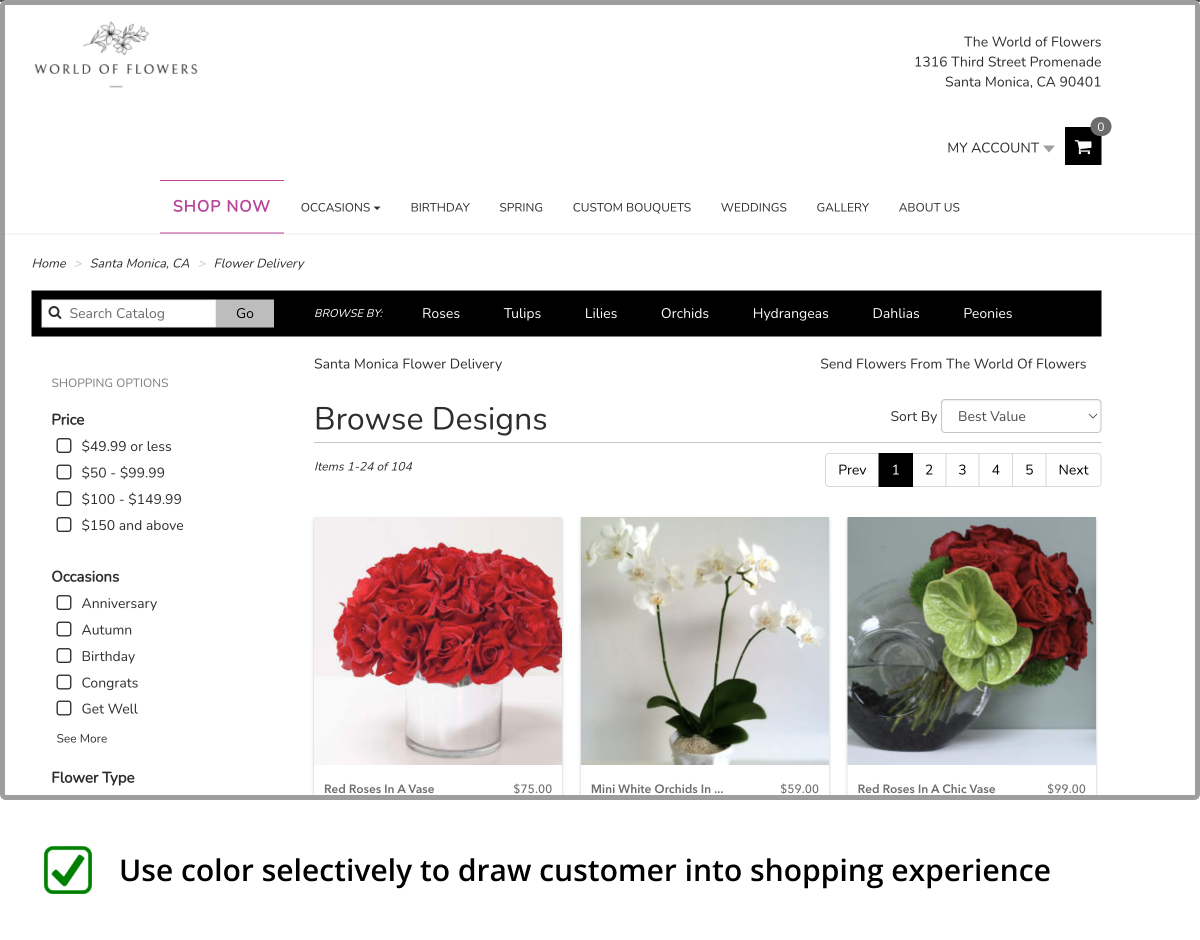
2. Choose Color Pairings with High Contrast
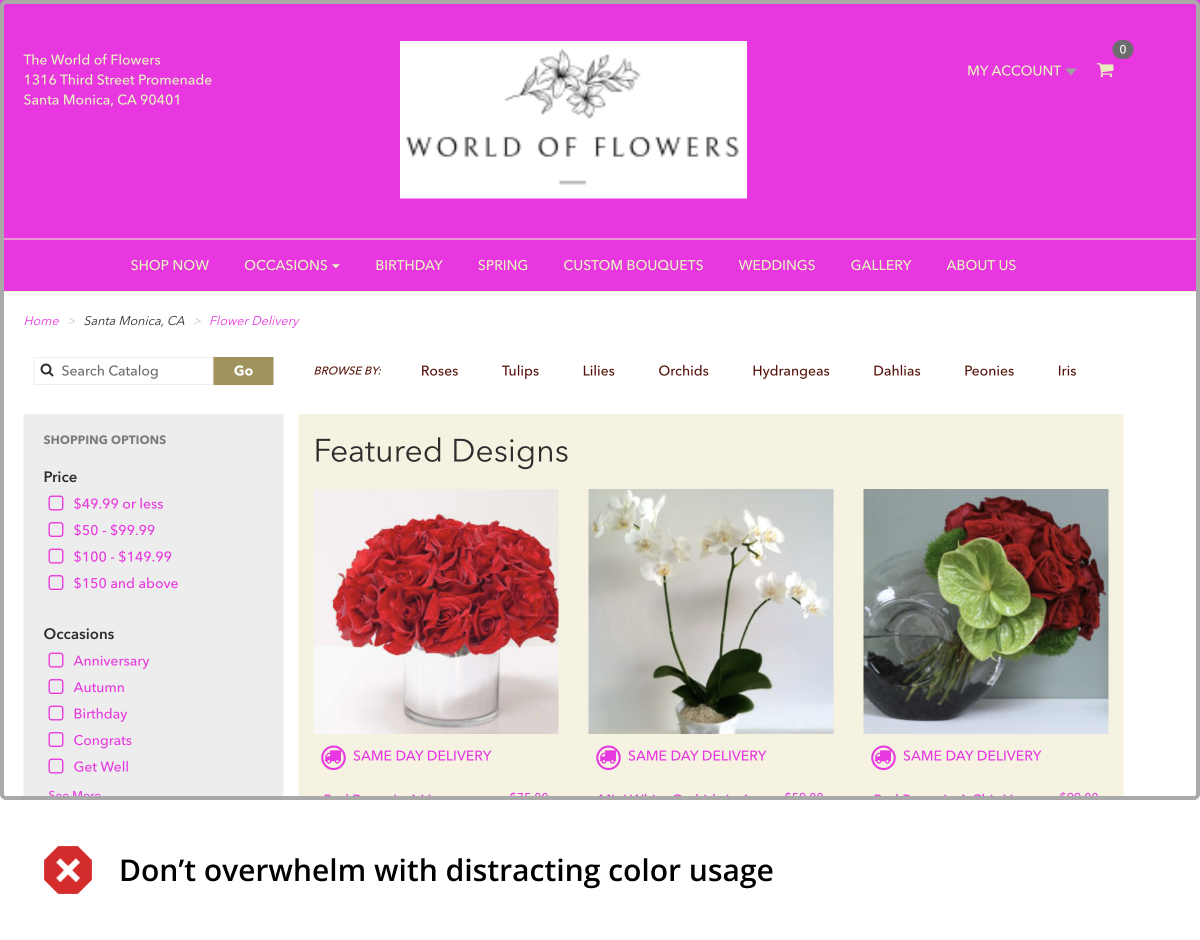
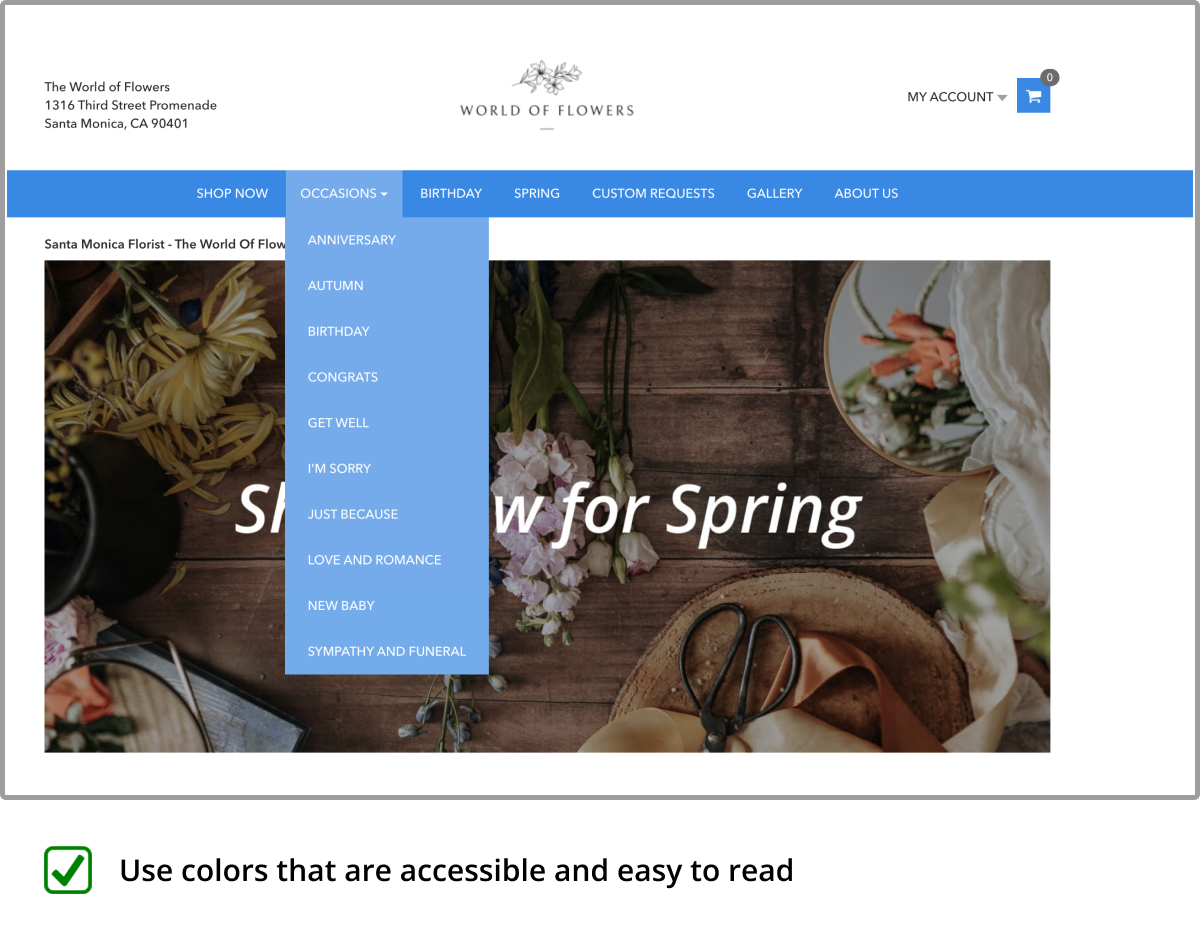
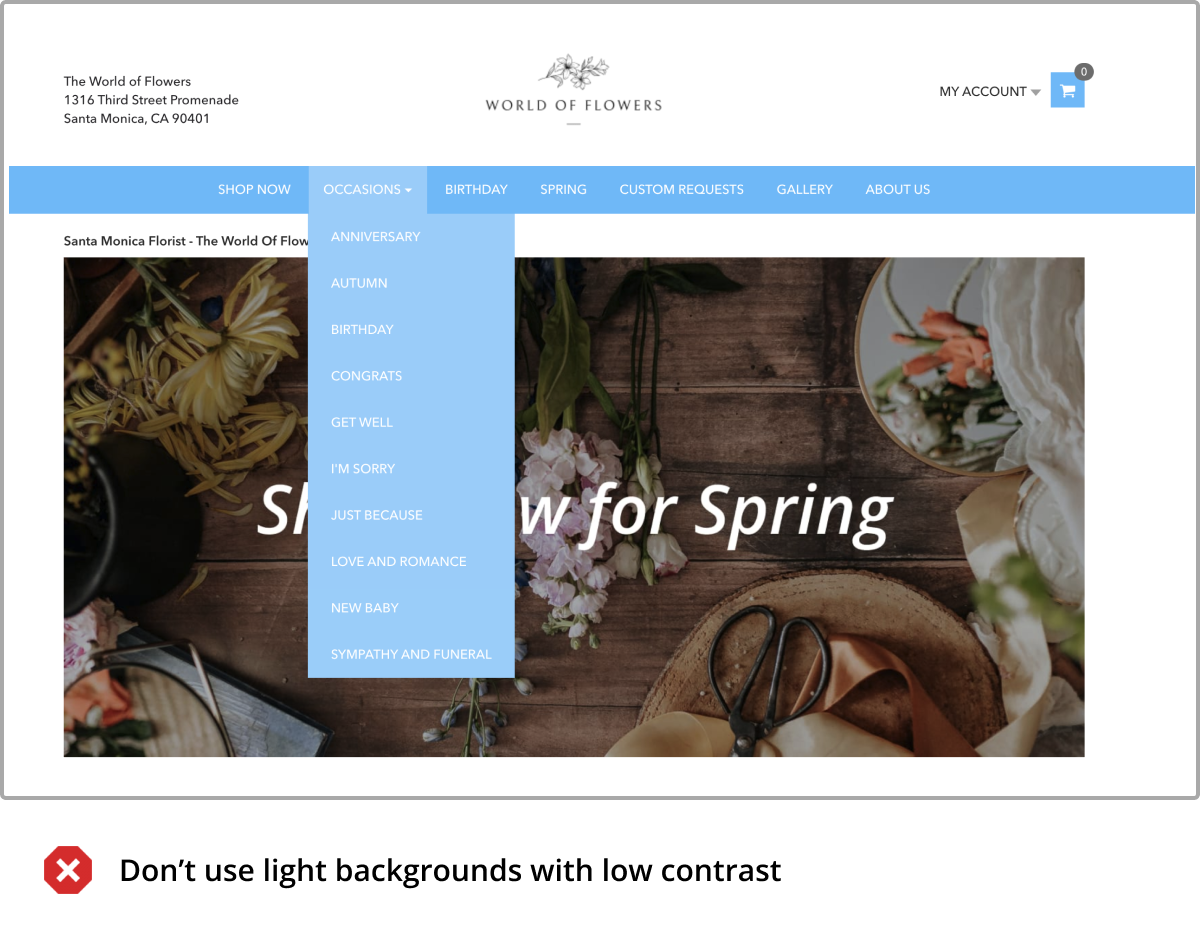
Good color contrast is crucial for website accessibility. Use high-contrast colors that make essential elements easy to read. If your brand color has low contrast, consider using a lighter or darker shade that provides sufficient contrast with the background color. Alternatively, choose a complementary color with higher contrast for essential site elements like text and calls-to-action.
It's worth noting that having good color contrast is essential for user experience and a legal requirement under the Americans with Disabilities Act (ADA). Businesses must ensure that their websites are accessible to people with visual impairments. Remember that what is readable on your screen may not be legible to others. Accessibility is crucial for providing an inclusive and revenue-optimized website.
Do: Use high-contrast colors that make essential elements easy to read. Use a color contrast calculator to check that your color pairings meet ADA guidelines.
Don't: Use low-contrast combinations that can decrease usability and accessibility.
3. Choose Readable Text Styles
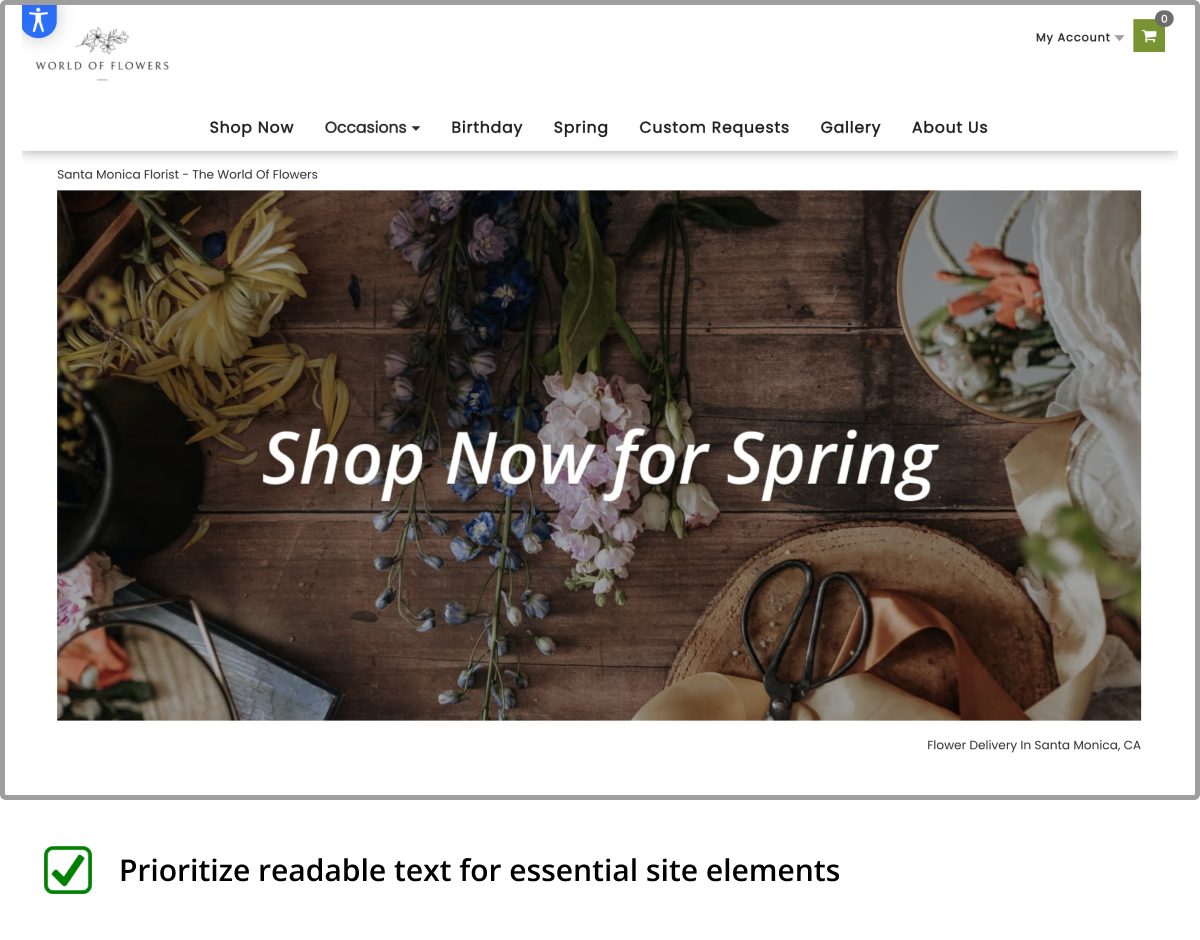
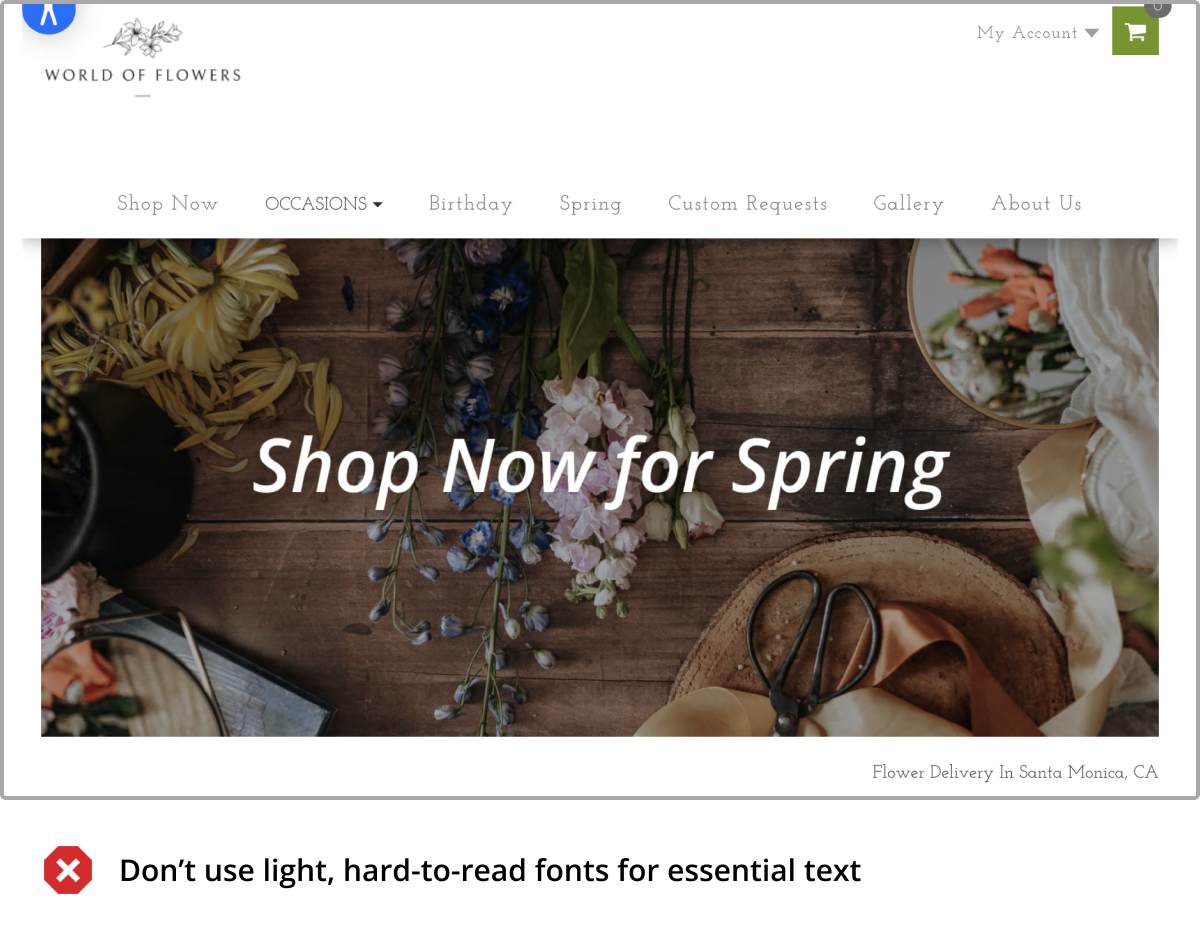
Make your website text easy to read. Norman Nielsen found that 79% of users skim content, making it crucial for your site to be readable at a glance. Perhaps more interesting, studies have shown that using decorative fonts can increase the perceived difficulty of completing a task (like buying flowers) and cause people to abandon doing so altogether.
Use readable fonts and text sizes, especially for mobile devices. If you have a specific stylistic font in mind to enhance your brand's visual identity, only use it for non-essential decorative text, so you don't compromise your site's usability.
Do: Use simple, clean fonts that are easy to read. Use font sizes and weights that are easy on the eyes.
Don't: Use decorative fonts that are hard to decipher for functional elements like navigation or small font sizes that make it challenging to read site content.
4. Prioritize the Shopping Experience On Page Load
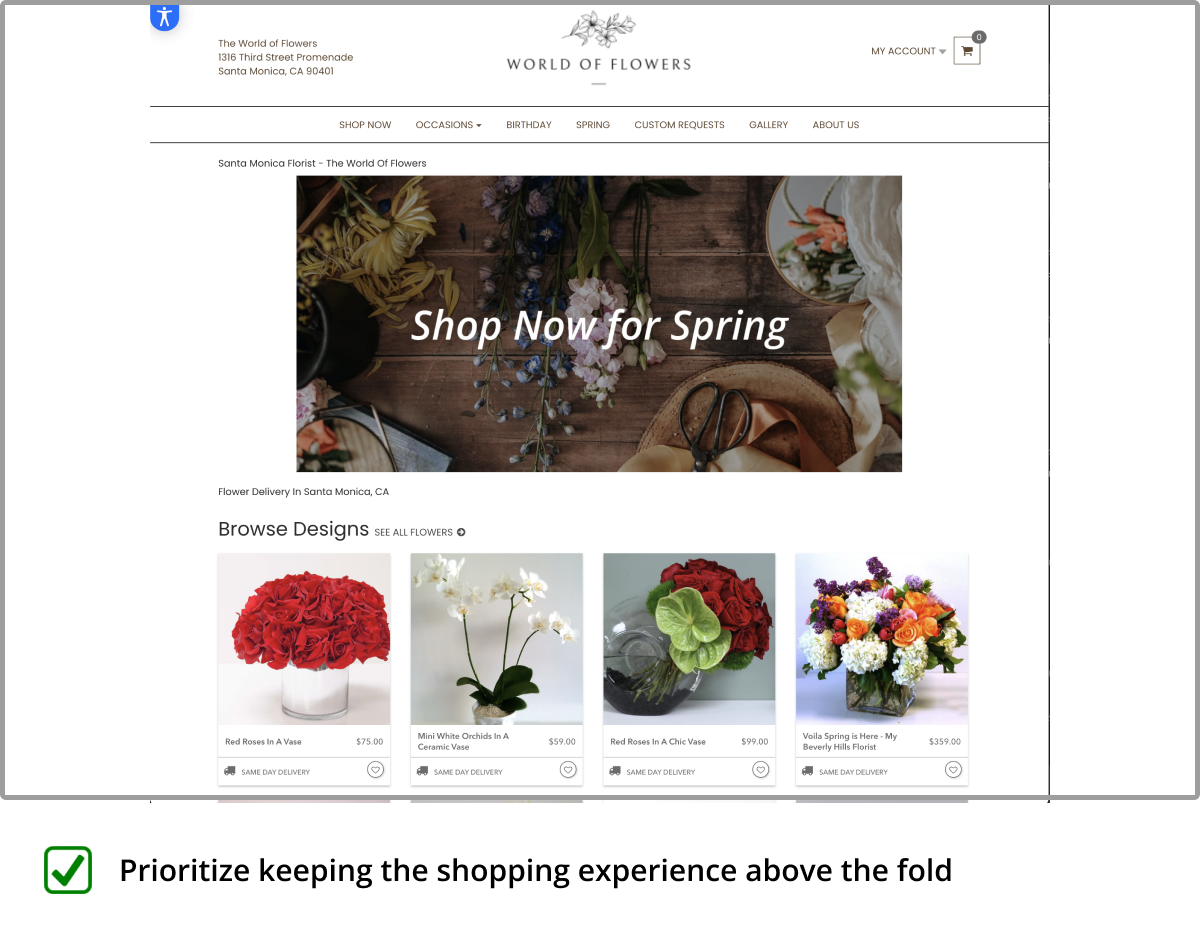
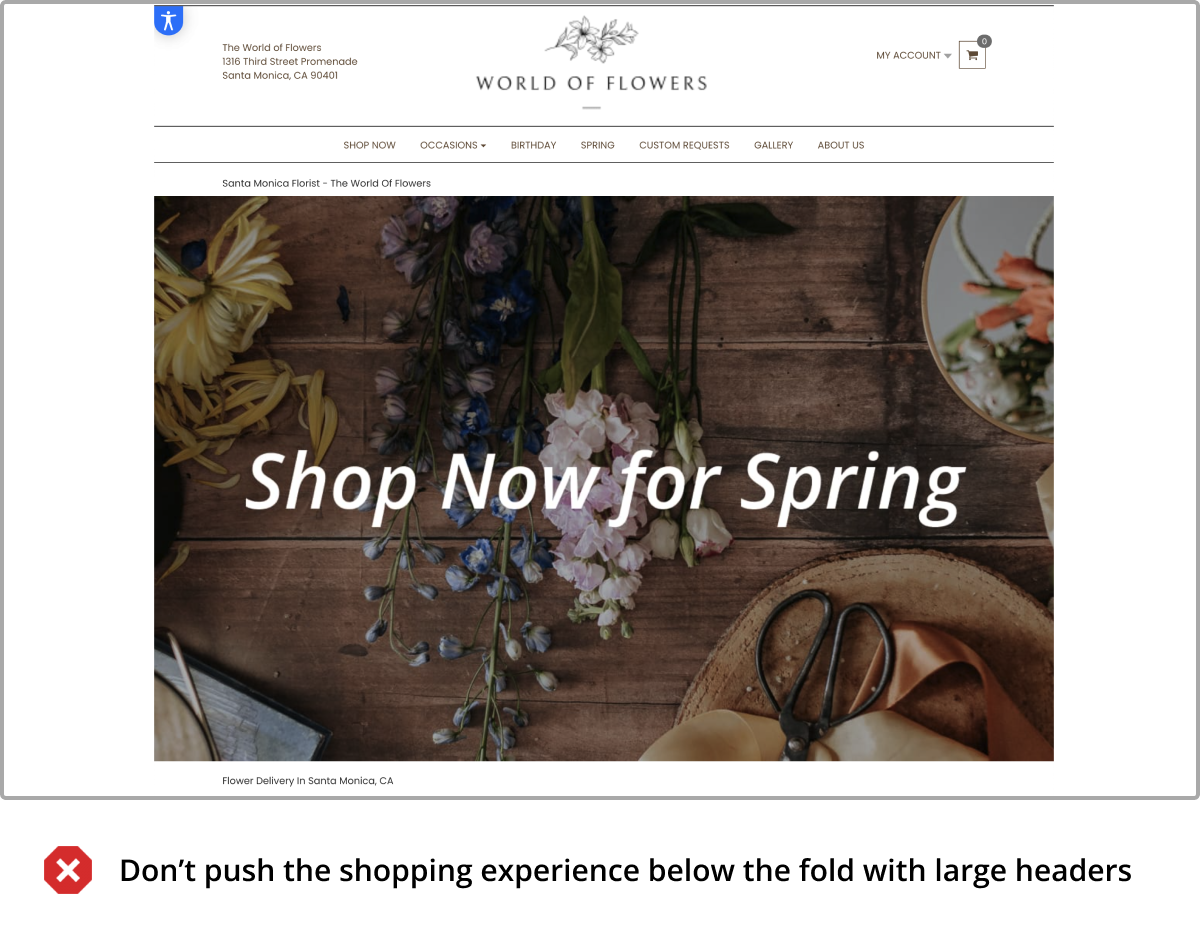
The top section of your website, known as "above the fold," is where users first land on your site without having to scroll down. Research shows that users spend 80% of their time above the fold. Thus, consider optimizing this area to make a great first impression and direct users to essential elements of your site, such as your flower arrangements.
While it may be tempting to showcase your logo prominently, most customers are more interested in finding what they need on your site. One common mistake is using overly large headers and banners that occupy too much space, forcing users to scroll on every page to find what they're looking for. The average navigation bar height among high-performing stores is about 120px. A smaller logo can still effectively represent your brand and make your site look more professional.
Do: Make sure your header is less than 200px. Feature best-selling products and content to make a great first impression.
Don't: Feature a large header that forces users to scroll on every page to browse products and shop.
5. Simplify Your Navigation
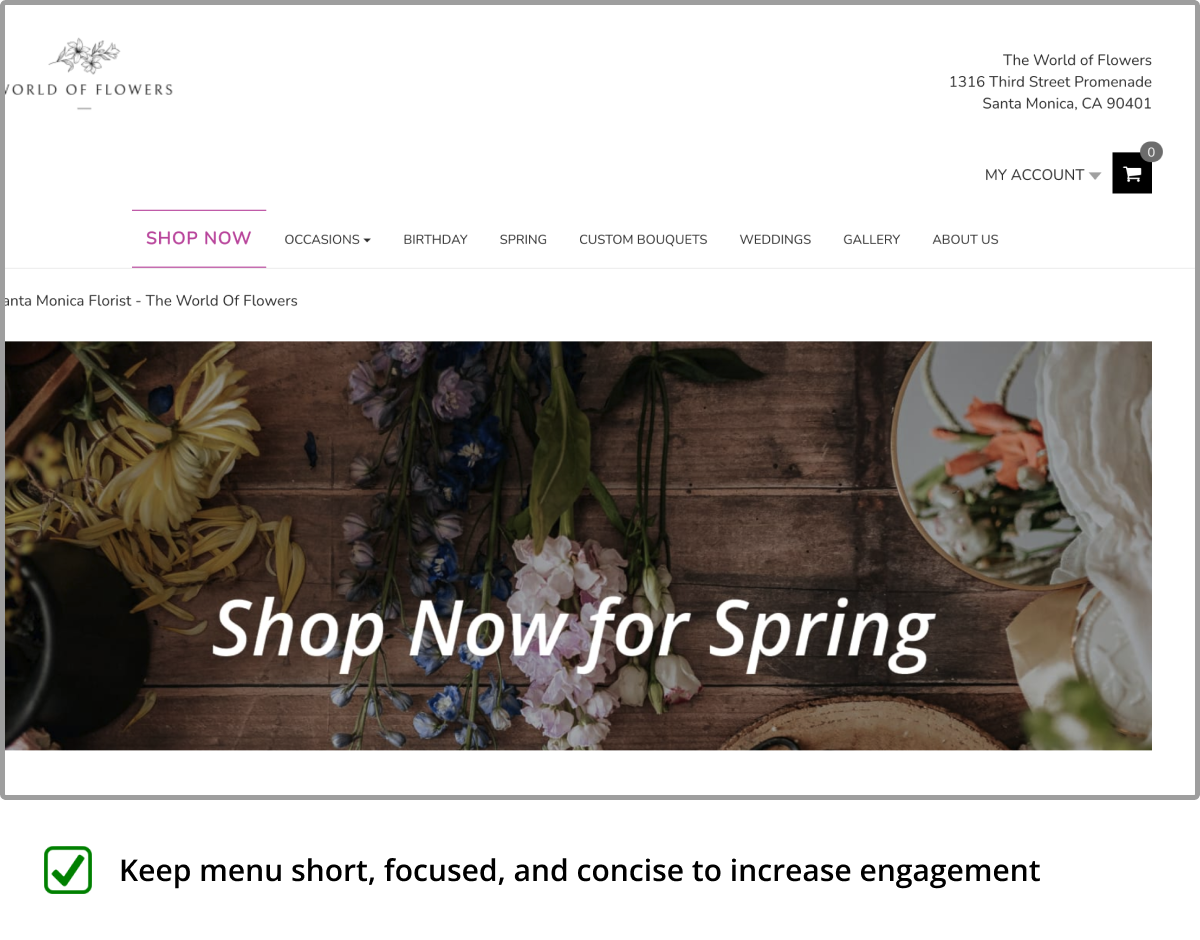
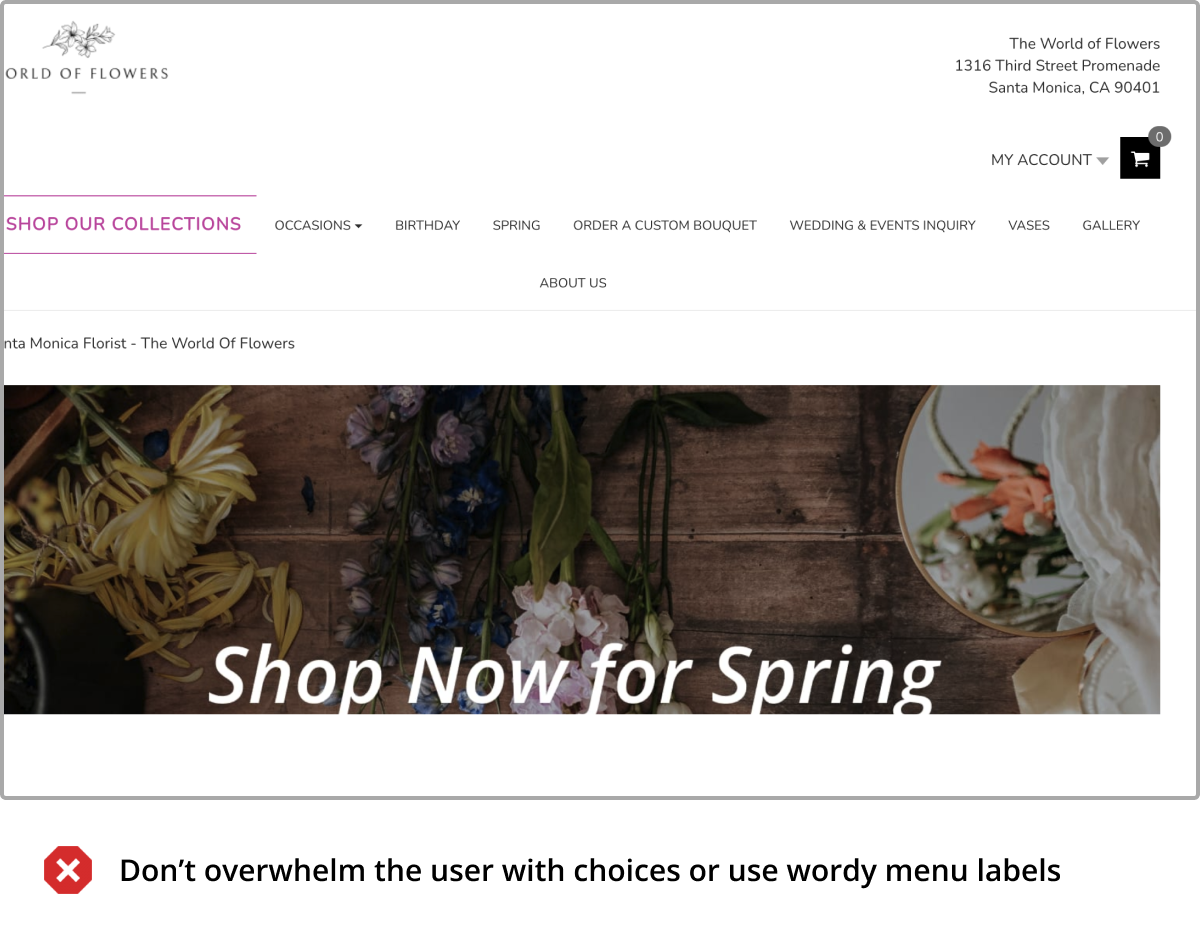
Your website's navigation should be easy to use and understand. One study found that complex navigation structures may cause up to 37% of customers to leave your site. Another study added that providing too many options can lead to decision fatigue and ultimately hurt conversion. It's essential to strike a balance between providing enough options to showcase your offerings and guiding users toward making a decision.
Organize your products into logical categories and subcategories, making it easy for users to find what they want. Use simple labels, and avoid using complex dropdown menus or confusing navigation structures that can frustrate users. One case study found that simplifying a site's menu increased revenue by over 60%!
Do: Use simple labels for navigation. Organize products into logical categories and subcategories.
Don't: Use complex dropdown menus or feature too many items.
Conclusion
By implementing these tips, you can optimize your website for growth while maintaining a strong visual identity. Our team at BloomNation is here to help you create a high-performing website that converts visitors into customers. If you're ready to optimize your site, please get in touch with us today!