
BloomNation Starter Catalog
From building your brand, to improving conversion and receiving more repeat orders, establishing and displaying your own collection of high-quality products and associated photography is key to having a successful online business. Taking photos of your unique artwork showcases your talent to the world and distances your business from the commercialization of flowers that has been taking place for so long.
BloomNation Starter Catalog
As our partner, you have access to our very own Starter Catalog.
- Login to your POS
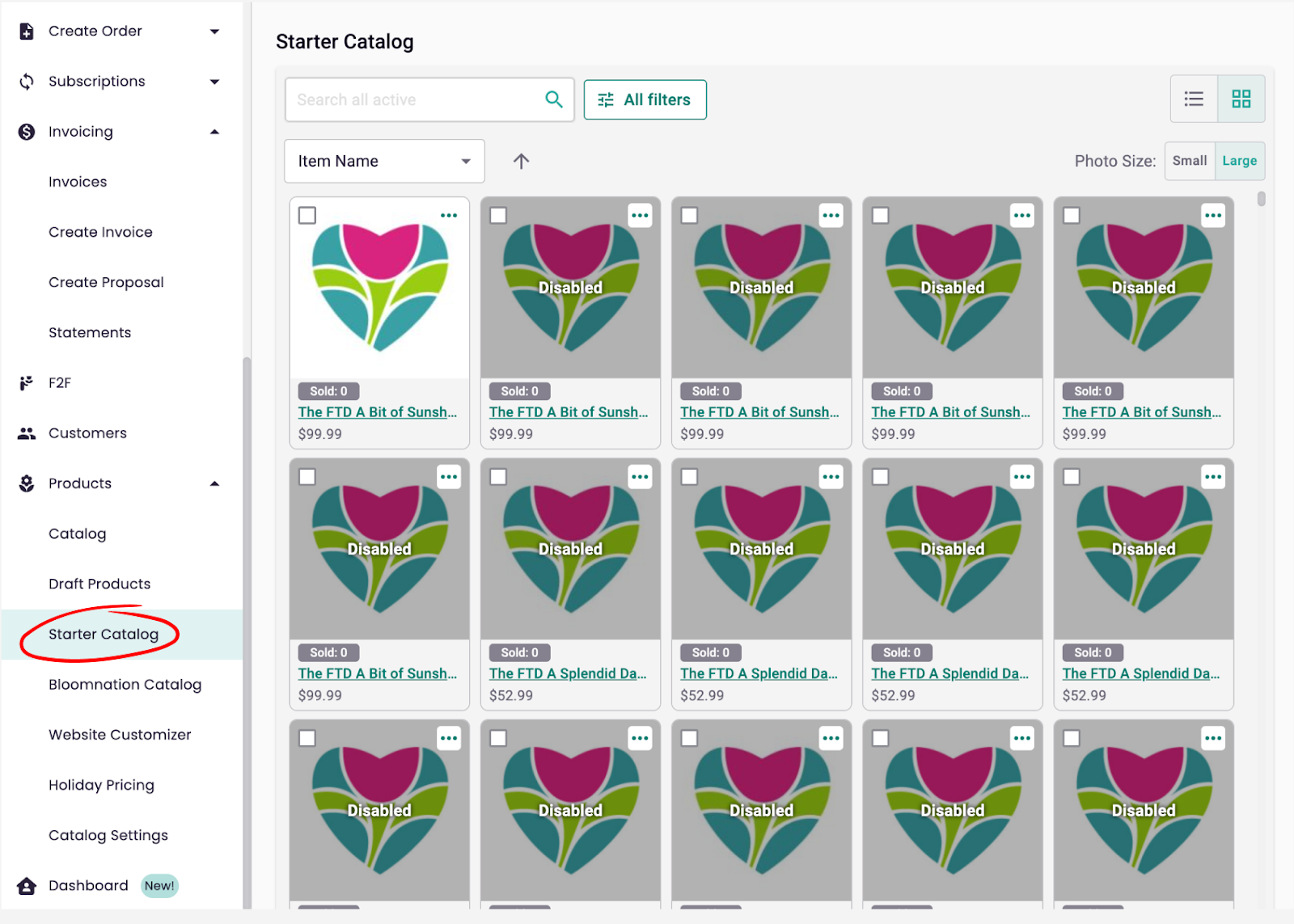
- Navigate to the left-hand side menu, and click on "Products" followed by "Starter Catalog."
- Use the checkboxes to select multiple products that you want to enable or use the “...” more button to enable your product (i.e. make live on your Premium Site).
- Once you see the products in your Catalog you may edit, move, and/or disable them at will.
Other Stock Catalog Requests
Partners who have rights to use certain third-party floral catalogs may request to use them on their own website. Please note that these images are NOT permitted on the BloomNation Marketplace (BloomNation.com).
Please request help with uploading new or seasonal products from third-party catalogs by emailing us at support@bloomnation.com and including as much relevant information as possible regarding the catalog.
PLEASE REMEMBER: You may only request catalogs that you have full, demonstrable rights to use. Additionally, stock, or catalog, images are not allowed on the BloomNation marketplace.